


Key Takeaways
- Swift is the preferred choice for native iOS development because it supports Apple’s frameworks, SwiftUI, and UIKit.
- Objective-C remains useful for legacy applications that businesses need to maintain or gradually migrate to Swift.
- Flutter and React Native help businesses build apps for iOS and Android using shared code.
- .NET MAUI and Kotlin Multiplatform allow teams to reuse their existing C# or Kotlin skills across platforms.
- The best programming language depends on business needs, development costs, team skills, scalability, and delivery timelines.
The programming language behind an iOS app directly affects its performance, user experience, development costs, and ability to scale. Choosing the wrong technology can create limitations as the product grows, increase maintenance efforts, and make future updates more expensive. While Swift remains Apple’s primary choice for native iOS development, Flutter, React Native, .NET MAUI, and Kotlin Multiplatform offer alternatives for cross-platform applications.
The best technology stack depends on product requirements, performance expectations, available talent, and long-term maintenance costs. Businesses should consider the application’s features, target platforms, integration requirements, and future growth before selecting a programming language.
Working with experienced providers of iOS app development services can also help businesses evaluate technology options and build a suitable development strategy. A well-informed choice can reduce technical limitations, simplify future updates, and deliver better value from the development investment.
Table of Contents
What Languages Are iOS Apps Written In?
Most native iOS applications are written in Swift and Objective-C, Apple’s programming languages for developing applications across its ecosystem. However, businesses can also use Dart with Flutter, JavaScript or TypeScript with React Native, C# with .NET MAUI, and Kotlin Multiplatform to build iPhone applications.
The choice depends on whether a business needs a fully native experience or wants to share application code across iOS and other platforms. It is also important to distinguish between a programming language, a framework, and a UI toolkit:
- Programming language: Defines the syntax and logic used to write application code. Examples include Swift, Objective-C, Dart, JavaScript, Kotlin, and C#.
- Framework: Provides reusable libraries and tools for building application functionality. Examples include Flutter, React Native, and .NET MAUI.
- UI toolkit: Provides components and tools for designing application interfaces. SwiftUI and UIKit are Apple’s primary frameworks for native iOS interfaces.
For example, developers write Swift code and use SwiftUI to build an iOS interface. Similarly, Flutter uses Dart and its own widget and rendering architecture to create application interfaces.
Native vs Cross-Platform iOS Development
Native and cross-platform development differ in how application code is written, maintained, and deployed. Native development uses Apple’s platform-specific technologies, primarily Swift or Objective-C. Cross-platform development uses frameworks that allow businesses to reuse application code across iOS and Android.
| Evaluation factor | Native iOS development | Cross-platform development |
| Performance | Direct access to platform capabilities and native execution | Generally strong, depending on framework and implementation |
| Apple API access | Direct access to Apple’s SDKs and new APIs | May require framework updates or native integrations |
| Development cost | Separate development effort for other platforms | Shared code can reduce duplicated development effort |
| Time to market | Can take longer when launching on multiple platforms | Often faster for products targeting multiple platforms |
| Team size | Requires iOS-specific expertise | Can use a shared team with framework-specific expertise |
Native development is suitable for applications that depend heavily on Apple technologies, complex animations, advanced device integrations, or platform-specific user experiences.
Read Also: Native vs Cross-Platform App Development: Which is Best For Your Mobile App Project?
Cross-platform development is useful when businesses need to launch on multiple platforms with shared functionality, controlled budgets, and shorter development cycles. Neither approach automatically guarantees lower costs or better performance. Application complexity, architecture, and team experience influence the outcome.
7 iOS App Development Languages and Technologies in 2026
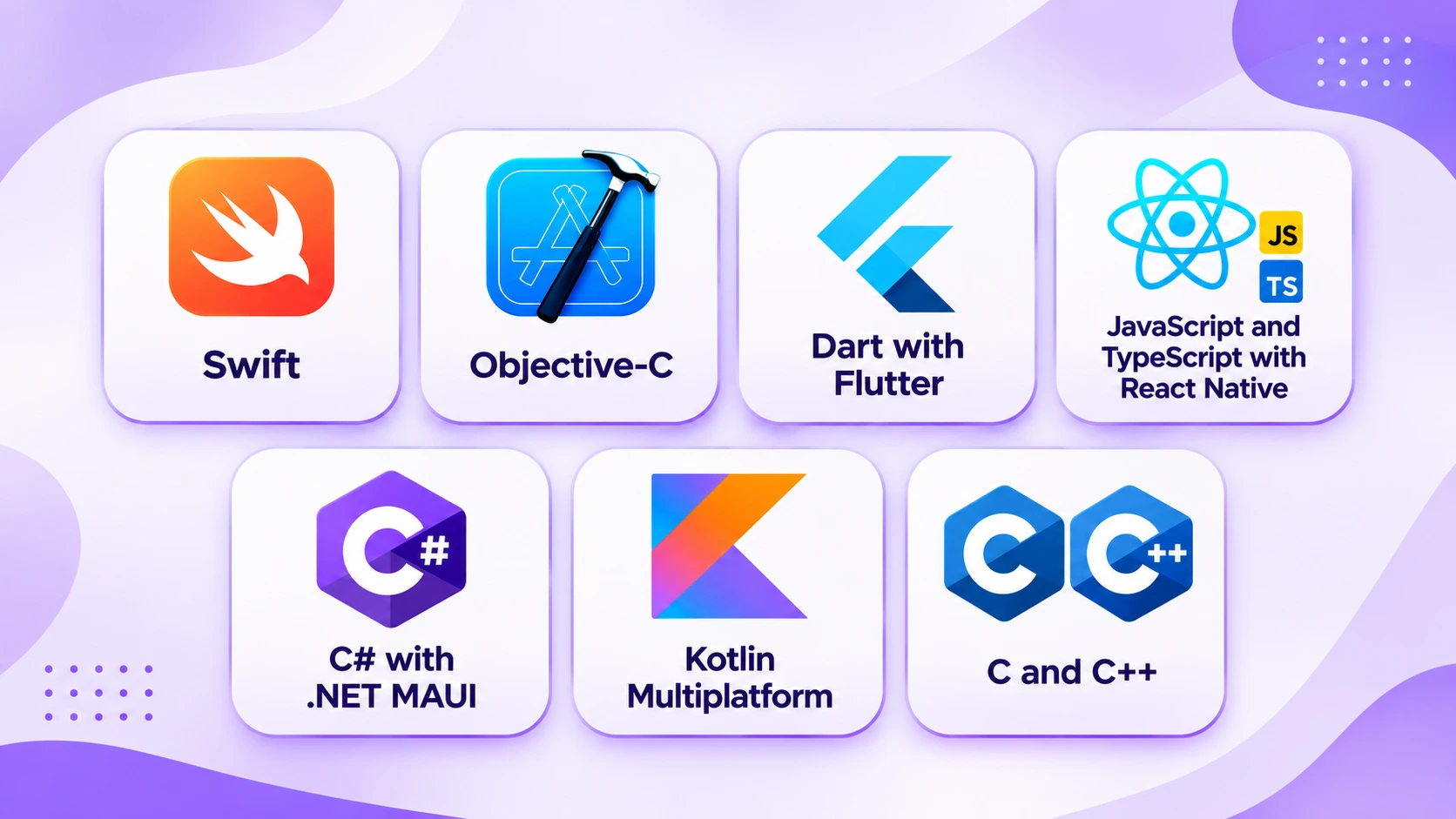
The following seven programming languages and technology combinations cover the main options for building native and cross-platform iOS applications.
1. Swift
Swift is Apple’s modern programming language for developing applications across its ecosystem. It combines performance, type safety, and readable syntax, making it suitable for building secure and scalable iOS applications.
It integrates with Apple’s development frameworks, including SwiftUI, UIKit, Core Data, and ARKit. It uses Automatic Reference Counting (ARC) for memory management and the LLVM compiler infrastructure to generate optimized machine code.
Swift is particularly suitable for native iPhone and iPad applications that require advanced animations, device integrations, or Apple technologies such as HealthKit, ARKit, and Core ML. However, it may not be the first choice for businesses looking to share most of their application code with Android.
What’s new in 2026?
Swift 6.4, released on September 15, 2026, introduces package SBOM generation in SPDX and CycloneDX formats, brings the Subprocess library to version 1.0, and improves WebAssembly bridging through JavaScriptKit by up to 40 times.
Example applications: Mednovate Connect, developed by RipenApps, uses Swift for its iOS application, demonstrating how native development can support healthcare features requiring platform-specific integration.
SwiftUI vs UIKit
SwiftUI and UIKit are Apple’s primary frameworks for building iOS application interfaces. While SwiftUI uses a declarative approach to create interfaces, UIKit provides an imperative approach with granular control over interface components.
| Factor | SwiftUI | UIKit |
| Approach | Declarative UI development | Imperative UI development |
| Interface building | Uses views and state-driven updates | Uses views and view controllers |
| Code structure | Generally requires less boilerplate | Provides granular interface control |
| Best for | New applications and modern interfaces | Existing applications and specialized interfaces |
| Integration | Can incorporate UIKit components | Can incorporate SwiftUI views |
Developers can also combine SwiftUI and UIKit within the same application when migrating existing interfaces or integrating specialized components. This allows businesses to modernize existing applications without rebuilding every interface from scratch.
2. Objective-C
Objective-C is best suited for maintaining legacy iOS applications and remains supported within Apple’s development ecosystem. It is an object-oriented programming language historically used to build applications for Apple’s platforms. Although Swift is now preferred for new iOS projects, Objective-C remains relevant for maintaining and extending established applications.
It provides access to Apple’s frameworks through the Objective-C runtime, which supports dynamic method dispatch and runtime messaging. Developers can also combine Swift and Objective-C code within the same project, making gradual migration possible.
Objective-C is particularly suitable for:
- Maintaining existing iOS applications.
- Extending products with substantial Objective-C code.
- Integrating older third-party libraries.
- Migrating legacy applications to Swift incrementally.
However, it is generally not the first choice for new applications without legacy dependencies or specific Objective-C requirements.
What’s its role in 2026?
Objective-C continues to support established applications, while Apple’s modern development direction centers on Swift, SwiftUI, and newer SDK capabilities. Businesses should assess migration needs rather than choose Objective-C by default.
Swift vs Objective-C
Swift and Objective-C both support native iOS development, but differ in syntax, type safety, and suitability for new projects.
| Comparison | Swift | Objective-C |
| Syntax | Modern and concise | More verbose |
| Memory management | Automatic Reference Counting (ARC) | ARC, with manual management in older code |
| Type safety | Strong static typing | Dynamic runtime capabilities |
| Performance | Compiled native code | Compiled native code |
| New iOS development | Preferred | Generally not recommended |
| Legacy compatibility | Supports interoperability | Established legacy ecosystem |
Swift is generally the better choice for new iOS applications because of its modern syntax and closer alignment with Apple’s development direction. Objective-C remains valuable when businesses need to maintain, extend, or gradually modernize existing products.
3. Dart with Flutter
Dart with Flutter is best suited for businesses building iOS and Android applications from a shared codebase. Dart is an object-oriented programming language developed by Google, while Flutter is its cross-platform UI framework. Together, they allow businesses to develop applications for both platforms while reducing duplicated development effort.
Flutter uses its own widget system and rendering architecture to create consistent interfaces across platforms. Its Impeller rendering engine supports modern graphics, while native interoperability provides access to device-specific capabilities. Flutter 3.50 and Dart 3.14 are the current versions.
Best suited for startups building iOS and Android MVPs, e-commerce and on-demand applications, and products that require consistent interfaces across platforms. However, applications with extensive platform-specific requirements may need additional native integration.
What’s new in 2026?
Flutter 3.50, released in November 2026 alongside Dart 3.14, reduces touch latency by 16 ms on 60 Hz iPhones and 8 ms on 120 Hz displays. It also formally deprecates the bundled Material and Cupertino libraries, encouraging applications to migrate to the standalone material_ui and cupertino_ui packages. FFIgen generates Dart bindings for calling native C and Objective-C APIs, while JNIgen supports interoperability with Java and Kotlin code on Android.
Example applications: Google Pay and Google Ads are among the products featured in Flutter’s production showcase.
Read our detailed Flutter app development guide to understand its architecture and development considerations.
4. JavaScript and TypeScript with React Native
JavaScript and TypeScript with React Native are best suited for businesses that want to build iOS and Android applications using a shared codebase. JavaScript is widely used for web development, while React Native extends the React ecosystem to mobile applications through reusable components and shared application logic.
React Native uses native platform components rather than rendering the entire interface through a separate graphics engine. Its New Architecture improves communication between JavaScript and native code through modern rendering and native module systems. TypeScript adds static typing to JavaScript, helping teams manage complex codebases and identify errors earlier. React Native 0.88 is the current stable release.
What’s new in 2026?
React Native 0.88 makes web-based event dispatching the default, adds variable font support for Text and TextInput on both platforms, and introduces iOS SceneDelegate lifecycle support. The release also upgrades to React 19.3, supporting the updated event-dispatching implementation.
Example applications: Facebook and Instagram are established examples of applications associated with React Native, although their complete codebases should not be assumed to use the framework exclusively.
Businesses evaluating this technology can explore a React Native app development guide to understand its architecture, development process, and suitability for their product requirements.
5. C# with .NET MAUI
C# with .NET MAUI is best suited for businesses with existing Microsoft and .NET teams that want to build applications across multiple platforms. C# is a general-purpose, object-oriented programming language developed by Microsoft, while .NET MAUI is its cross-platform framework for building applications for iOS, Android, macOS, and Windows.
The framework allows businesses to share application logic and interface components across platforms while accessing native APIs when required. This can reduce duplicated development effort, particularly for enterprise products connected to Microsoft services. .NET MAUI 11 is the latest supported major release.
Best suited for businesses with established C# teams, enterprise applications integrated with Microsoft services, and products targeting multiple operating systems. However, it may be less suitable for projects requiring extensive specialized Apple features or teams without existing .NET expertise.
What’s new in 2026?
.NET MAUI 11 launched alongside .NET 11 in November 2026. It introduces CoreCLR as the default runtime and improves native controls and development workflows. .NET 11 is a Standard Term Support (STS) release with two years of support, while .NET 10 remains the Long-Term Support (LTS) option for businesses prioritizing a longer support lifecycle. Businesses maintaining older Xamarin applications should also account for the end of Xamarin support on May 1, 2024.
Example applications: .NET MAUI supports enterprise and business applications across mobile and desktop platforms.
6. Kotlin Multiplatform
Kotlin Multiplatform is best suited for businesses that want to share application logic across platforms while retaining native iOS and Android experiences. Kotlin is a statically typed programming language widely used for Android development, while Kotlin Multiplatform (KMP) allows teams to reuse selected code across iOS, Android, and other platforms.
Unlike frameworks that require a shared interface, KMP lets businesses retain native SwiftUI or UIKit interfaces while sharing business logic, data models, and networking components. Teams can also use Compose Multiplatform to share UI components across platforms. Kotlin Multiplatform with Compose Multiplatform supports shared application development across platforms.
Best suited for businesses with existing Kotlin or Android applications, fintech and e-commerce products, and enterprise applications that need shared business logic with native interfaces. However, it may be unnecessary for smaller projects that do not benefit from code sharing or teams without Kotlin and native iOS expertise.
Where It Stands in 2026
Kotlin Multiplatform is production-ready for iOS, and Compose Multiplatform is stable for iOS, Android, and desktop. This allows businesses to choose how much code to share while retaining access to native Apple APIs.
Example application: Cash App has publicly documented its adoption of Kotlin Multiplatform. However, this does not mean every part of its iOS application is written in Kotlin. For a detailed technology comparison, read our guide to Swift vs Kotlin.
7. C and C++
C and C++ are best suited for building performance-intensive components within iOS applications. These established systems programming languages are not typically used to create complete iOS application interfaces, but they remain valuable for specialized functionality.
They can integrate with Swift and Objective-C through interoperability mechanisms, allowing businesses to use C and C++ for computationally intensive operations while keeping the main application interface native. C and C++ remain established systems programming languages used in Apple’s development ecosystem.
Best suited for mobile games, graphics engines, audio and video processing, real-time simulations, high-performance computational modules, and shared libraries used across platforms. However, they are generally unnecessary for standard business applications focused on forms, dashboards, authentication, and API integrations.
What’s new in 2026?
C and C++ continue to support native libraries, performance-critical modules, and cross-platform engines. Swift 6.4 also improves C++ interoperability, including bridging support for C++20’s std::span.
Example applications: Games built with Unreal Engine and applications that use native C or C++ processing libraries.
Comparison of the Best iOS App Development Languages
The following table compares the seven options across development approach, performance, Apple API access, code reuse, talent availability, and relative development costs.
| Language/technology | Approach | Apple API access | Code reuse | Talent pool | Relative cost | Best for |
| Swift | Native | Direct | Low across platforms | High | Medium | Native iOS apps |
| Objective-C | Native | Direct | Low across platforms | Specialized | Medium–High | Legacy applications |
| Dart / Flutter | Cross-platform | Through plugins and native integration | High | High | Low–Medium | iOS and Android MVPs |
| JavaScript / React Native | Cross-platform | Through native modules | High | High | Low–Medium | Shared mobile applications |
Performance and cost ratings are relative assessments, not benchmark results or fixed development prices. Actual outcomes depend on application architecture, team experience, integrations, and project scope. Talent availability also varies by market.
How to Choose the Right Programming Language for Your iOS App
Selecting an iPhone app programming language requires evaluating product requirements rather than choosing the most popular technology. Businesses should consider five factors before finalizing their development stack.
1. Which Platforms Does Your Application Need to Support?
Start by identifying the platforms required for launch and future expansion.
- iOS only: Swift is generally the strongest option.
- iOS and Android: Flutter and React Native offer shared development.
- iOS and Android with native interfaces: Kotlin Multiplatform supports shared business logic with platform-specific UI.
- Mobile and desktop: .NET MAUI offers a common development approach.
2. Does Your App Require Advanced Apple Features?
Applications that depend on Apple’s specialized frameworks may benefit from native Swift development.
| Feature | Technology consideration |
| Augmented reality | ARKit with Swift |
| Health and fitness integrations | HealthKit with Swift |
| Home screen widgets | WidgetKit with Swift |
| Machine learning | Core ML with Swift |
| Apple Intelligence | Supported Apple frameworks and APIs |
| Advanced animations | SwiftUI, UIKit, or native integrations |
Cross-platform frameworks can access many native capabilities through plugins and platform-specific code. However, availability depends on framework support and implementation requirements.
3. Do You Have an Existing Codebase?
An existing technology stack can influence development costs and migration requirements. For example, businesses with established JavaScript teams may find React Native easier to adopt. Companies with Android applications written in Kotlin may benefit from Kotlin Multiplatform.
Similarly, organizations already using Microsoft’s ecosystem can evaluate .NET MAUI before introducing another development environment.
4. What Skills Does Your Development Team Have?
Evaluate the availability of experienced developers before selecting a programming language. Swift developers are essential for native iOS projects, while Flutter requires Dart expertise.
React Native teams generally need JavaScript or TypeScript knowledge alongside mobile development experience. Hiring availability, onboarding requirements, and long-term team retention can affect project costs.
5. What Is Your Budget and Timeline?
The development approach should match the available investment and expected launch date. Native development may require separate teams for iOS and Android. Cross-platform development can reduce duplicated work, although complex applications may still require platform-specific development.
The cost of iOS app development also depends on application complexity, third-party integrations, security requirements, testing, and ongoing maintenance. A lower initial development cost does not necessarily mean a lower total cost of ownership.
Swift vs Flutter vs React Native for iOS
Swift, Flutter, and React Native are three widely considered options for iOS application development. However, they address different business and technical requirements.
| Factor | Swift | Flutter | React Native |
| Development type | Native | Cross-platform | Cross-platform |
| Programming language | Swift | Dart | JavaScript / TypeScript |
| UI approach | SwiftUI / UIKit | Flutter widgets | React components |
| Native integration | Direct | Platform interoperability and plugins | Native modules |
| Code sharing | Limited | High | High |
| Existing team advantage | iOS expertise | Dart expertise | React expertise |
| Suitable for | Apple-focused applications | Consistent cross-platform interfaces | Shared web and mobile development |
Which should businesses choose?
- Choose Swift when native iOS capabilities and platform-specific experiences are priorities.
- Choose Flutter when consistent interfaces and shared development are important.
- Choose React Native when your business already has React or JavaScript expertise.
For a detailed technical comparison, read our guide on Flutter vs Swift for iOS app development.
What You Need to Build an iOS App
Choosing a programming language is only one part of preparing for iOS application development. Businesses also need Apple’s development tools, testing infrastructure, and distribution access.
- Mac Computer: A Mac is required for local iOS development, compilation, testing, and signing with Xcode. This applies to Swift, Flutter, React Native, .NET MAUI, and Kotlin Multiplatform projects. Businesses without local Mac infrastructure can also use supported cloud-based Mac build services.
- Xcode 27: Apple’s integrated development environment provides the tools, compilers, SDKs, simulators, and debugging capabilities needed to build and test iOS applications. Xcode 27 requires a Mac running macOS Tahoe 26.6 or later.
- Apple Developer Program: Membership allows businesses to access Apple development and distribution capabilities and publish applications on the App Store.
- Swift Package Manager: SPM manages dependencies, third-party libraries, and reusable components in Swift projects.
- TestFlight: TestFlight helps businesses distribute beta applications to internal and external testers, collect feedback, and identify issues before App Store release.
Businesses should also review Apple’s App Store Review Guidelines before preparing an application for submission.
How RipenApps Chooses an iOS Development Stack
At RipenApps, technology selection starts with product functionality, target platforms, integration requirements, and long-term business objectives. The development approach should address these requirements without introducing unnecessary architectural complexity.
Mednovate Connect: Native Swift and Kotlin development
RipenApps developed Mednovate Connect, a healthcare application using Swift for iOS, Kotlin for Android, and the MERN stack for its backend. Delivered in three months, the platform includes medication management, real-time drug interaction and dose-checking tools, and secure in-app chat with clinical pharmacists. These requirements make native development a suitable approach for delivering platform-specific experiences and integrating device capabilities.
Cobone: React Native cross-platform development
RipenApps developed Cobone as a React Native application for iOS and Android in three months, targeting users in the UAE and Saudi Arabia. The marketplace offers curated deal suggestions based on user preferences and geographic location, supporting a consistent experience across both platforms.
These examples demonstrate why technology decisions should follow product requirements rather than a preference for a particular programming language.
The final technology recommendation should consider:
- Product requirements: Features, integrations, and platform-specific capabilities.
- Development feasibility: Available expertise and implementation complexity.
- Scalability: Expected user growth and future functionality.
- Maintenance: Framework support, upgrades, and long-term ownership.
- Business objectives: Budget, delivery schedule, and expansion plans.
The objective is to select a technology stack that supports the product throughout its lifecycle rather than optimizing only for initial development speed.
Conclusion
Choosing the best programming language for iOS app development requires balancing native capabilities, performance, development costs, scalability, and team expertise. Swift remains the preferred choice for native applications, while Flutter, React Native, .NET MAUI, and Kotlin Multiplatform offer alternatives for cross-platform products. Businesses evaluating a cross platform app development company should also consider its experience with the frameworks that best match their product requirements.
Beyond the initial technology choice, businesses should evaluate long-term maintenance, upgrades, and expansion plans. With experience across native and cross-platform technologies, RipenApps helps businesses select suitable technology stacks and build applications that support evolving business requirements.

FAQs
Q1. What programming language are iOS apps written in?
Most native iOS applications are written in Swift or Objective-C. Businesses can also use Dart with Flutter, JavaScript or TypeScript with React Native, C# with .NET MAUI, and Kotlin Multiplatform to build iOS applications.
Q2. Is Swift better than Objective-C for iOS development?
Swift is generally better for new iOS projects because it offers modern syntax, improved type safety, and stronger integration with Apple’s latest development frameworks. Objective-C remains useful for maintaining legacy applications and existing codebases.
Q3. Is Flutter good for iOS app development?
Yes. Flutter supports iOS development through a shared Dart codebase and provides tools for building consistent application interfaces. It is suitable for businesses targeting multiple platforms, although native integrations may be necessary for specialized Apple features.
Q4. Can React Native build iOS applications?
Yes. React Native allows businesses to build iOS applications using JavaScript or TypeScript and reusable React components. It supports native integrations and shared development across iOS and Android.
Q5. Can I build iOS apps using Python or Java?
Python and Java are not Apple’s primary languages for native iOS application development. Python can support backend services and specialized development workflows, while Java is commonly used for Android development. Swift and Objective-C remain Apple’s native programming languages.
Q6. Is Swift easy to learn?
Swift has readable syntax, modern language features, and extensive documentation, making it approachable for beginners. However, building production-ready iOS applications also requires knowledge of Apple’s frameworks, application architecture, debugging, and interface development.
Q7. Which programming language is best for an iOS startup MVP?
Swift is suitable for startups building an iOS-only MVP. Flutter and React Native are strong alternatives when the business plans to launch on both iOS and Android with shared functionality. The right choice depends on product scope, budget, and team expertise.
Q8. How long does iOS app development take?
Development timelines depend on application complexity, features, integrations, and testing requirements. A basic MVP may take approximately 2–4 months, while a more complex application can require 6–12 months or longer.
Discuss your project and request for proposal
SHARE
WRITTEN BY

Ishan Gupta
CEO & Founder
Ishan Gupta is a seasoned entrepreneur and CEO with extensive 10+ years of experience in business and mobile app development landscape. He believes that the right digital product allows companies to focus on what they do best, while technology handles the rest. With deep exposure to global markets, he understands what makes an app succeed. His approach translates business needs into clear product strategies, ensuring that every feature contributes to measurable ROI.
View All Articles