


Key Takeaways
- Flutter app development helps businesses launch iOS and Android apps faster with a shared codebase.
- A well-planned Flutter architecture improves scalability, maintainability, and long-term product growth.
- Flutter supports rapid MVP development while remaining suitable for enterprise-grade applications.
- Modern Flutter apps deliver near-native performance and consistent user experiences across platforms.
- The right feature set, tech stack, and development approach directly impact project success.
- Flutter app development costs depend on complexity, integrations, scalability requirements, and target platforms.
- AI, embedded experiences, and multi-platform deployment are expanding Flutter’s business applications in 2026.
- Partnering with an experienced Flutter app development company reduces technical risks and accelerates time-to-market.
Mobile app development in 2026 is no longer only about launching faster. Businesses now compete on experience consistency, development efficiency, performance stability, and the ability to scale across multiple platforms without multiplying engineering costs. This shift is one of the biggest reasons Flutter app development has become a major cross-platform strategy for modern businesses.
What makes Flutter different is not simply its single codebase approach. Businesses increasingly choose Flutter because it gives teams stronger UI consistency, faster iteration cycles, predictable rendering performance, and tighter control over user experience across iOS, Android, web, desktop, and embedded environments simultaneously.
At the same time, Flutter itself has evolved rapidly. The Impeller rendering engine, Dart performance improvements, Material 3 support, AI-assisted development tooling, and expanding multi-platform capabilities have transformed Flutter from an experimental framework into production-grade infrastructure for scalable digital products.
For businesses investing in scalable digital ecosystems, partnering with a recognized Flutter app development company provides a faster and more cost-efficient path to building high-performance cross-platform experiences without sacrificing design quality, operational scalability, or long-term product maintainability. In this Flutter app development guide, we will explore everything from Flutter’s architecture, business benefits, use cases, development process, tech stack decisions, costs, and future trends to help businesses make informed cross-platform development decisions. So, let’s get started:
Table of Contents
Why Businesses Are Choosing Flutter for Cross-Platform App Development in 2026
Flutter has moved far beyond startup MVP experimentation. In 2026, enterprises, scale-ups, fintech platforms, healthcare providers, logistics companies, and SaaS businesses will increasingly use Flutter to build production-grade applications that require consistent performance across multiple platforms while maintaining development efficiency. Startups, in particular, benefit from Flutter for MVP development because it dramatically reduces time-to-market and upfront engineering costs without compromising on user experience.
One of Flutter’s biggest business advantages is its rendering architecture. Unlike many traditional cross-platform frameworks that rely heavily on platform-native UI bridges, Flutter controls its rendering layer directly. This gives businesses stronger visual consistency and reduces UI fragmentation across devices significantly.
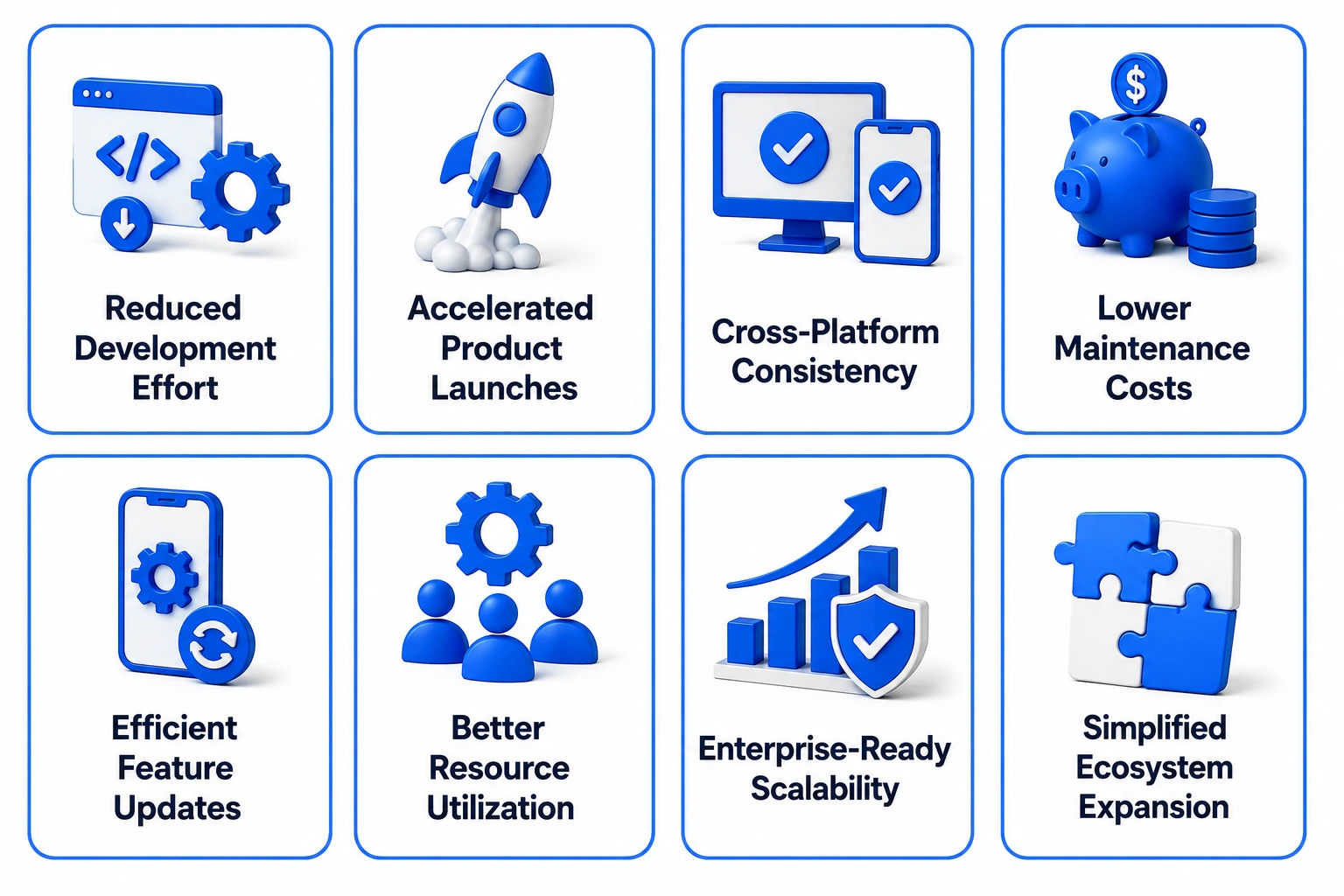
Businesses also increasingly prefer Flutter because:
- development cycles are faster,
- UI iteration is more efficient,
- maintenance costs are lower,
- and cross-platform deployment becomes operationally simpler.
For organizations managing limited engineering bandwidth while scaling across ecosystems, Flutter creates a much more predictable product development workflow.
Flutter in 2026: Market Share, Adoption Numbers and What They Mean for Your Business Decision
Flutter remains one of the most widely adopted cross-platform frameworks globally, particularly for businesses prioritizing UI consistency and faster multi-platform deployment. According to the 2025 Stack Overflow Developer Survey, Flutter continues to rank among the most used cross-platform mobile frameworks worldwide.
Google’s continued investment in:
- Impeller,
- Flutter Web,
- AI tooling,
- desktop support,
- and embedded platform expansion
It has also increased long-term business confidence around Flutter adoption. Many businesses now view Flutter as a scalable product ecosystem strategy instead of simply a mobile framework.
What Is Flutter and How Does It Actually Work for Businesses
Flutter is Google’s cross-platform UI framework that allows businesses to build applications for iOS, Android, web, desktop, and embedded systems using a single shared codebase. Instead of relying heavily on native UI components, Flutter renders interfaces directly using its own graphics engine, which helps maintain visual consistency and smoother UI behavior across platforms.
For businesses, this means:
- faster product launches,
- reduced engineering duplication,
- easier maintenance workflows,
- and more consistent customer experiences
That too without managing separate frontend teams for every platform ecosystem.
Flutter Explained Without the Jargon
Flutter works through a widget-based architecture where every interface element is rendered and controlled inside Flutter itself. This allows businesses to create highly customized user experiences while maintaining consistent layouts and animations across devices without depending heavily on platform-specific UI behavior.
The biggest operational advantage is that teams can build, test, update, and scale multiple platform experiences from a unified engineering workflow.
How Dart and the Impeller Rendering Engine Deliver Native-Like Performance Without Native Code
Flutter uses Dart as its programming language and compiles applications directly into native machine code. Combined with the Impeller rendering engine, this significantly improves animation smoothness, startup performance, and rendering consistency across platforms.
Impeller also reduced one of Flutter’s biggest historical problems: shader compilation lag during animations. This improvement has made Flutter much more production-ready for performance-sensitive business applications.
Flutter vs Traditional Cross-Platform Approaches: Where the Architecture Difference Actually Shows Up
Traditional cross-platform frameworks often depend on native UI bridges or intermediary rendering layers to communicate with platform components. As applications scale, this can introduce performance inconsistencies, UI fragmentation, animation lag, and platform-specific behavior issues. Flutter approaches rendering differently by controlling the UI layer directly through its own rendering engine, which helps businesses maintain more predictable design consistency and smoother performance across platforms.
This architectural difference becomes especially important for businesses building animation-heavy applications, real-time dashboards, marketplace platforms, fintech products, and high-interaction customer experiences. In these cases, performance consistency and UI responsiveness directly affect user engagement and retention. However, working with an experienced cross platform mobile app development company ensures these architectural decisions are made correctly from day one, preventing costly rewrites as the product scales.
| Area | Traditional Cross-Platform Frameworks | Flutter |
| UI Rendering | Relies more on native platform components | Uses its own rendering engine |
| Design Consistency | May vary across platforms | Highly consistent UI across devices |
| Animation Performance | Can face bridge-related lag | Smoother rendering with Impeller |
| Development Workflow | More platform-specific adjustments | Unified UI development approach |
| Scalability for Complex UI | More optimization is required at scale | Better suited for rich custom interfaces |
| Maintenance Overhead | Higher with platform variations | Lower due to shared UI architecture |

The Flutter Tech Stack Every Business Decision-Maker Should Understand
Modern Flutter app development is no longer limited to UI building alone. The Flutter ecosystem now includes production-grade tooling for rendering, state management, backend integration, debugging, web deployment, and scalable multi-platform architecture. Businesses investing in Flutter development services increasingly evaluate the full technical ecosystem because long-term scalability depends heavily on the underlying architecture decisions.
The strongest Flutter applications are usually not the ones with the most features. They are the products built on maintainable architecture, efficient state management, optimized rendering, and scalable backend connectivity from the beginning.
Dart 3.10 and What Its Type Safety and Performance Improvements Mean for Your App
Dart 3.10 improved:
- type safety,
- compilation efficiency,
- memory optimization,
- runtime performance for large-scale Flutter apps.
For businesses, this translates into more maintainable codebases, fewer runtime errors, and smoother application performance as product complexity and engineering teams grow over time.
Impeller Rendering Engine: How Flutter Eliminated Shader Compilation Jank for Good
Impeller became one of Flutter’s most important architectural improvements by eliminating shader compilation lag that previously caused animation stutters during runtime. This significantly improved rendering consistency across iOS and Android devices.
For businesses building:
- fintech apps,
- eCommerce platforms,
- interactive dashboards,
- and animation-heavy applications,
Impeller helps create smoother and more premium user experiences consistently.
State Management in Flutter: BLoC, Riverpod, Provider and Choosing the Right Pattern
State management directly affects scalability, maintainability, and debugging complexity inside Flutter applications. Understanding how Flutter BLoC architecture builds high-performance apps is critical for businesses investing in enterprise-grade Flutter products. This is because poor state architecture becomes one of the biggest reasons Flutter apps become difficult to maintain at scale. Businesses increasingly use:
- BLoC for enterprise-grade scalability,
- Riverpod for modern reactive architecture,
- and Provider for lightweight applications
It depends on project complexity and long-term growth expectations. Poor state architecture often becomes one of the biggest reasons Flutter apps become difficult to maintain at scale.
Flutter Navigation: GoRouter, Auto Route and Building Apps Users Never Get Lost In
Navigation architecture affects:
- user experience,
- deep linking,
- scalability,
- and multi-platform routing consistency.
Modern Flutter apps increasingly use GoRouter and Auto Route to manage complex navigation flows across mobile, web, and desktop environments more efficiently.
Backend Integration: Firebase, REST APIs, GraphQL and Real-Time Data in Flutter Apps
Flutter supports multiple backend integration approaches, including:
- Firebase,
- REST APIs,
- GraphQL,
- WebSockets,
- and real-time synchronization systems.
Businesses increasingly choose backend architecture based on scalability requirements, real-time interaction needs, infrastructure cost, and operational complexity rather than framework limitations alone.
Flutter for Web and Desktop: When the Single Codebase Extends Beyond Mobile
Flutter’s expanding support for web and desktop applications allows businesses to extend products beyond smartphones using a shared engineering ecosystem. This becomes especially valuable for:
- SaaS platforms,
- enterprise tools,
- logistics systems,
- operational dashboards requiring multi-platform accessibility.
However, businesses still evaluate Flutter Web carefully depending on SEO, rendering complexity, and browser performance expectations.
Flutter DevTools: The Built-In Performance, Memory and Widget Debugging Suite
Flutter DevTools help engineering teams monitor:
- rendering performance,
- memory usage,
- widget rebuilds,
- layout behavior,
- and application bottlenecks during development.
For businesses scaling large Flutter applications, debugging and performance visibility tools become critical for maintaining long-term application stability and user experience quality.
Types of Business Apps Flutter Powers Best in 2026
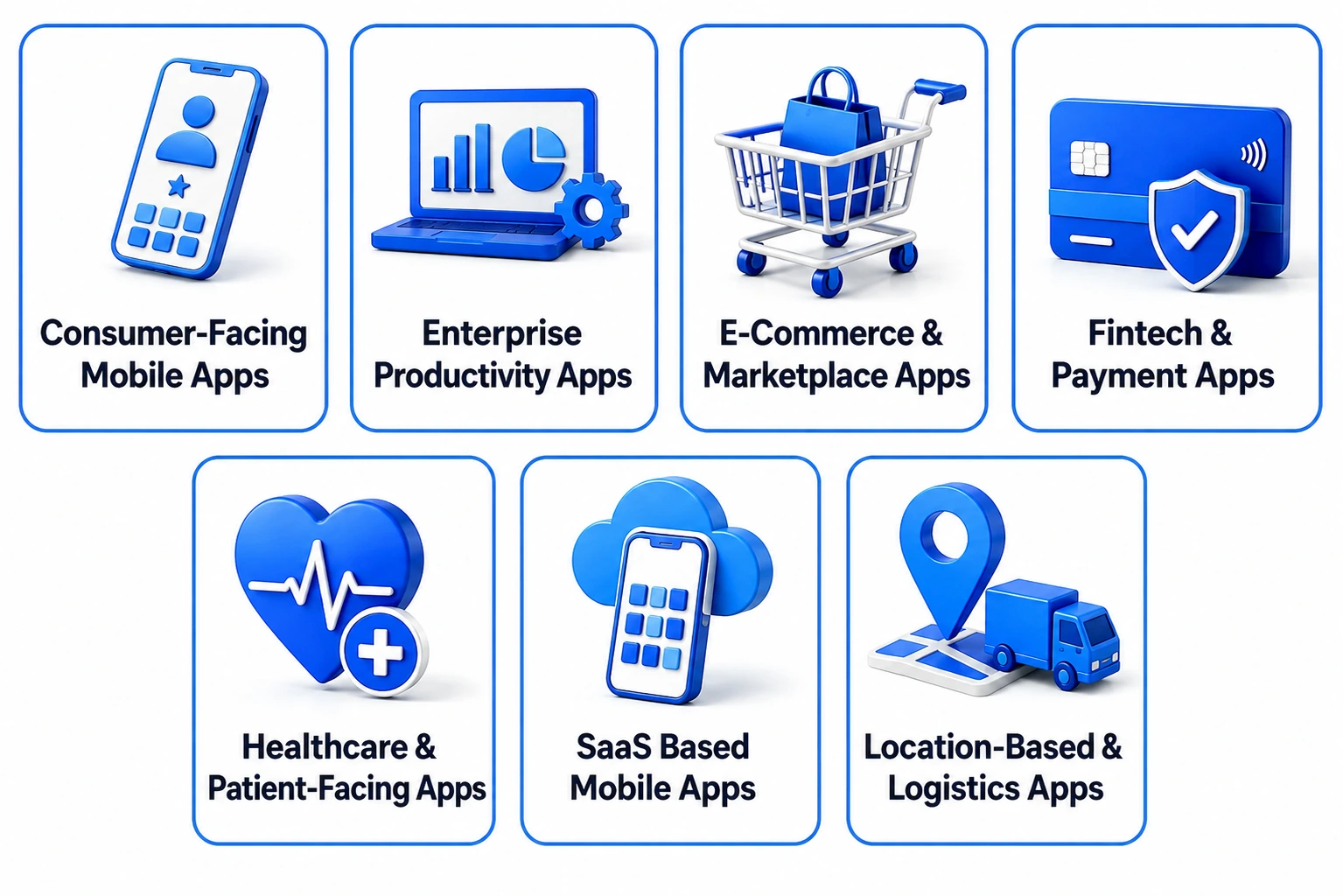
Flutter has become one of the strongest choices for businesses building cross-platform applications that require design consistency, scalable UI systems, and faster multi-platform deployment. Its architecture works especially well for products where user experience consistency across devices directly affects customer engagement, operational efficiency, and long-term scalability.
Businesses increasingly choose Flutter app development because a single engineering team can deliver highly polished experiences across mobile, web, and desktop environments without maintaining completely separate frontend ecosystems.
1. Consumer-Facing Mobile Apps: iOS and Android from a Single Codebase
Flutter works extremely well for customer-facing applications that require:
- visually rich interfaces,
- smooth animations,
- consistent branding,
- faster feature iteration across iOS and Android ecosystems.
This helps businesses launch products faster while maintaining stronger UI consistency across devices.
2. Enterprise and Internal Productivity Apps That Run on Mobile, Web and Desktop Simultaneously
Businesses increasingly use Flutter for:
- operational dashboards,
- employee management tools,
- CRM systems,
- workflow applications,
- and enterprise productivity platforms
Flutter’s cross-platform flexibility reduces engineering duplication significantly for internal business systems.
3. E-Commerce and Marketplace Apps With Rich, Consistent UI Across Every Platform
Flutter’s rendering engine makes it highly suitable for:
- eCommerce platforms,
- marketplace applications,
- product discovery systems,
- and high-interaction shopping experiences
Many retail businesses choose Flutter because custom UI experiences are easier to maintain across platforms.
4. Fintech and Payment Apps That Demand Performance and Security
Fintech applications often require:
- real-time updates,
- secure workflows,
- responsive UI systems,
- and scalable transactional architecture.
Flutter’s rendering performance and strong backend integration capabilities make it increasingly popular for payment platforms, digital wallets, investment tools, and financial management applications.
5. Healthcare and Patient-Facing Apps Where Consistency Across Devices Is Non-Negotiable
Healthcare applications require highly reliable experiences across:
- smartphones,
- tablets,
- web portals,
- and operational systems.
Flutter helps healthcare businesses maintain consistent workflows, responsive interfaces, and scalable patient interaction experiences across multiple device ecosystems more efficiently.
6. SaaS Mobile Clients Extending Web Platforms to Every Device Your Users Own
Many SaaS businesses now use Flutter to extend existing web platforms into:
- iOS apps,
- Android apps,
- desktop tools,
- and tablet experiences
That too without rebuilding the frontend infrastructure separately for every ecosystem.
This significantly accelerates product expansion across devices while reducing development overhead.
7. Location-Based and Logistics Apps Where Real-Time Performance Matters Most
Flutter performs especially well for delivery tracking, logistics coordination, mobility platforms, field service systems, and location-based applications requiring responsive maps, live updates, and real-time operational visibility. Businesses building in this space increasingly rely on Flutter’s rendering consistency to build location-based mobile apps that handle live GPS data, dynamic route updates, and multi-user operational workflows without performance degradation.
How Flutter Delivers Business Results Across Industries
Flutter is no longer used only for startup MVPs or experimental cross-platform projects. Businesses across industries now use Flutter to build scalable production-grade applications capable of supporting millions of users, multi-platform operations, and highly interactive customer experiences simultaneously.
One of Flutter’s biggest business advantages is the ability to maintain UI consistency, faster deployment cycles, and lower engineering overhead while scaling across iOS, Android, web, and desktop ecosystems from a shared architecture foundation.
1. Retail and E-Commerce: Consistent Buying Experiences Across Every Screen
Retail and eCommerce businesses increasingly use Flutter to build visually consistent shopping experiences across iOS, Android, web, and tablet platforms simultaneously. Flutter’s rendering engine helps brands maintain responsive product browsing, personalized recommendations, smooth checkout flows, and real-time order tracking without managing separate frontend systems for every platform.
2. Healthcare: Cross-Platform Patient Apps Built for Compliance and Clinical Reliability
Healthcare organizations use Flutter to develop telemedicine platforms, patient portals, healthcare dashboards, and appointment management systems that require highly reliable cross-platform usability. Flutter helps healthcare providers maintain consistent patient experiences across devices. Not only this, with professional application maintenance and support services, businesses can ensure these critical systems remain stable, secure, and compliant as platform requirements evolve post-launch.
3. Fintech and Banking: High-Performance Payment and Investment Apps on Flutter
Fintech businesses increasingly choose Flutter for digital wallets, expense tracking systems, investment platforms, and payment applications requiring responsive UI systems and real-time data synchronization. Flutter’s flexible UI architecture allows businesses to create highly customized financial experiences while accelerating cross-platform deployment efficiency.
4. Education and EdTech: Adaptive Learning Apps That Work on Every Student’s Device
EdTech companies use Flutter to build learning management systems, live classroom platforms, educational dashboards, and student engagement applications that work consistently across smartphones, tablets, desktops, and browsers. Building multilingual apps in Flutter has also become a priority for EdTech businesses expanding into global markets. Moreover, Flutter’s localization capabilities make it relatively straightforward to serve diverse learner demographics across languages and regions.
5. Logistics and Supply Chain: Real-Time Tracking and Field Operations Apps
Flutter performs especially well for logistics applications requiring real-time operational visibility, route optimization, live delivery tracking, and workforce coordination. Businesses benefit from responsive interfaces, smoother operational workflows, and faster multi-platform deployment for field and supply chain environments.
6. Travel and Hospitality: Feature-Rich Booking Apps Shipped at Half the Cost of Native
Travel and hospitality businesses increasingly use Flutter to develop booking platforms, itinerary management apps, customer loyalty systems, and travel assistance applications across multiple platforms simultaneously. Flutter helps businesses reduce development overhead while maintaining highly polished and visually consistent customer experiences across devices.
Flutter in the Real World: Brands That Prove What the Framework Can Do
Flutter’s growth in enterprise and large-scale product ecosystems is one of the biggest reasons businesses now take the framework seriously for production-grade app development. Global brands increasingly use Flutter not only for MVPs, but also for highly scalable customer-facing platforms, operational systems, and multi-platform digital ecosystems requiring performance consistency and faster deployment cycles.
What makes these examples important is not simply brand recognition. These companies demonstrate where Flutter performs exceptionally well in real business environments involving millions of users, complex UI systems, and cross-platform scalability requirements.
1. Google Pay: How Google Built Its Global Payment App on Its Own Framework
Google used Flutter extensively within Google Pay to support highly scalable cross-platform payment experiences across multiple markets.
The platform required:
- responsive UI systems,
- fast interaction performance,
- real-time transactional workflows,
- highly consistent design behavior across devices.
This demonstrated Flutter’s capability to support complex fintech-grade applications at a global scale.
2. BMW: Cross-Platform Connected Car Experience Powered by Flutter
BMW adopted Flutter to build connected vehicle experiences spanning mobile interfaces, operational controls, and customer interaction systems. Flutter helped BMW maintain a unified design ecosystem while accelerating feature delivery across platforms.
The project also highlighted Flutter’s growing relevance beyond smartphones into automotive and embedded device ecosystems.
3. eBay Motors: Complex Marketplace Features Delivered Consistently Across iOS and Android
eBay used Flutter within eBay Motors to deliver highly interactive marketplace experiences involving product discovery, advanced filtering, transactional workflows, and responsive browsing systems. Flutter’s rendering consistency helped maintain smooth marketplace interactions while simplifying cross-platform UI development. Marketplace platforms such as eBay Motors are often referenced among the most successful Flutter app examples because they demonstrate Flutter’s ability to support complex user journeys while maintaining a consistent experience across platforms.
4. Alibaba Xianyu: How One of the World’s Largest Marketplaces Chose Flutter for Scale
Alibaba Group integrated Flutter into Xianyu, one of China’s largest resale marketplaces, to support scalable mobile experiences with faster development iteration cycles. The platform handled highly dynamic UI systems and large user engagement volumes while maintaining operational efficiency across rapidly evolving product workflows.
This case reinforced Flutter’s ability to scale effectively inside large consumer marketplace ecosystems.
RipenApps in Action: Flutter Apps We Built That Solved Real Cross-Platform Business Problems
At RipenApps, Flutter app development is approached as a long-term product scalability strategy rather than simply a faster cross-platform shortcut. Our teams focus on building Flutter applications that balance UI consistency, performance optimization, scalable architecture, and operational efficiency across iOS, Android, web, and enterprise ecosystems.
From healthcare and fintech to logistics, social engagement, and on-demand platforms, our Flutter development approach focuses heavily on solving real business challenges through maintainable architecture, responsive UI systems, and scalable cross-platform product ecosystems.
1. Vedic — Building a Scalable Spiritual Wellness Platform Across Devices
Vedic required a highly engaging cross-platform experience capable of supporting:
- live sessions,
- spiritual content delivery,
- personalized recommendations,
- community engagement across mobile ecosystems.
The challenge involved maintaining smooth performance while handling rich multimedia experiences and scalable user interaction workflows. RipenApps focused on building responsive Flutter architecture, optimized content rendering systems, and intuitive navigation flows that improved engagement consistency across devices.
The platform successfully created a more immersive digital wellness experience while supporting scalable user growth and stronger content accessibility.
2. QuitSure — Creating a Cross-Platform Digital Therapy Experience
QuitSure needed a highly personalized behavioral wellness platform designed to support users through structured smoking cessation journeys with consistent engagement across devices.
One major challenge was balancing:
- personalized therapy workflows,
- progress tracking,
- behavioral interaction systems,
- and seamless user retention experiences
RipenApps leveraged Flutter to build a highly responsive and emotionally engaging application experience that improved onboarding flow consistency, session continuity, and long-term user engagement across platforms.
3. SportsNerve — Real-Time Sports Community and Engagement Platform
SportsNerve required a scalable sports engagement ecosystem capable of supporting:
- live interactions,
- social engagement,
- real-time updates,
- and community-driven experiences
RipenApps developed a Flutter-powered architecture optimized for real-time synchronization, responsive UI rendering, and scalable engagement workflows. The result was a highly interactive sports platform capable of maintaining smoother performance and stronger user engagement consistency across devices.
The Flutter App Development Process
Successful Flutter app development involves much more than building a shared codebase for iOS and Android. Businesses now use Flutter to create scalable digital ecosystems that require strong architecture planning, responsive UI systems, backend scalability, and consistent multi-platform performance from the beginning. Products that scale successfully are usually the ones where development strategy, user experience, and long-term maintainability are aligned early in the process.
Modern Flutter app development services increasingly focus on delivering faster deployment cycles while maintaining performance consistency across mobile, web, and desktop environments simultaneously. This allows businesses to reduce engineering duplication without compromising product quality or operational scalability.
Stage 1 — Discovery, Business Requirements and Cross-Platform Scope Definition
The development process begins with understanding business goals, user behavior, platform priorities, operational workflows, and long-term scalability expectations. This stage helps businesses define feature scope, technology requirements, and cross-platform priorities before development execution begins, reducing costly architecture changes later.
Stage 2 — UI UX Design in Flutter: Material 3, Cupertino and Building Platform-Aware Interfaces
Flutter allows teams to create highly consistent interfaces across platforms while still respecting platform-specific interaction patterns. Businesses increasingly combine Material 3 and Cupertino design systems to ensure applications feel responsive, intuitive, and visually aligned with both Android and iOS user expectations without losing brand consistency.
Stage 3 — Architecture Setup: Choosing the Right Patterns Before Writing a Single Widget
Architecture planning directly affects scalability, maintainability, and future product stability. Businesses investing in scalable Flutter app development usually prioritize clean architecture, modular code structure, dependency injection, and structured state management before active feature development starts to prevent technical debt as applications grow.
Stage 4 — Flutter Development: Widgets, State, APIs and Platform Channel Integration
During the development phase, teams build reusable widgets, integrate APIs, configure backend connectivity, and implement scalable state management systems. Flutter’s widget-driven architecture helps accelerate development while maintaining responsive UI behavior and smoother cross-platform consistency across different device ecosystems.
Stage 5 — Testing Across Real Devices, Platforms, OS Versions and Screen Sizes
Cross-platform testing is critical because Flutter applications operate across multiple device types, screen dimensions, and operating systems simultaneously. Businesses increasingly invest in performance testing, rendering validation, responsiveness analysis, and real-device quality assurance to ensure consistent user experiences across every supported platform.
Stage 6 — App Store, Google Play and Web Deployment: What Flutter Businesses Must Prepare
Deployment involves much more than publishing the application. Businesses must prepare app store assets, compliance documentation, privacy policies, app signing workflows, and responsive web configurations while optimizing performance across platform ecosystems to ensure smoother release management and approval processes.
Stage 7 — Post Launch: Updates, Performance Monitoring and Continuous Improvement
Post-launch optimization plays a major role in long-term Flutter app success. Businesses continuously monitor crash analytics, user engagement, rendering performance, feature adoption, and operational scalability after deployment to improve user experience and maintain product reliability as platform ecosystems evolve.
Flutter Architecture Patterns That Determine Whether Your App Scales or Breaks
Many Flutter applications perform well during early development stages but become difficult to maintain as product complexity, engineering teams, and feature requirements grow. In most cases, the problem is not Flutter itself. The issue usually comes from weak architecture planning, poor state management decisions, tightly coupled codebases, and unstructured scalability practices introduced early in development.
Businesses building long-term Flutter products increasingly prioritize architecture strategy before feature velocity because scalable architecture directly affects:
- maintainability,
- debugging complexity,
- performance stability,
- onboarding efficiency,
- and future development speed.
Why Architecture Decisions Made Before Development Determine Long-Term App Health
Early architecture decisions influence how easily applications can scale, integrate new features, support multiple teams, and handle future platform expansion. Businesses that skip structured architecture planning often face increasing technical debt, unstable feature releases, and slower development cycles as products evolve.
BLoC Pattern: The Production Standard for Large-Scale Flutter Apps
BLoC (Business Logic Component) remains one of the most widely used architecture patterns for enterprise-grade Flutter applications because it separates business logic from UI rendering cleanly. This improves scalability, code organization, testing workflows, and long-term maintainability for larger engineering teams and feature-heavy applications.
Riverpod: The Modern State Management Approach Challenging BLoC for New Projects
Riverpod has become increasingly popular because it simplifies dependency management and reactive state handling while reducing boilerplate complexity compared to older approaches. Many modern Flutter projects now choose Riverpod for its flexibility, cleaner developer experience, and easier scalability across modular architectures.
Clean Architecture in Flutter: Separation of Concerns That Makes Apps Maintainable
Clean architecture helps businesses structure Flutter applications into clearly separated layers, such as:
- presentation,
- business logic,
- domain workflows,
- and data management.
This separation improves maintainability, testing efficiency, feature scalability, and long-term product stability as applications become more operationally complex.
Feature-First vs Layer-First: Folder Structure Decisions That Matter at Scale
Folder structure directly affects how efficiently teams can manage growing codebases. Feature-first architecture organizes code around business features, while layer-first structures separate code by technical responsibility.
Many scalable Flutter products increasingly adopt a feature-first organization because it improves modularity, team collaboration, and long-term maintainability for large applications.
Monorepo Architecture for Flutter: Managing Multiple Apps and Shared Packages
Businesses managing multiple Flutter applications increasingly use monorepo architectures to centralize:
- shared packages,
- design systems,
- reusable business logic,
- engineering workflows inside a unified repository structure.
This approach improves code reuse, development consistency, release coordination, and operational scalability across larger product ecosystems.
Adding AI and Machine Learning to Flutter Apps
AI integration is rapidly becoming a standard expectation in modern Flutter app development rather than an experimental feature layer. Businesses now use AI inside Flutter applications for:
- personalization,
- recommendation systems,
- predictive analytics,
- conversational experiences,
- and workflow automation across industries
One major reason Flutter is gaining traction for AI-powered applications is its flexibility in connecting with both on-device machine learning models and cloud-based AI infrastructure while maintaining consistent cross-platform experiences.
1. On-Device AI in Flutter: TensorFlow Lite and ONNX Runtime Without Platform-Specific Code
Flutter increasingly supports on-device AI capabilities through frameworks such as TensorFlow Lite and ONNX Runtime. Businesses use these integrations for:
- image recognition,
- voice processing,
- predictive recommendations,
- and offline AI functionality
On-device AI also improves privacy, reduces latency, and helps businesses build more responsive AI-driven user experiences.
2. Cloud AI APIs in Flutter: OpenAI, Anthropic Claude and Google Gemini Integration Patterns
Flutter applications now integrate extensively with cloud AI providers such as OpenAI, Anthropic, and Google to power:
- conversational AI,
- intelligent search,
- content generation,
- workflow automation,
- and customer support systems.
Businesses increasingly combine cloud AI services with scalable backend architecture to deliver more intelligent and adaptive application experiences.
3. Building Personalisation and Recommendation Engines Into Flutter Apps
AI-powered recommendation systems help businesses improve:
- customer engagement,
- retention,
- conversion rates,
- and content discovery
All through behavioral analysis and predictive interaction models.
Flutter applications increasingly use AI-driven personalization across eCommerce, media, healthcare, education, and SaaS ecosystems to create more context-aware user experiences.
4. Flutter AI 3.38: Google’s Native AI Integration Hooks Introduced in the Latest Release
Recent Flutter releases introduced stronger AI integration capabilities that simplify communication between Flutter applications and AI-powered services. These improvements help developers build more intelligent features while reducing custom integration complexity across mobile and multi-platform environments.
Google’s growing AI investment inside the Flutter ecosystem is also increasing business confidence around Flutter’s long-term relevance for AI-powered product development.
5. How AI Development Tools Are Accelerating Flutter Build Cycles
AI-assisted development tools increasingly help Flutter teams accelerate:
- UI generation,
- testing workflows,
- debugging,
- code suggestions,
- and design system implementation.
Businesses adopting AI-enhanced development workflows are reducing iteration cycles significantly while improving development productivity and feature delivery speed across cross-platform product ecosystems.
Flutter vs Other Frameworks: The Honest Business Comparison
Choosing a cross-platform framework is no longer only a technical discussion. Businesses now evaluate frameworks based on:
- scalability,
- hiring availability,
- UI consistency,
- maintenance overhead,
- ecosystem maturity,
- and long-term operational efficiency.
Flutter has become one of the strongest cross-platform choices for businesses prioritizing design consistency and unified multi-platform experiences, but the right framework still depends heavily on product complexity, team expertise, and long-term business goals.
1. Flutter vs React Native: Which Cross-Platform Framework Fits Your Business Better?
Flutter and React Native remain the two strongest cross-platform frameworks, but both serve different business priorities more effectively. A detailed React Native vs Flutter comparison shows that Flutter is widely preferred for businesses prioritizing highly consistent UI systems, custom animations, and visually controlled experiences, while React Native remains attractive for teams already operating within the JavaScript ecosystem.
The decision usually depends on product goals rather than framework popularity alone. Businesses building design-heavy applications, marketplace platforms, fintech dashboards, and highly interactive interfaces often lean toward Flutter for rendering consistency. Companies prioritizing faster hiring, JavaScript ecosystem compatibility, and web-to-mobile transition efficiency frequently evaluate React Native more seriously.
| Area | Flutter | React Native |
| Rendering Approach | Uses its own rendering engine | Uses native bridge architecture |
| UI Consistency | Highly uniform across platforms | More dependent on native UI behavior |
| Animation Performance | Strong for complex UI systems | Good but optimization-heavy at scale |
| Developer Ecosystem | Growing rapidly | Larger global talent pool |
| Programming Language | Dart | JavaScript / TypeScript |
| Best Fit | Design-focused cross-platform apps | JavaScript-centric product ecosystems |
2. Flutter vs Native iOS and Android: When Native Development Still Makes More Business Sense
Flutter has significantly reduced the gap between cross-platform and native app performance, especially for most business applications involving eCommerce, fintech, healthcare, logistics, and SaaS ecosystems. Businesses increasingly choose Flutter because a single codebase reduces engineering duplication, accelerates deployment, and simplifies long-term maintenance across platforms.
However, native development remains important for products requiring:
- deep hardware optimization,
- advanced graphics rendering,
- AR/VR environments,
- intensive gaming,
- or platform-exclusive functionality.
For businesses building highly specialized performance-intensive applications, maintaining separate native codebases may still deliver better long-term technical flexibility.
| Area | Flutter | Native iOS & Android |
| Development Speed | Faster shared development | Separate platform development |
| Maintenance Cost | Lower overall maintenance | Higher due to dual codebases |
| Hardware-Level Optimization | Strong but limited in some cases | Maximum platform optimization |
| UI Consistency | Unified cross-platform UI | Platform-specific UI behavior |
| Best Fit | Scalable business apps | High-performance specialized apps |
3. Flutter vs Kotlin Multiplatform: Two Different Philosophies, Two Different Business Fits
Flutter and Kotlin Multiplatform solve cross-platform development differently. Flutter focuses on sharing both UI and business logic through a unified rendering system, while Kotlin Multiplatform mainly shares backend logic while preserving native UI layers separately for Android and iOS.
Businesses prioritizing highly consistent user experiences and faster multi-platform deployment often choose Flutter. Companies already deeply invested in native Android engineering ecosystems may evaluate Kotlin Multiplatform when they want gradual code sharing without replacing native UI systems entirely.
| Area | Flutter | Kotlin Multiplatform |
| UI Strategy | Shared UI across platforms | Native UI for each platform |
| Code Sharing | UI + business logic | Mostly business logic |
| Design Consistency | Highly consistent | Platform-native appearance |
| Engineering Complexity | Simpler unified workflow | More native coordination is required |
| Best Fit | Cross-platform product ecosystems | Native-first businesses |
How Much Does Flutter App Development Cost
Flutter app development cost depends far more on product complexity, architecture requirements, integrations, and scalability expectations than on the framework itself. While Flutter reduces engineering duplication through a shared codebase, businesses still invest heavily in:
- UI UX design,
- backend systems,
- APIs,
- security,
- testing,
- and post-launch optimization when building production-grade apps.
One major reason businesses choose Flutter app development services is cost efficiency across multi-platform ecosystems. Instead of maintaining separate iOS and Android engineering teams, Flutter allows companies to streamline development workflows while accelerating launch timelines significantly.
Flutter App Development Cost Breakdown by App Complexity
| App Complexity | Estimated Cost Range |
| Basic MVP or Startup App | $10,000 – $25,000 |
| Medium Complexity Business App | $25,000 – $60,000 |
| Enterprise or Feature-Rich Platform | $60,000 – $150,000+ |
| AI-Powered or Real-Time Scalable App | $100,000 – $250,000+ |
The final budget depends on feature depth, infrastructure complexity, operational scale, UI customization, and long-term product roadmap requirements.
How Flutter Reduces Budget Compared to Building Separate Native Apps
Flutter significantly lowers cross-platform development cost because businesses manage:
- one shared codebase,
- one frontend engineering workflow,
- faster feature deployment cycles instead of maintaining independent native ecosystems.
This reduction in engineering duplication helps businesses launch products faster while improving maintenance efficiency and long-term operational scalability across platforms.

Flutter App Security: What Businesses Building Cross-Platform Apps Must Address
Security has become a core business requirement in modern Flutter app development, especially for applications handling:
- financial transactions,
- healthcare records,
- enterprise workflows,
- customer identities,
- and sensitive operational data.
While Flutter provides a secure development foundation through Dart compilation and controlled rendering architecture, businesses still need dedicated security implementation across authentication, APIs, storage, network communication, and compliance systems to protect production applications effectively.
How Flutter’s Dart Compilation Provides a Built-In Layer of Code Protection
Flutter applications compile directly into native machine code, which makes reverse engineering more difficult compared to some interpreted frameworks. Dart’s ahead-of-time (AOT) compilation also improves runtime security while reducing opportunities for direct source-level manipulation inside production applications.
This creates an additional baseline layer of protection for businesses building sensitive cross-platform applications.
Secure Storage, Biometric Authentication and Token Management in Flutter
Modern Flutter applications increasingly implement:
- biometric authentication,
- encrypted local storage,
- secure token handling,
- and session management
This is to strengthen account security and user verification workflows.
Businesses handling financial, healthcare, or enterprise data often combine Flutter security layers with platform-native authentication capabilities for stronger protection.
Certificate Pinning, API Security and Network-Layer Protection in Flutter Apps
Backend communication security plays a major role in Flutter application protection. Businesses increasingly implement:
- certificate pinning,
- encrypted API communication,
- secure backend authentication,
- and request validation
To reduce risks associated with interception attacks and unauthorized data access. Moreover, strong network-layer security becomes especially critical for fintech, healthcare, and enterprise applications.
GDPR, CCPA and Data Privacy Compliance in Flutter App Architecture
Modern Flutter applications increasingly operate under global privacy regulations such as GDPR and CCPA. Businesses must carefully manage:
- user consent,
- data collection,
- access control,
- storage policies,
- and audit visibility
To maintain regulatory compliance across international markets. Privacy architecture now directly affects both operational risk and customer trust.
Flutter Security Testing Practices Every Business App Must Go Through Before Launch
Security testing is no longer optional for production-grade Flutter applications. Businesses increasingly conduct:
- penetration testing,
- API security validation,
- authentication testing,
- vulnerability scanning,
- and compliance audits before deployment
Strong security testing workflows help prevent costly breaches, operational disruptions, and long-term reputation damage after launch.
Common Flutter Development Challenges and How Experienced Teams Resolve Them
Flutter has matured significantly as a cross-platform framework, but scalable Flutter app development still comes with architectural, operational, and platform-specific challenges that businesses must plan for carefully. Most large-scale Flutter issues are not caused by the framework alone. They usually emerge from poor architecture planning, weak plugin selection, unoptimized rendering strategies, or rushed scalability decisions during development.
Experienced Flutter development teams focus heavily on maintainability, platform behavior consistency, and long-term operational stability instead of only accelerating feature delivery.
Platform-Specific Behaviour Gaps: When Flutter Widgets Don’t Feel Native Enough
One common challenge in Flutter development is ensuring applications feel naturally aligned with both iOS and Android interaction patterns. Poorly optimized Flutter interfaces can sometimes feel visually identical across platforms instead of respecting platform-specific behavior expectations.
Strong Flutter teams solve this by implementing adaptive UI systems using:
- Cupertino widgets,
- Material 3 components,
- responsive layouts,
- and platform-aware interaction design
App Size and Binary Bloat: Managing Flutter’s Larger-Than-Native Footprint
Flutter applications can sometimes produce larger binary sizes compared to fully native apps because the rendering engine and framework dependencies are bundled inside the application package.
Experienced teams reduce this impact through:
- code splitting,
- asset optimization,
- deferred loading,
- and dependency cleanup
This is to improve installation efficiency and reduce storage overhead.
Third-Party Plugin Maturity: Evaluating Packages Before They Become a Liability
Flutter’s ecosystem contains thousands of community plugins, but not all packages are actively maintained or production-ready. Businesses relying on unstable plugins often face:
- compatibility issues,
- security risks,
- upgrade instability,
- and long-term maintenance problems as Flutter evolves.
Strong engineering teams carefully evaluate plugin maturity, contributor activity, scalability, and long-term support viability before integrating dependencies into production applications.
Flutter Web Performance: Where It Stands in 2026 and When It Is Production-Ready
Flutter Web has improved significantly in rendering performance, tooling stability, and development workflow maturity. However, businesses still evaluate Flutter Web carefully depending on:
- SEO requirements,
- heavy browser rendering complexity,
- application scale,
- and first-load performance expectations.
Flutter Web now works well for dashboards, internal tools, SaaS interfaces, and operational systems, though highly SEO-driven content platforms may still require alternative frontend strategies.
Keeping Up With Flutter’s Release Cadence Without Destabilising Your Production App
Flutter evolves rapidly with frequent framework, rendering, and tooling updates. While this improves innovation speed, unmanaged upgrades can sometimes introduce:
- plugin incompatibility,
- rendering inconsistencies,
- dependency conflicts,
- and operational instability inside production apps.
Experienced Flutter teams typically use controlled upgrade workflows, staging environments, dependency auditing, and release validation pipelines to maintain long-term application stability while adopting new framework improvements safely.
Flutter Trends Reshaping Cross-Platform Development for Businesses in 2026
Flutter is evolving far beyond a mobile UI toolkit into a broader multi-platform application ecosystem. Businesses increasingly use Flutter not only for smartphones, but also for:
- web platforms,
- desktop applications,
- embedded systems,
- automotive interfaces,
- and AI-powered product experiences.
These shifts align closely with emerging Flutter app development trends, where cross-platform consistency, performance optimization, and unified development workflows are becoming core priorities for modern digital products.
The biggest shift is that Flutter is no longer competing only on faster development. It is increasingly competing on ecosystem maturity, rendering consistency, AI integration readiness, and scalable multi-platform product delivery.
1. Impeller as the Universal Default: What Full Skia Removal Means for Every Flutter App
Impeller becoming Flutter’s default rendering engine significantly improved animation smoothness, frame consistency, and startup responsiveness across platforms. Businesses tracking framework evolution should also note that the Flutter 4.0 outlook and new features point toward even stronger rendering consistency, expanded multi-platform support, and tighter AI tooling integration. These advancements are among the key trends shaping the future of cross-platform product development and reinforcing Flutter’s position as a long-term ecosystem investment rather than just a mobile framework.
For businesses, this means more stable rendering performance and a smoother user experience across modern device ecosystems.
2. Material 3 and Cupertino Superellipses: Flutter’s Design System Maturing in Both Directions
Flutter’s design ecosystem now supports more mature platform-aware UI systems through:
- Material 3,
- improved Cupertino components,
- adaptive theming,
- and refined responsive layouts.
This helps businesses create applications that maintain strong brand consistency while still respecting native platform interaction expectations across Android and iOS environments.
3. Flutter Web Hot Reload Stable: The Productivity Change That Opens the Web Platform Seriously
Flutter Web development became significantly more practical after stable hot reload improvements accelerated iteration speed and frontend debugging workflows. Businesses building SaaS dashboards, internal operational systems, enterprise tools, and admin interfaces
now evaluate Flutter Web more seriously for multi-platform product ecosystems.
This shift improves engineering productivity while simplifying shared frontend development across devices.
4. AI-Driven Flutter UI: Layout Adaptation and Design Tokens Generated by Intelligence
AI-assisted development tools increasingly help Flutter teams generate:
- responsive layouts,
- adaptive UI systems,
- design tokens,
- accessibility improvements,
- and component variations with faster iteration cycles.
Businesses adopting AI-enhanced Flutter workflows are accelerating design consistency and reducing frontend experimentation time across large-scale product ecosystems.
5. Flutter on Automotive, TV and Wearables: The Platform Expansion Businesses Should Track
Flutter’s expansion into automotive systems, smart TVs, embedded devices, and wearable ecosystems is creating new opportunities for businesses building connected digital experiences. Industries such as:
- automotive,
- healthcare,
- logistics,
- and consumer electronics
These industries are increasingly evaluating Flutter for unified interface development across device ecosystems. This multi-device flexibility strengthens Flutter’s long-term relevance beyond traditional mobile development.
6. Widget Previewer and Faster Tooling: How Developer Experience Is Closing the Gap With Web
Flutter’s tooling ecosystem continues improving rapidly through:
- faster build cycles,
- better debugging visibility,
- enhanced widget previewing,
- and streamlined testing workflows.
These improvements help development teams reduce iteration time, accelerate feature delivery, and maintain more efficient engineering workflows across large Flutter product environments.
How to Choose the Right Flutter App Development Company for Your Business
Choosing the right Flutter app development company is no longer only about evaluating coding capability. Businesses now need development partners capable of handling scalable architecture, multi-platform strategy, performance optimization, backend integrations, security, and long-term product evolution. However, partnering with a reliable mobile application development agency that specializes in Flutter ensures your product is built on maintainable foundations rather than just fast-delivered features.
What a Strong Flutter Portfolio Tells You and What It Can Hide
A strong Flutter portfolio should demonstrate more than attractive UI screens. Businesses should evaluate whether the company has experience building:
- scalable applications,
- real-time systems,
- multi-platform ecosystems,
- complex backend integrations,
- and production-grade architecture across industries.
Many portfolios showcase polished interfaces while hiding weak scalability practices, unstable architecture, or poor long-term maintainability. Reviewing case studies, operational complexity, and post-launch scalability examples provides a much clearer picture of technical capability.
Beyond the Build: How RipenApps Ensures Your Flutter App Scales With Your Business
At RipenApps, Flutter app development is approached as a long-term scalability initiative rather than simply cross-platform acceleration. Our teams focus heavily on:
- clean architecture,
- scalable state management,
- performance optimization,
- responsive UI systems,
- and maintainable engineering workflows
Our team ensure Flutter applications remain stable as business complexity evolves. From healthcare and fintech to logistics, SaaS, eCommerce, and enterprise platforms, RipenApps helps businesses build Flutter applications designed for operational scalability, consistent user experience, and faster multi-platform growth without sacrificing long-term product quality or maintainability.
Wrapping Up
Flutter app development has evolved into one of the most effective approaches for building scalable cross-platform digital products in 2026. From startups launching MVPs to enterprises managing complex multi-platform ecosystems, Flutter enables businesses to accelerate development, maintain consistent user experiences, reduce operational costs, and scale efficiently across mobile, web, desktop, and emerging platforms. Success, however, depends on choosing the right architecture, technology stack, performance strategy, and long-term product roadmap rather than simply adopting the framework itself.
As user expectations continue to rise, businesses need development partners who understand both the technical and strategic aspects of cross-platform product development. At RipenApps, we help organizations build high-performance Flutter applications that combine speed, scalability, intuitive user experiences, and future-ready architecture. Whether you are developing a new digital product, modernizing an existing application, or expanding across platforms, our team delivers Flutter solutions designed for sustainable growth and measurable business impact.
FAQs
Q1. What is Flutter and why do businesses use it?
Flutter is Google’s cross-platform app development framework that allows businesses to build iOS, Android, web, and desktop applications using a single codebase. Businesses increasingly use Flutter because it reduces development duplication, accelerates launch timelines, and maintains strong UI consistency across multiple platforms.
Q2. Is Flutter better than React Native?
Both frameworks are strong cross-platform choices, but they solve different business priorities more effectively. Flutter is often preferred for highly customized UI systems, animation-heavy applications, and stronger design consistency, while React Native benefits from a larger JavaScript ecosystem and broader developer availability. Thus, the right choice depends on product goals, scalability expectations, and engineering strategy.
Q3. How much does Flutter app development cost?
Flutter app development cost depends on:
- application complexity,
- integrations,
- backend infrastructure,
- AI capabilities,
- real-time functionality,
- and scalability requirements.
Basic applications may start around $10,000–$25,000, while enterprise-grade or AI-powered Flutter platforms can exceed $100,000 depending on operational complexity.
Q4. How long does it take to build a Flutter app?
Development timelines vary based on feature complexity and platform scope. Simple MVP applications may take 2–4 months, while scalable enterprise or feature-rich Flutter applications often require 6–12 months, including architecture planning, integrations, testing, and optimization.
Q5. What is the Impeller rendering engine in Flutter?
Impeller is Flutter’s modern rendering engine designed to improve animation smoothness, reduce shader compilation lag, and deliver more stable rendering performance across platforms. It significantly improved Flutter’s responsiveness for animation-heavy and visually rich applications.
Q6. What programming language does Flutter use?
Flutter uses Dart, a programming language developed by Google. Dart compiles directly into native machine code, which helps Flutter applications achieve strong runtime performance and smoother UI rendering across platforms.
Q7. Can Flutter apps match native iOS and Android performance?
For most business applications, Flutter delivers performance that is very close to native development. Applications involving complex graphics, intensive gaming, AR/VR systems, or deep hardware optimization may still benefit more from fully native development approaches.
Q8. Is Flutter good for enterprise app development?
Yes. Many businesses now use Flutter for:
- enterprise dashboards,
- operational systems,
- SaaS platforms,
- logistics tools,
- healthcare applications,
- and fintech products
Because Flutter supports scalable architecture and efficient multi-platform deployment.
Q9. What is BLoC architecture in Flutter?
BLoC (Business Logic Component) is a Flutter architecture pattern that separates business logic from UI rendering. Businesses often use BLoC in large-scale Flutter applications because it improves maintainability, scalability, testing workflows, and code organization across growing engineering teams.
Q10. How do I choose the right Flutter development company?
Businesses should evaluate:
- architecture expertise,
- scalability experience,
- multi-platform capability,
- backend integration knowledge,
- performance optimization practices,
- and post-launch support instead of only reviewing UI portfolios.
A strong Flutter development partner should understand long-term product scalability, not only rapid application delivery.
Discuss your project and request for proposal
SHARE
WRITTEN BY

Ishan Gupta
CEO & Founder
Ishan Gupta is a seasoned entrepreneur and CEO with extensive 10+ years of experience in business and mobile app development landscape. He believes that the right digital product allows companies to focus on what they do best, while technology handles the rest. With deep exposure to global markets, he understands what makes an app succeed. His approach translates business needs into clear product strategies, ensuring that every feature contributes to measurable ROI.
View All Articles