


Key Takeaways
- Mobile app prototyping validates ideas early, helping businesses reduce risks and avoid costly development mistakes.
- Choosing the right app prototyping methods improves user experience, stakeholder alignment, and product-market fit.
- Interactive prototyping and continuous testing uncover usability issues before development, saving time and resources.
- Rapid prototyping methodologies accelerate feedback cycles, enabling faster product iterations and quicker market launches.
- Professional prototyping expertise helps startups build scalable, user-centric applications with greater confidence and efficiency.
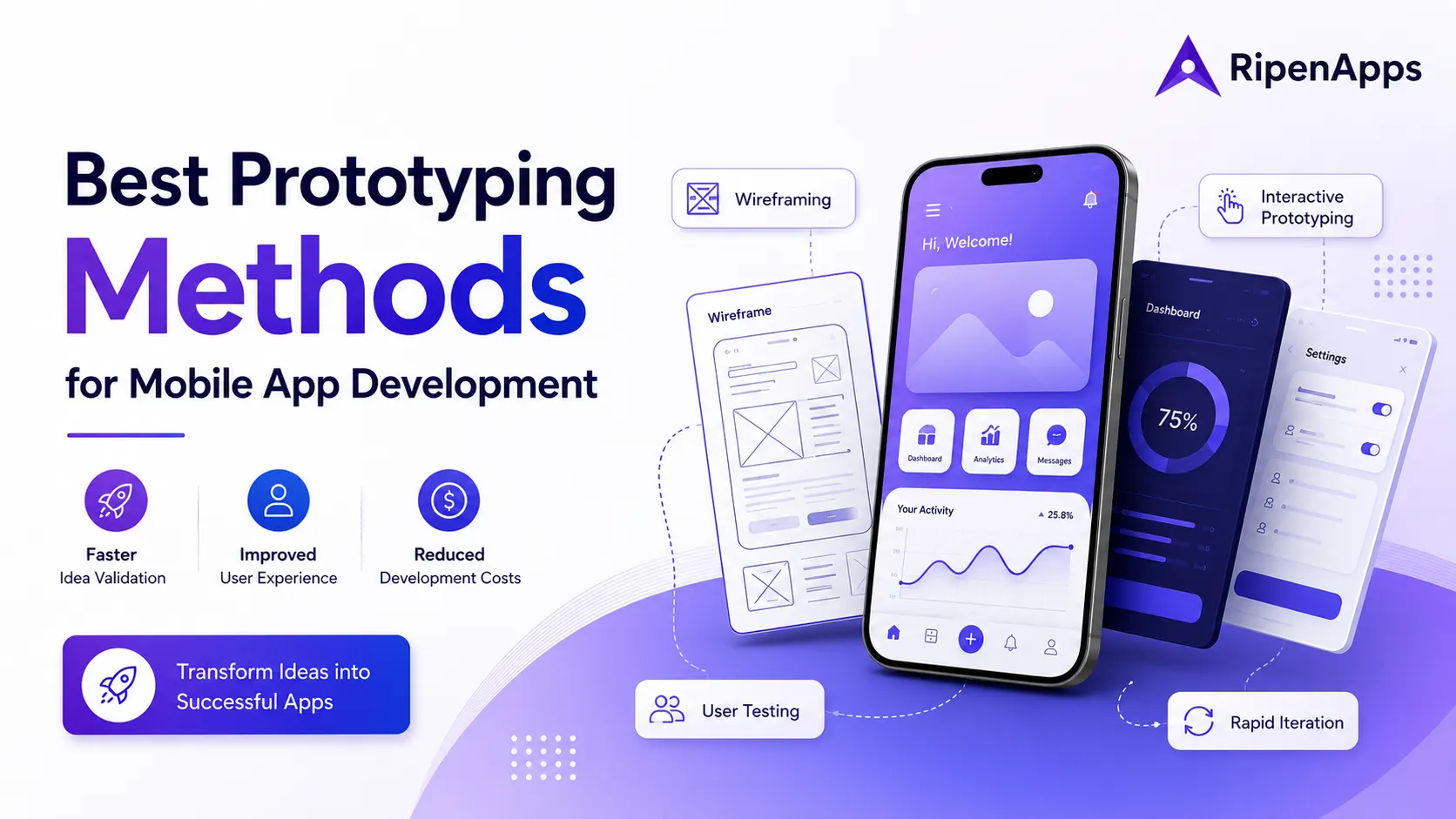
Mobile app success rarely begins with coding. Instead, it starts with validating ideas, understanding user expectations, and creating a visual representation of the product before development begins. This is where the best prototyping methods for mobile app development become essential.
Whether you are a startup founder, entrepreneur, product manager, or enterprise decision-maker, choosing the right prototyping approach can significantly reduce development risks, improve user satisfaction, and accelerate product launches.
Moreover, effective mobile app prototyping enables stakeholders to align on product goals, reduces costly revisions, and supports faster decision-making. Businesses that leverage rapid prototyping services can accelerate validation cycles, gather user feedback earlier, and refine product concepts more efficiently. From simple sketches and wireframes to advanced interactive experiences, various app prototyping methods help organizations transform concepts into market-ready digital products.
In this comprehensive guide, we will explore the most effective prototyping approaches, their benefits, practical applications, and how businesses can select the right prototyping methodology based on project requirements. You’ll also learn about the latest trends, popular tools, and best practices that help turn innovative app ideas into successful products.
Table of Contents
What is Mobile App Prototyping?
Definition and Purpose
Mobile app prototyping is the process of creating a visual and interactive representation of a mobile application before actual development begins. It serves as a blueprint that demonstrates how an app will function, appear, and respond to user interactions.
A mobile app prototype can range from simple sketches on paper to highly interactive digital simulations that closely resemble the final application. The primary goal is to validate ideas, refine user experiences, and reduce uncertainty before committing resources to full-scale development.
For startups launching innovative products, a prototype often becomes the first tangible version of an idea. It enables founders to communicate concepts effectively to investors, stakeholders, and development teams while reducing ambiguity.
Why Prototyping Matters Before Development
Building a mobile application without a prototype is similar to constructing a building without architectural plans. While development may begin quickly, the likelihood of errors, delays, and costly redesigns increases significantly.
One of the biggest advantages of mobile app prototyping is risk reduction. Before spending months on coding, businesses can validate whether users understand the interface, complete desired actions, and find value in the product experience.
Additionally, prototyping helps bridge communication gaps between designers, developers, product managers, and stakeholders. Rather than discussing abstract ideas, teams can evaluate a tangible model of the product.
Businesses investing in product discovery services often use prototyping to validate market opportunities before development starts. This early validation ensures resources are focused on features that deliver real user value.
Why Mobile App Prototyping Is a Game-Changer for App Development
What users love in 2026 is not just innovative app ideas but seamless, intuitive, and highly personalized digital experiences. With user expectations higher than ever, businesses can no longer afford to rely on assumptions when developing mobile applications. Mobile app prototyping helps bridge this gap by allowing teams to visualize concepts, test user interactions, and validate ideas before entering full-scale development.
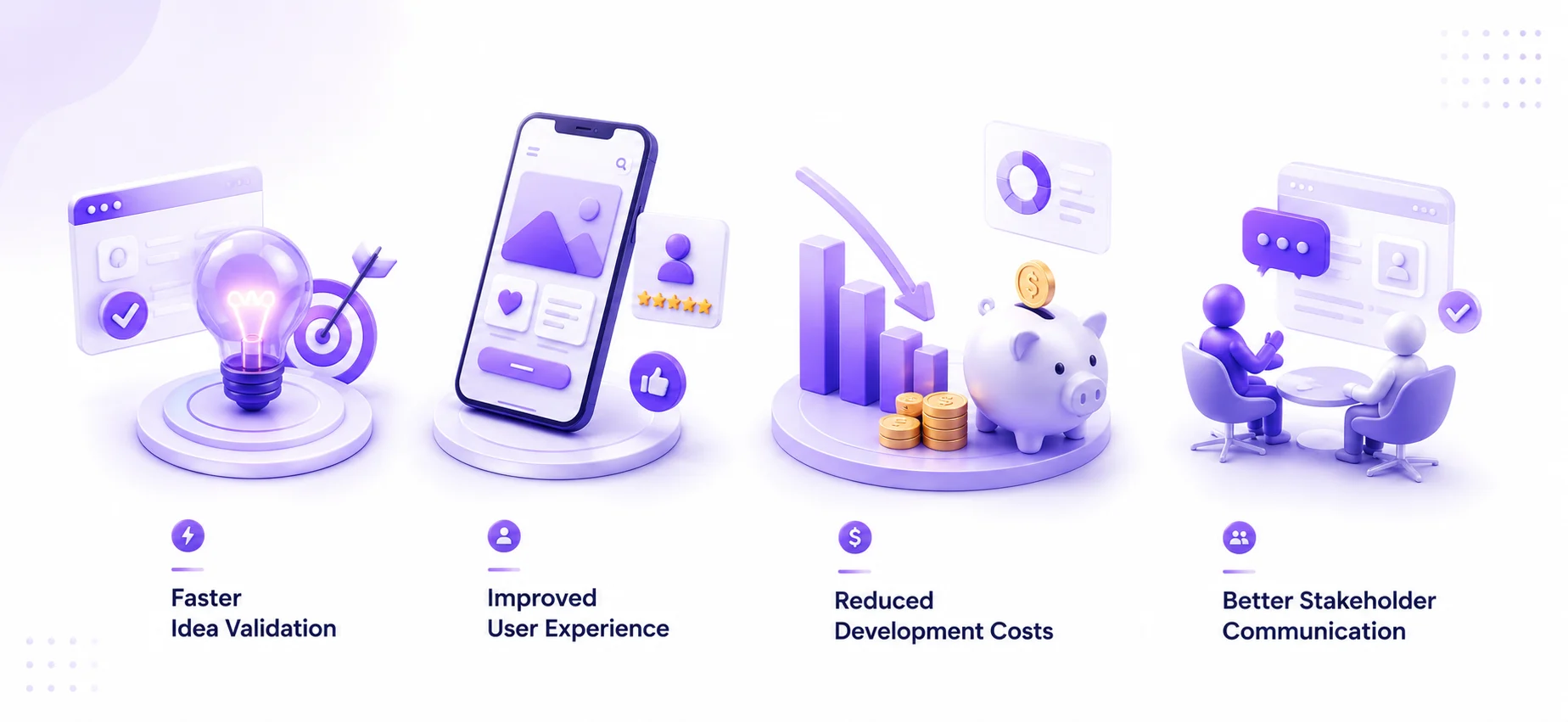
1. Faster Idea Validation
One of the most significant advantages of mobile app prototyping is the ability to validate ideas quickly and efficiently. Rather than investing months in development, businesses can create a prototype within days or weeks and evaluate whether users find the concept valuable. This rapid validation helps eliminate weak ideas before substantial resources are committed.
For startups operating with limited budgets, early validation can mean the difference between success and failure. A prototype allows teams to determine whether users understand the product, complete desired tasks, and engage with core features. Organizations that adopt a rapid prototyping method can gather feedback quickly, refine concepts, and move toward development with greater confidence.
2. Improved User Experience
User experience is often the deciding factor between successful and unsuccessful mobile applications. Through mobile app prototyping, designers can evaluate user interactions before development begins. This enables teams to optimize navigation, reduce friction, and improve usability.
Many organizations leverage ux prototyping methods to conduct usability studies and identify areas where users struggle. These insights help create intuitive experiences that increase engagement and retention.
3. Reduced Development Costs
Fixing design issues during development is significantly more expensive than identifying them during prototyping. A well-executed app prototyping process enables teams to uncover usability problems, workflow inefficiencies, and feature gaps before coding begins. Early issue detection reduces costly revisions and development delays.
According to industry best practices, design changes made during prototyping may require hours of effort, whereas similar changes after development can require weeks of redevelopment.
4. Better Stakeholder Communication
Effective communication is essential for successful product development. A mobile app prototype provides a visual and interactive representation of product ideas, making it easier for stakeholders to understand project goals and provide meaningful feedback.
Businesses working with a digital product development company often use prototypes to align business objectives, technical requirements, and user expectations before development begins. Consequently, projects experience fewer revisions and smoother collaboration throughout the development lifecycle.
Types of Mobile App Prototypes
Choosing the right prototype type is one of the most important decisions in the overall app prototyping process. Different prototype formats serve different purposes, ranging from early concept validation to advanced usability testing. Understanding these options helps businesses select the most effective approach based on project goals, timelines, and budgets.
1. Low-Fidelity Prototypes
Low-fidelity prototypes are basic representations of an application’s structure and functionality. They are usually created using hand-drawn sketches, simple diagrams, or basic digital layouts.
The primary purpose of low-fidelity mobile app prototyping is to visualize ideas quickly without investing significant time or resources. At this stage, teams focus on content organization, navigation structures, and user flows rather than visual aesthetics.
Benefits of low-fidelity prototypes include:
- Fast creation and iteration
- Minimal design effort
- Easy stakeholder collaboration
- Early concept validation
- Quick feedback collection
For example, a startup planning a fitness app may begin by sketching workout tracking screens and user navigation paths before moving into detailed design. Low-fidelity models often complement the early stages of the product prototyping process, helping teams evaluate concepts before progressing toward more refined designs.
2. Mid-Fidelity Prototypes
Mid-fidelity prototypes introduce more detail while maintaining flexibility for revisions. These prototypes typically include structured layouts, basic visual elements, and improved navigation simulations.
At this stage, teams begin validating content hierarchy, interface organization, and user journeys. A mid-fidelity mobile app prototype helps stakeholders better understand how users will interact with the application while still allowing rapid modifications.
Common use cases include:
- Workflow validation
- User journey testing
- Stakeholder presentations
- Feature prioritization
- Early usability reviews
Businesses engaged in prototype app development frequently use mid-fidelity prototypes to bridge the gap between concept sketches and high-fidelity design experiences.
3. High-Fidelity Prototypes
High-fidelity prototypes closely resemble the final product in terms of appearance and functionality. These prototypes incorporate branding, typography, color schemes, animations, and realistic interactions.
High-fidelity mobile app prototyping is particularly useful when teams need detailed feedback regarding design quality and user experience.
Benefits include:
- Realistic user testing
- Improved stakeholder confidence
- Better investor presentations
- Enhanced design validation
- Reduced development ambiguity
For example, a fintech startup preparing for investor meetings may create a high-fidelity mobile app prototype demonstrating account creation, payment workflows, and dashboard experiences. Organizations offering mobile application design services often utilize high-fidelity prototypes to validate user interfaces before development begins.
4. Interactive and Clickable Prototypes
Interactive prototypes simulate actual application behavior through clickable elements, transitions, and user interactions. Unlike static mockups, interactive prototyping enables users to experience realistic workflows without requiring backend development.
Examples include:
- Simulated onboarding processes
- E-commerce checkout flows
- Appointment booking journeys
- Subscription purchase experiences
The major advantage of interactive prototyping is its ability to uncover usability issues before coding begins. Teams can observe how users navigate the interface, identify friction points, and optimize workflows accordingly.
This approach has become one of the most effective app prototyping methods because it combines visual design validation with practical user testing.
Best Prototyping Methods for Mobile App Development
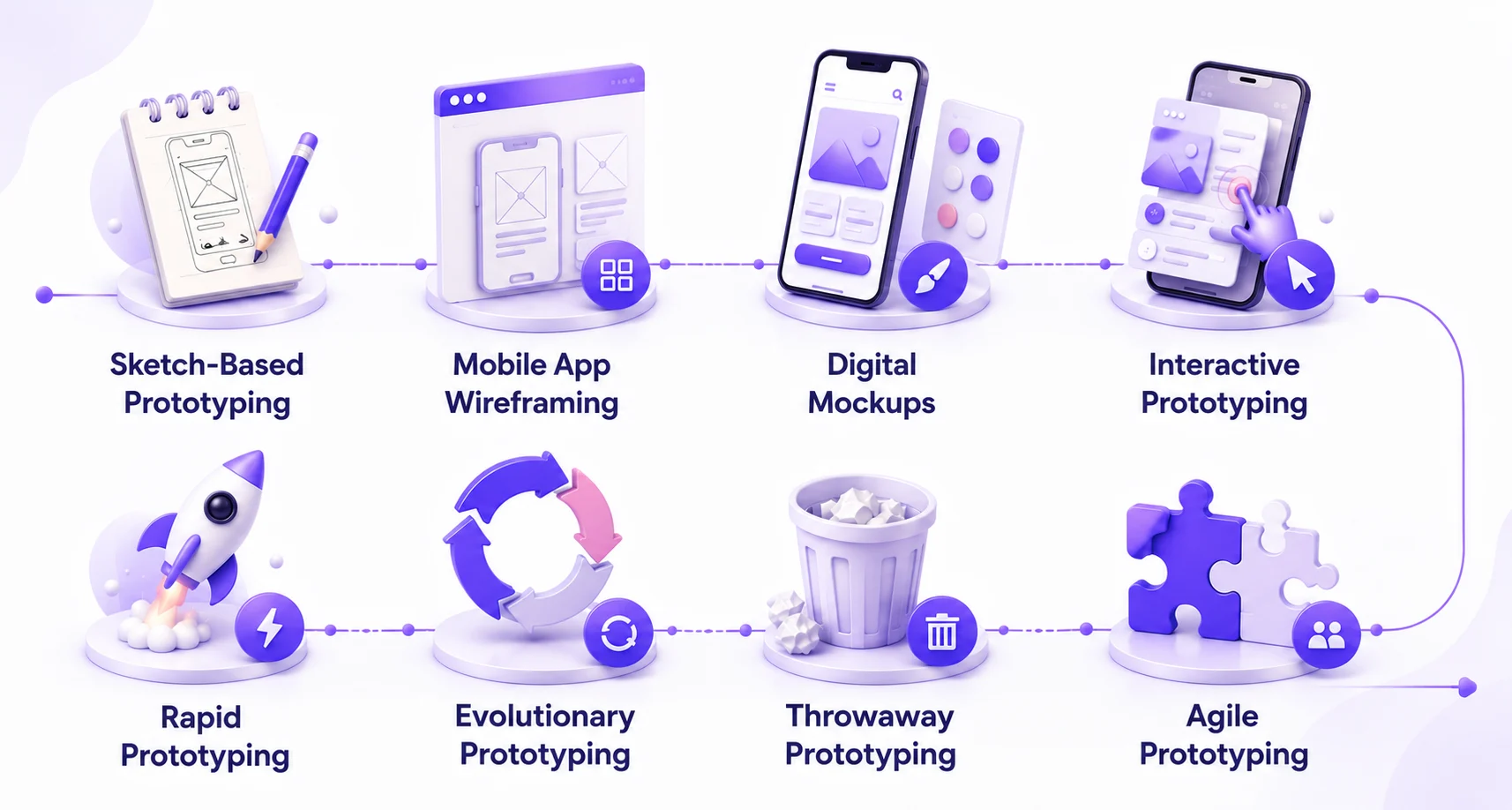
Selecting the right approach depends on project objectives, complexity, available resources, and user testing requirements. Below are some of the most effective app prototyping methods used by successful startups and enterprises.
1. Sketch-Based Prototyping
Sketch-based prototyping is often the first stage of mobile app prototyping. Designers use paper sketches or digital drawing tools to visualize concepts quickly and explore multiple ideas without significant investment. This method is particularly effective during brainstorming sessions because it encourages creativity and rapid experimentation.
Benefits include:
- Extremely low cost
- Fast ideation
- Easy revisions
- Strong team collaboration
For example, a healthcare startup exploring patient appointment workflows may sketch multiple screen layouts before selecting the most intuitive approach. Although simple, sketch-based prototyping forms the foundation of many successful products and supports an efficient prototyping methodology.
2. Mobile App Wireframing
Mobile app wireframing is one of the most widely used techniques in modern product design. Wireframes provide a structured visual representation of screen layouts, content placement, and navigation systems without focusing heavily on aesthetics. The purpose of mobile app wireframing is to establish information and mobile app architecture and user flow clarity before detailed design work begins.
Key advantages include:
- Better content organization
- Clear user journey visualization
- Improved team alignment
- Faster design validation
For example, an e-commerce company may create wireframes to define product browsing, cart management, and checkout experiences before developing high-fidelity screens. Many businesses combine mobile app wireframing with the product discovery phase to validate customer journeys before moving into advanced design phases. A well-structured wireframe significantly improves the overall app prototyping process and reduces costly revisions later.
3. Digital Mockups
Digital mockups focus primarily on visual design representation. Unlike wireframes, mockups incorporate branding elements such as:
- Colors
- Typography
- Icons
- Imagery
- Visual hierarchy
A digital mockup helps stakeholders understand how the final product will appear while enabling designers to validate branding consistency. For example, a food delivery startup may create detailed mockups showcasing restaurant listings, order tracking screens, and payment interfaces.
Digital mockups play a critical role in application prototyping because they bridge the gap between structural planning and realistic product visualization.
4. Interactive Prototyping
Among all modern app prototyping methods, interactive prototyping delivers some of the most valuable user insights. Interactive prototypes simulate actual user behavior through clickable elements, transitions, and navigation paths. Users can explore features as though they are interacting with a live application.
Benefits include:
- Enhanced usability testing
- Better stakeholder engagement
- Faster validation cycles
- Improved user feedback quality
- Reduced development risk
Consider a travel booking application. Through interactive prototyping, users can search destinations, browse accommodations, and simulate booking workflows without requiring backend functionality.
This allows teams to identify usability issues early and improve the overall experience before development begins. Businesses often prioritize interactive prototyping because it enables rapid learning while preserving limited budgets. Furthermore, interactive prototypes support effective prototyping and testing, ensuring product decisions are validated through real user behavior.
5. Rapid Prototyping
The rapid prototyping method focuses on quickly creating, testing, and refining prototypes through iterative feedback cycles. Instead of spending months perfecting designs upfront, teams produce functional prototypes rapidly, gather feedback, and continuously improve the product.
Advantages include:
- Faster validation
- Reduced development waste
- Continuous user involvement
- Accelerated innovation
- Quicker market readiness
For example, a startup launching a new social networking platform may create a basic prototype, test onboarding experiences with users, collect feedback, and refine workflows within days. This rapid prototyping method helps businesses adapt quickly to market needs while minimizing investment risks.
Organizations interested in understanding rapid prototyping for product development often discover that rapid iteration dramatically improves product quality and user satisfaction. Many successful companies adopt a structured rapid prototyping methodology because it aligns perfectly with agile product development practices.
6. Evolutionary Prototyping
Evolutionary prototyping is a development approach where the prototype continuously evolves into the final product through multiple iterations. Instead of creating a temporary model that is discarded later, teams gradually enhance the prototype by incorporating user feedback, new features, and technical improvements.
This approach is particularly valuable for products with changing requirements or uncertain feature sets. Businesses can launch an initial version, gather insights, and continuously refine the application based on actual user behavior.
Key benefits of evolutionary prototyping include:
- Continuous improvement based on feedback
- Reduced development uncertainty
- Better alignment with market needs
- Faster adaptation to changing requirements
- Improved product-market fit
For example, a startup developing a project management application may begin with basic task creation and collaboration features. As users interact with the prototype, additional capabilities such as team communication, file sharing, and analytics can be gradually introduced.
Many organizations pursuing prototype app development prefer evolutionary prototyping because it supports long-term product growth while minimizing upfront investment risks. This method also aligns well with modern mobile app prototyping strategies, where learning and iteration are considered essential components of product success.
7. Throwaway Prototyping
Throwaway prototyping, sometimes called rapid disposable prototyping, involves creating a prototype solely for validation purposes before discarding it and developing the final application from scratch. The goal is not to evolve the prototype into the finished product but to gather insights, validate assumptions, and identify usability challenges.
Common scenarios where throwaway prototyping is effective include:
- Testing innovative concepts
- Exploring multiple design approaches
- Evaluating user preferences
- Validating product ideas before development
For example, a fintech company experimenting with a new investment platform may build several prototype versions to test onboarding experiences before selecting the most effective design.
One major advantage of this prototyping methodology is flexibility. Teams can experiment freely without worrying about technical limitations associated with production-ready code. Although the prototype itself is discarded, the knowledge gained significantly improves development efficiency and product quality.
Businesses implementing a rapid prototyping methodology often use throwaway prototypes during early-stage concept validation because they accelerate learning while minimizing development waste.
8. Agile Prototyping
Agile prototyping combines iterative design practices with agile development principles. Instead of treating prototyping as a separate phase, teams continuously design, test, and refine features throughout the project lifecycle. This approach enables organizations to respond quickly to user feedback and changing market conditions.
Benefits include:
- Faster iteration cycles
- Continuous user validation
- Improved collaboration
- Reduced project risk
- Enhanced product quality
Agile prototyping is especially useful for startups and fast-growing businesses that need to launch quickly while maintaining flexibility. For example, a ride-sharing platform may release prototype versions of booking, payment, and driver communication features incrementally while continuously gathering feedback.
Organizations interested in learning more about the broader agile methodology for mobile app development often find that agile principles complement modern prototyping practices exceptionally well.
Many companies offering mobile app development processes integrate agile prototyping into their workflows because it improves transparency, accelerates delivery, and enhances user satisfaction. Ultimately, agile prototyping has become one of the most effective app prototyping methods for businesses operating in rapidly changing markets.
Understanding the App Prototyping Process
A successful prototype is rarely created by chance. Instead, it follows a structured and strategic app prototyping process designed to transform ideas into validated product experiences. While the specific workflow may vary between organizations, most successful projects follow five essential stages.
1. Research and Discovery
Every effective mobile app prototyping initiative begins with research and discovery. Before designing screens or workflows, teams must understand:
- Target users
- Market opportunities
- Competitive landscape
- Business objectives
- Technical constraints
The discovery phase helps eliminate assumptions and ensures product decisions are grounded in real user needs. For example, a startup planning a healthcare application may conduct user interviews with patients and healthcare providers to identify common challenges and unmet needs.
Businesses often leverage an ultimate product discovery strategy during this phase to validate ideas, define requirements, and prioritize features before entering design.
Research activities commonly include:
- User interviews
- Competitor analysis
- Market research
- Stakeholder workshops
- Customer journey mapping
The insights gathered become the foundation for the entire app prototyping process.
2. User Flow Mapping
Once research is complete, teams map user journeys and define how users will interact with the application. User flow mapping focuses on understanding the sequence of actions users take to accomplish specific goals.
Examples include:
- Creating an account
- Completing a purchase
- Booking an appointment
- Ordering food
- Managing subscriptions
Visualizing these journeys helps identify potential friction points before design work begins. For instance, an e-commerce application may map the complete customer journey from product discovery to checkout confirmation.
This stage often overlaps with mobile app wireframing because user flows influence screen structure and navigation design. Clear user flows improve usability, reduce confusion, and support more effective application prototyping outcomes.
3. Prototype Creation
After defining user flows, teams begin creating the prototype itself. Depending on project requirements, this stage may involve:
- Sketches
- Wireframes
- Mockups
- Clickable prototypes
- High-fidelity simulations
The chosen approach depends on project goals, budget, and validation requirements. A startup seeking early feedback may create a low-fidelity prototype, whereas an enterprise preparing stakeholder presentations may invest in a high-fidelity mobile app prototype.
The prototype creation phase transforms abstract concepts into tangible experiences that stakeholders and users can evaluate effectively.
4. Prototyping and Testing
Creating a prototype is only half the process. The real value emerges through prototyping and testing. This stage involves observing how users interact with the prototype and collecting feedback regarding usability, functionality, and overall experience.
Effective prototyping and testing helps answer critical questions:
- Can users complete tasks easily?
- Is navigation intuitive?
- Are important features discoverable?
- Do workflows meet expectations?
- Are there usability obstacles?
For example, a banking application prototype may reveal that users struggle to locate account management features. Identifying this issue before development can save significant time and resources.
Testing methods may include:
- Moderated usability testing
- Remote testing sessions
- Stakeholder reviews
- A/B testing
- Feedback surveys
Organizations that prioritize mobile app prototyping often achieve stronger user adoption because design decisions are validated before development begins. Additionally, prototyping and testing supports continuous improvement and helps ensure products align with real-world user behavior.
5. Design Iteration
Design iteration is the process of refining prototypes based on feedback collected during testing. Rarely does a prototype succeed perfectly on its first attempt. Instead, successful products emerge through repeated cycles of evaluation and improvement.
Common iteration activities include:
- Simplifying navigation
- Reorganizing content
- Improving accessibility
- Refining visual hierarchy
- Enhancing user flows
For example, a travel booking app may revise its checkout experience after users indicate confusion during payment selection.
The iterative nature of mobile app prototyping ensures continuous enhancement while minimizing costly development changes later.
Businesses following a structured app prototyping process typically perform multiple testing and iteration cycles before finalizing designs. This approach not only improves usability but also increases confidence among stakeholders, investors, and development teams.
Furthermore, organizations exploring what is rapid prototyping is frequently discover that rapid iteration is one of the primary reasons prototypes accelerate product success. By validating ideas early and refining them continuously, businesses can launch stronger applications with greater confidence and reduced risk.

How to Choose the Right Prototyping Methodology
Selecting the right prototyping methodology is crucial because every app project has unique requirements, constraints, and business objectives. The ideal approach depends on factors such as complexity, budget, timeline, and user validation needs.
Based on Project Complexity
The complexity of your application should significantly influence your choice of app prototyping methods. For simple applications with straightforward user journeys, low-fidelity wireframes and clickable prototypes may be sufficient. However, applications with advanced workflows, integrations, or extensive feature sets often require high-fidelity and interactive prototypes.
For example:
- A basic appointment booking app may require wireframes and simple user flow validation.
- A fintech or healthcare application may require advanced interactive prototyping to test sensitive workflows and compliance-related experiences.
Businesses working with a product development company often conduct complexity assessments before selecting the most suitable prototyping strategy.
Based on Budget
Budget plays a major role in determining the scope of mobile app prototyping. Low-fidelity prototypes are generally cost-effective and ideal for early-stage validation. High-fidelity prototypes and extensive usability testing require greater investment but often deliver deeper insights.
Startups operating with limited resources frequently begin with wireframes and evolve toward interactive prototypes as the concept matures. Organizations pursuing app development for startups often benefit from prioritizing validation activities that maximize learning while minimizing expenditure.
The goal is to invest enough in prototyping to reduce development risks without unnecessarily increasing upfront costs.
Based on Timeline
Project timelines directly influence the prototyping approach. When speed is a priority, businesses often adopt a rapid prototyping method that emphasizes quick iteration and early user feedback.
A rapid prototyping method allows teams to validate assumptions quickly, identify usability issues, and move into development faster than traditional design approaches. For example, startups preparing for investor presentations or product launches may leverage a rapid prototyping methodology to create functional demonstrations within weeks rather than months.
By accelerating feedback cycles, a rapid prototyping methodology helps businesses maintain momentum while reducing uncertainty.
Popular Tools Used for Mobile App Prototyping
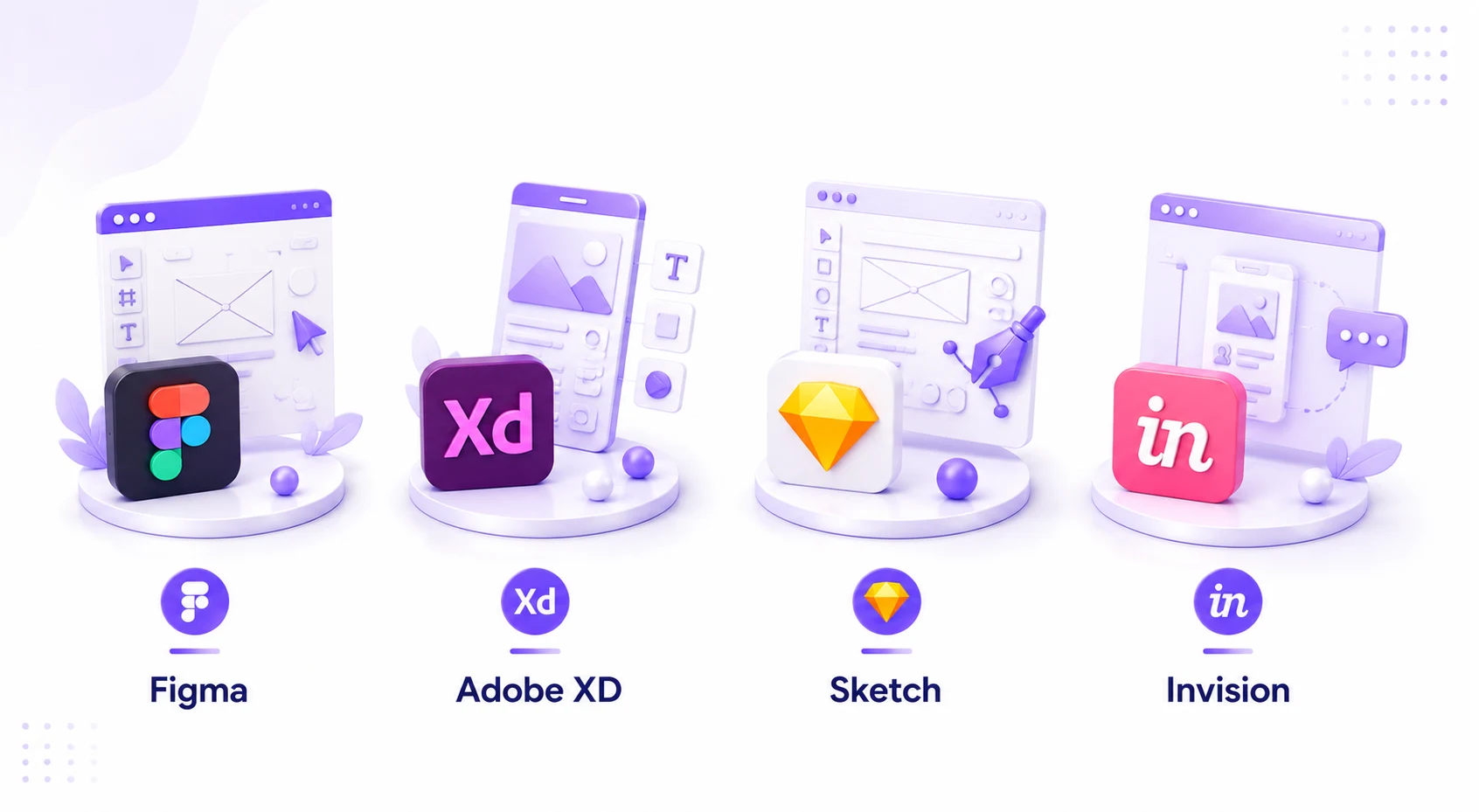
Modern prototyping platforms provide designers and product teams with powerful capabilities for creating, testing, and refining mobile app experiences. Businesses exploring the best tools used for prototyping should consider the following industry-leading platforms.
Figma
Figma has become one of the most popular tools for mobile app prototyping due to its cloud-based collaboration capabilities.
Key advantages include:
- Real-time collaboration
- Interactive prototype creation
- Design system management
- Cross-platform accessibility
- Developer handoff features
Figma is particularly useful for distributed teams that require seamless collaboration throughout the design process.
Adobe XD
Adobe XD offers an intuitive environment for designing and prototyping mobile applications.
Benefits include:
- Interactive transitions
- Voice prototyping
- Auto-animate features
- Strong Adobe ecosystem integration
- Rapid design workflows
Its simplicity and versatility make it a popular choice for startups and enterprise teams alike.
Sketch
Sketch remains a preferred solution among many UI and UX designers.
Features include:
- Vector-based design tools
- Extensive plugin ecosystem
- Efficient interface design capabilities
- Strong design system support
Sketch is particularly effective for creating detailed user interfaces before moving into advanced prototype development.
InVision
InVision enables teams to transform static designs into clickable prototypes quickly.
Benefits include:
- Collaborative feedback tools
- Interactive experiences
- Design presentation capabilities
- Stakeholder review workflows
Many organizations use InVision during the early stages of application prototyping to streamline communication and design validation.
Axure RP
Axure RP is ideal for complex applications that require sophisticated interactions and advanced functionality simulation.
Advantages include:
- Dynamic content
- Conditional logic
- Advanced interaction design
- Enterprise-grade prototyping capabilities
Businesses developing large-scale digital products often choose Axure RP when detailed behavior simulation is necessary.
Common Prototyping Mistakes to Avoid
Even the most promising mobile app ideas can lose momentum if teams fail to follow established prototyping best practices. Since prototyping serves as the bridge between concept validation and actual development, mistakes at this stage can lead to higher costs, delayed timelines, and products that fail to meet user expectations. Understanding the most common prototyping pitfalls helps businesses maximize the value of their investment and build stronger digital products.
Skipping User Feedback
One of the most damaging mistakes during the prototyping phase is failing to involve users in the validation process. Many teams rely solely on internal assumptions, stakeholder opinions, or market trends when making design decisions. While these inputs are valuable, they cannot replace direct feedback from actual users.
User testing reveals critical insights about navigation preferences, feature expectations, pain points, and behavioral patterns that may not be obvious to product teams. Gathering feedback early allows businesses to identify usability issues before development begins, reducing costly revisions later. Effective prototyping and testing ensures products are designed around genuine user needs rather than assumptions, increasing the likelihood of market success.
Overcomplicating Early Designs
Many businesses make the mistake of investing too much time perfecting visual details during the early stages of prototyping. While polished interfaces are important, focusing excessively on colors, animations, and aesthetics can distract teams from validating core functionality and user journeys.
At the initial validation stage, simplicity is often more valuable than perfection. Low-fidelity wireframes and basic interactive prototypes can provide enough insight to test ideas, gather feedback, and validate workflows. A streamlined prototyping methodology encourages faster experimentation, quicker iterations, and more informed product decisions.
Ignoring Technical Feasibility
A prototype may appear visually impressive but still present significant technical challenges during development. Features that seem straightforward in design tools can sometimes require complex engineering efforts, third-party integrations, or infrastructure investments that exceed the project’s budget.
To avoid this issue, designers and developers should collaborate throughout the prototyping process. Technical feasibility assessments help determine whether proposed features can be implemented efficiently while maintaining performance and scalability. Organizations offering mobile app development services often evaluate technical requirements alongside design validation to ensure concepts remain practical and achievable.
Choosing the Wrong Prototype Type
Not every project requires a highly interactive, pixel-perfect prototype. Selecting the wrong prototype type can increase costs, slow down validation efforts, and create unnecessary complexity.
For example, early-stage idea validation may only require sketches, wireframes, or low-fidelity mockups to test user flows and feature concepts. In contrast, advanced usability studies and stakeholder presentations may benefit from realistic, high-fidelity interactive prototypes. Matching the prototype type to the project’s goals ensures resources are used efficiently while delivering the insights needed to move forward with confidence.
Future Trends in Mobile App Prototyping
As technology continues to evolve, mobile app prototyping is becoming faster, smarter, and more collaborative. Emerging tools and methodologies are helping businesses validate ideas more efficiently while reducing development risks. These innovations are transforming how designers, developers, and stakeholders work together throughout the product development lifecycle.
1. AI-Powered Prototyping
Artificial intelligence is rapidly changing the way prototypes are designed and tested. Modern AI-powered tools can automatically generate layouts, recommend user flows, identify usability issues, and suggest design improvements based on established UX principles.
By automating repetitive tasks, AI allows designers to focus more on creativity and strategic decision-making. It also accelerates iteration cycles, enabling teams to test multiple concepts quickly and identify the most effective solutions. As AI capabilities continue to advance, prototyping workflows are expected to become increasingly efficient and data-driven.
2. No-Code Prototyping
No-code and low-code platforms are making app prototyping more accessible than ever before. Entrepreneurs, startups, and business teams can now create interactive prototypes without extensive programming knowledge, reducing dependence on technical resources during the validation phase.
These platforms enable faster experimentation, lower development costs, and quicker market validation. As a result, no-code prototyping is becoming a popular approach for organizations seeking to test ideas rapidly before committing to full-scale development.
3. Real-Time Collaboration
The rise of remote and distributed teams has increased demand for collaborative prototyping environments. Modern design platforms now provide real-time collaboration features such as live editing, shared workspaces, instant feedback systems, and version control.
These capabilities allow designers, developers, stakeholders, and clients to work together more efficiently regardless of location. Improved collaboration speeds up decision-making, reduces communication gaps, and ensures alignment throughout the product design process.
4. AR/VR Experiences
As augmented reality (AR), virtual reality (VR), and mixed reality technologies gain traction, prototyping is expanding beyond traditional mobile interfaces. Businesses are increasingly creating prototypes for immersive experiences that involve spatial interactions, virtual environments, and interactive 3D elements.
This trend is particularly relevant for industries such as gaming, retail, healthcare, education, and real estate, where immersive user experiences can provide significant competitive advantages. Prototyping these experiences early helps teams validate usability and interaction models before investing in full-scale development.
5. Automated Testing
Automated testing is becoming an integral component of modern prototyping and testing workflows. Advanced tools can automatically analyze user interactions, identify usability bottlenecks, validate navigation flows, and detect potential design issues before development begins.
By integrating automated testing into the prototyping process, businesses can gather deeper insights, improve design quality, and reduce manual testing effort. As automation technologies continue to evolve, prototyping cycles will become increasingly efficient, enabling teams to bring high-quality products to market faster.
How Professional Prototyping Services Accelerate App Development
While internal teams can create prototypes, partnering with experienced specialists often delivers superior results. Professional experts bring structured methodologies, user research expertise, and industry knowledge that improve validation accuracy and product outcomes.
Businesses frequently leverage rapid prototyping to accelerate product discovery, validate concepts efficiently, and reduce development risks. Specialized teams also provide product discovery strategy that help organizations identify user needs, define product requirements, and prioritize features before development begins. In addition, mobile app design creates intuitive user experiences that improve engagement, retention, and overall product success.
Many startups partner with experts because they require guidance regarding product validation, MVP planning, and market readiness. Organizations seeking long-term innovation often collaborate with a trusted development company capable of transforming validated concepts into scalable digital solutions.
Once a prototype has been validated successfully, businesses frequently engage a reliable MVP Development Company to build and launch a minimum viable product efficiently.

Conclusion
Choosing the best prototyping methods for mobile app development is one of the most important decisions in the product creation journey. Effective mobile app prototyping enables businesses to validate ideas, improve user experiences, reduce development costs, and accelerate time-to-market.
From sketch-based concepts and mobile app wireframing to advanced interactive prototyping, each approach offers unique advantages depending on project goals and validation requirements. By selecting the right prototyping methodology, organizations can uncover usability challenges early, align stakeholders, and make informed product decisions.
Furthermore, leveraging proven app prototyping methods, adopting a structured rapid prototyping process, and incorporating continuous prototyping and testing can dramatically increase the likelihood of building successful mobile applications.
As technology evolves and user expectations continue to rise, businesses that prioritize strategic prototyping will remain better positioned to innovate, adapt, and achieve sustainable growth in the competitive mobile app marketplace.
FAQs
1. What is Mobile App Prototyping?
Mobile app prototyping is the process of creating a visual or interactive representation of a mobile application before development begins. It helps validate ideas, test user experiences, and reduce development risks.
2. What is a Mobile App Prototype?
A mobile app prototype is a preliminary version of an application that demonstrates its design, navigation, and functionality. It allows stakeholders and users to evaluate the product before coding starts.
3. What are the best App Prototyping Methods?
The most effective app prototyping methods include sketch-based prototyping, wireframing, digital mockups, interactive prototyping, evolutionary prototyping, throwaway prototyping, and agile prototyping.
4. What is the difference between wireframing and prototyping?
Wireframing focuses on structure and layout, while prototyping simulates user interactions and workflows. Wireframes are often an early stage of the broader app prototyping process.
5. What is Interactive Prototyping?
Interactive prototyping involves creating clickable and navigable experiences that mimic actual app functionality. It enables realistic usability testing before development begins.
6. What is a rapid prototyping method?
A rapid prototyping method focuses on quickly creating, testing, and refining prototypes through multiple feedback cycles. It helps teams validate ideas faster and reduce product development risks.
7. How does the App Prototyping Process work?
The app prototyping process typically includes research, discovery, user flow mapping, prototype creation, prototyping and testing, and iterative design improvements based on user feedback.
8. Which tools are best for application prototyping?
Popular tools for application prototyping include Figma, Adobe XD, Sketch, InVision, Axure RP, and Proto.io. The ideal tool depends on project complexity, collaboration needs, and testing requirements.
9. How long does prototype app development take?
The timeline for prototype app development varies depending on complexity. Meanwhile, simple prototypes may take a few days, while advanced high-fidelity prototypes can require several weeks of design, testing, and refinement.
10. How do prototyping and testing improve app success?
Prototyping and testing help identify usability issues, validate user expectations, and improve overall product quality before development. As a result, businesses often find that early validation significantly improves launch success and user adoption.
Discuss your project and request for proposal
SHARE
WRITTEN BY

Ishan Gupta
CEO & Founder
Ishan Gupta is a seasoned entrepreneur and CEO with extensive 10+ years of experience in business and mobile app development landscape. He believes that the right digital product allows companies to focus on what they do best, while technology handles the rest. With deep exposure to global markets, he understands what makes an app succeed. His approach translates business needs into clear product strategies, ensuring that every feature contributes to measurable ROI.
View All Articles