


Key Takeaways
- Doctor on demand app development enables patients to connect with healthcare providers through digital consultations, appointments, and secure communication.
- A successful platform should include patient, doctor, and admin features such as appointment scheduling, video consultations, digital prescriptions, payments, notifications, and reporting.
- Doctor on demand app development typically costs $30,000–$120,000+, depending on app complexity, features, integrations, compliance requirements, and technology choices.
- HIPAA compliance and data security should be considered from the beginning, including access controls, authentication, encryption, audit controls, and appropriate safeguards for ePHI.
- A focused MVP-first development approach helps healthcare businesses validate core workflows before expanding the platform with advanced features and integrations.
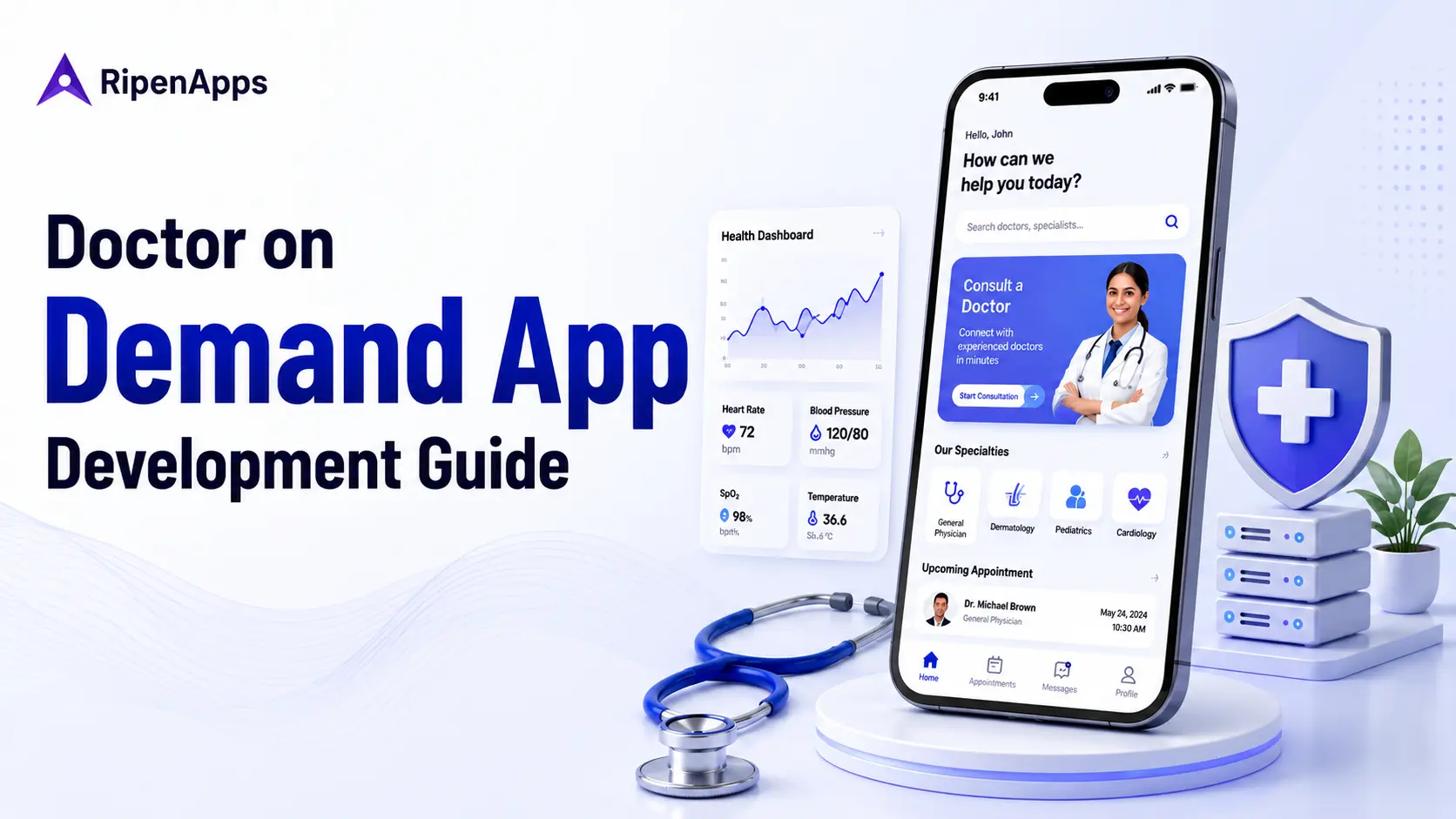
A doctor on demand app enables patients to connect with healthcare providers remotely through video consultations, voice calls, secure messaging, appointment booking, and digital healthcare workflows. A typical doctor on demand app can cost $30,000–$120,000, while development can take approximately 3–9+ months, depending on features, integrations, platforms, security requirements, and overall complexity.
For healthcare startups, clinics, and medical service providers, building such an app involves much more than adding video calling. Whether developed in-house or with a Telemedicine app development company, the platform must connect patient and doctor workflows, protect sensitive health information, support reliable consultations, integrate with healthcare systems, and provide an experience that works seamlessly for both patients and providers.
This guide covers everything you need to know about doctor on demand app development, including how these apps work, essential features, development steps, costs, timelines, technology choices, HIPAA considerations, real-world examples, and future opportunities.
Table of Contents
What Is a Doctor on Demand App?
A doctor on demand app is a digital healthcare platform that allows patients to access eligible healthcare providers remotely instead of relying entirely on physical visits. Depending on the business model, the platform can support:
- Doctor search and provider discovery
- Online appointment booking
- On-demand consultations
- Video and voice consultations
- Secure patient-provider messaging
- Digital prescriptions
- Patient health records
- Online payments
- Appointment reminders
- Follow-up management
- Doctor availability management
- Healthcare integrations
The platform usually consists of three connected experiences:
- Patient app: Helps patients find providers, book appointments, attend consultations, communicate with doctors, and manage relevant healthcare information.
- Doctor app or portal: Allows providers to manage availability, appointments, consultations, prescriptions, patient information, and follow-ups.
- Admin panel: Gives healthcare businesses control over users, providers, appointments, payments, content, reporting, and platform operations.
The exact scope depends on whether you are building a healthcare marketplace, clinic-specific solution, specialty-care platform, or broader virtual-care ecosystem. For a broader look at healthcare product planning, see the healthcare app development guide.
How Does a Doctor on Demand App Work?
A doctor on demand application connects patients, healthcare providers, and administrators through a coordinated digital workflow.
Patient Journey
A typical patient journey looks like:
Sign up – Create profile – Search for doctor – Select provider – Book consultation – Make payment – Join consultation – Receive prescription or follow-up – Review care
Patients can search for providers based on factors such as specialty, availability, consultation type, language, pricing, and other relevant criteria.
For urgent or on-demand care models, the platform can also show doctors who are currently available for consultation. The goal is to reduce unnecessary steps between the patient’s decision to seek care and the actual consultation.
Doctor Workflow
Doctors require a workflow designed around clinical and operational responsibilities. A typical workflow includes:
Register – Complete verification – Set availability – Receive appointment – Review patient information – Conduct consultation – Add notes or prescription – Complete consultation
The doctor interface should make it easy to manage appointments, communicate with patients, review relevant information, and complete post-consultation tasks.
Admin Panel
The admin panel provides centralized operational control over the platform. Administrators can manage patient accounts, doctor onboarding and verification, provider availability, appointments, consultation fees, payments and commissions, cancellations and refunds, prescriptions and medical records, notifications, reports and analytics, customer support, and platform configurations.
For marketplace-based models, the admin panel can also support provider commissions, service categories, dispute management, and performance monitoring, giving administrators greater visibility and control over day-to-day platform operations.
Why Businesses Are Investing in Doctor on Demand Apps
Virtual care has moved beyond being simply an alternative to traditional appointments. Healthcare organizations are increasingly incorporating virtual health, digital tools, and connected care into their broader strategies.
Deloitte’s 2026 Global Health Care Outlook found that 49% of non-U.S. health system executives expect benefits from tech-enabled patient engagement and remote monitoring, while care model transformation is expected to support growth through expanded outpatient services, digital offerings, and AI-enabled patient follow-up.
This shift creates opportunities for healthcare businesses to:
- Extend services beyond physical locations
- Improve access to eligible healthcare providers
- Support routine consultations and follow-ups
- Reduce appointment friction
- Create new digital care models
- Improve patient engagement
- Expand specialty-care access
- Build scalable virtual-care services
However, successful doctor on demand app development is not simply about reproducing an in-person consultation through a video screen. The product needs to fit actual patient, provider, and administrative workflows.
Must-Have Features of a Doctor on Demand App
A successful platform should be designed around three primary panels: patient, doctor, and admin.
| Patient App | Doctor App | Admin Panel |
| Registration and login | Doctor registration | Doctor verification |
| Profile management | Profile management | Patient management |
| Doctor search | Availability management | Doctor management |
| Specialty filters | Appointment management | Appointment management |
| Doctor profiles | Patient information | Payment management |
| Appointment booking | Video consultation | Commission management |
| On-demand consultation | Secure messaging | Reports and analytics |
| Secure chat | Digital prescriptions | Notification management |
| Payments | Consultation notes | Content management |
| Health records | Earnings management | Support management |
| Reviews and ratings | Notifications | Platform configuration |
Patient App Features
A patient-facing app should make it easy for users to discover providers, book consultations, communicate securely, and manage their healthcare information.
Registration and Profile Management
Patients should be able to create and securely manage their profiles, including relevant demographic details, medical history, medications, allergies, and other healthcare information based on the care model.
Doctor Search and Filtering
Patients should be able to find suitable providers by searching and filtering based on specialty, availability, consultation type, language, pricing, and other relevant criteria.
Appointment Booking
Patients should be able to view available time slots, select a provider, schedule a consultation, and receive booking confirmations. For on-demand models, the app can also display doctors who are currently available for immediate consultations.
Video, Voice, and Secure Messaging
Real-time communication enables patients to connect with doctors through convenient and secure channels. Depending on the product requirements, the platform can support video consultations, voice calls, and secure asynchronous messaging.
Digital Prescriptions and Medical Records
Following a consultation, doctors can provide digital prescriptions, recommendations, or care instructions. Patients should be able to securely access and review relevant prescriptions, consultation notes, and medical records through their accounts.
Online Payments
Integrated payment functionality allows patients to pay consultation fees and manage subscriptions, packages, refunds, and other payment-related activities based on the platform’s business model.
Doctor App Features
The doctor experience should reduce administrative friction while giving providers the tools required to manage digital consultations efficiently. Key capabilities include doctor profiles and credentials, availability calendars, appointment management, patient information, video and voice consultations, secure messaging, digital prescriptions, consultation notes, earnings tracking, notifications, and follow-up management.
These features help doctors manage consultations and patient interactions from a centralized interface while reducing the administrative effort involved in delivering virtual care.
Admin Features
The admin panel controls the operational side of the platform, giving administrators centralized oversight of key activities. Core features include provider onboarding and verification, patient management, appointment monitoring, payment and commission management, content management, reporting and analytics, notification management, customer support, role-based access control, and audit and activity monitoring.
Key Benefits for Healthcare Providers and Startups
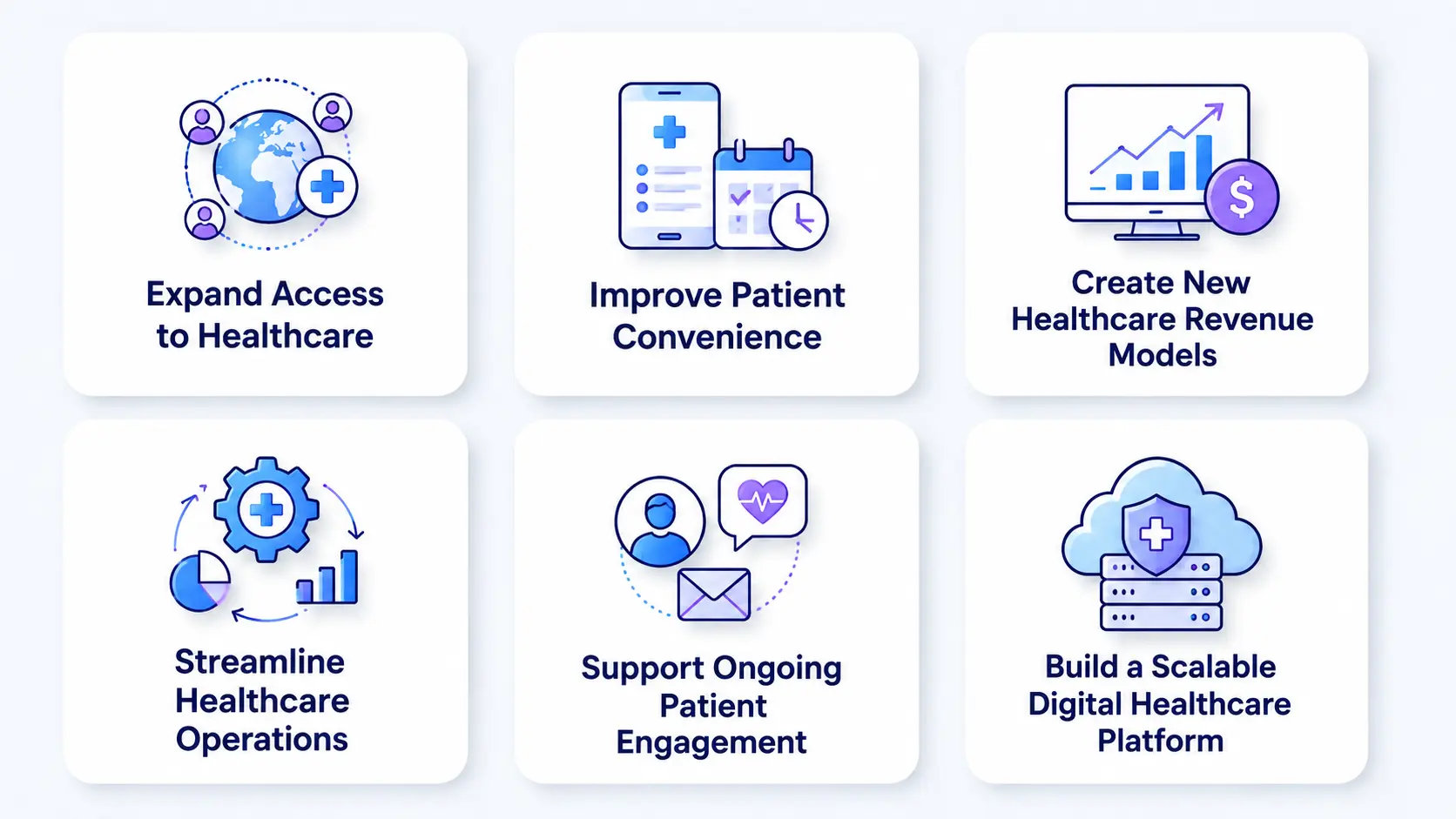
For healthcare providers and startups, a doctor on demand app can create value beyond remote consultations. It can expand service reach, simplify patient access, streamline operations, support new revenue models, and provide a foundation for scaling digital healthcare services.
1. Expand Access to Healthcare
A doctor on demand platform can extend healthcare services beyond physical locations, allowing patients to connect with eligible providers remotely. This can help clinics and healthcare startups serve patients across wider geographic areas without relying entirely on additional physical facilities.
2. Improve Patient Convenience
Patients can search for providers, check availability, book appointments, attend remote consultations, and manage follow-ups from a single platform. A simpler digital journey can reduce appointment friction and make it more convenient to access appropriate healthcare services.
3. Create New Healthcare Revenue Models
A digital healthcare platform can support different business models, including provider marketplaces, subscription plans, specialty consultation services, and clinic-based virtual care. Startups can also introduce packages or recurring services based on their target market and care model.
4. Streamline Healthcare Operations
Features such as automated scheduling, appointment reminders, digital payments, notifications, and electronic documentation can reduce repetitive administrative work. This allows healthcare teams to spend less time managing routine tasks and more time supporting patients and providers.
5. Support Ongoing Patient Engagement
Secure messaging, digital records, reminders, and follow-up workflows can help providers maintain appropriate communication with patients between consultations. These capabilities can be particularly valuable for routine follow-ups and ongoing care programs.
6. Build a Scalable Digital Healthcare Platform
A modular application architecture allows businesses to launch with core functionality and expand as demand grows. New capabilities such as EHR/EMR integrations, remote patient monitoring, analytics, and AI-assisted workflows can be introduced as the product and business requirements evolve.
Step-by-Step Doctor on Demand App Development Process
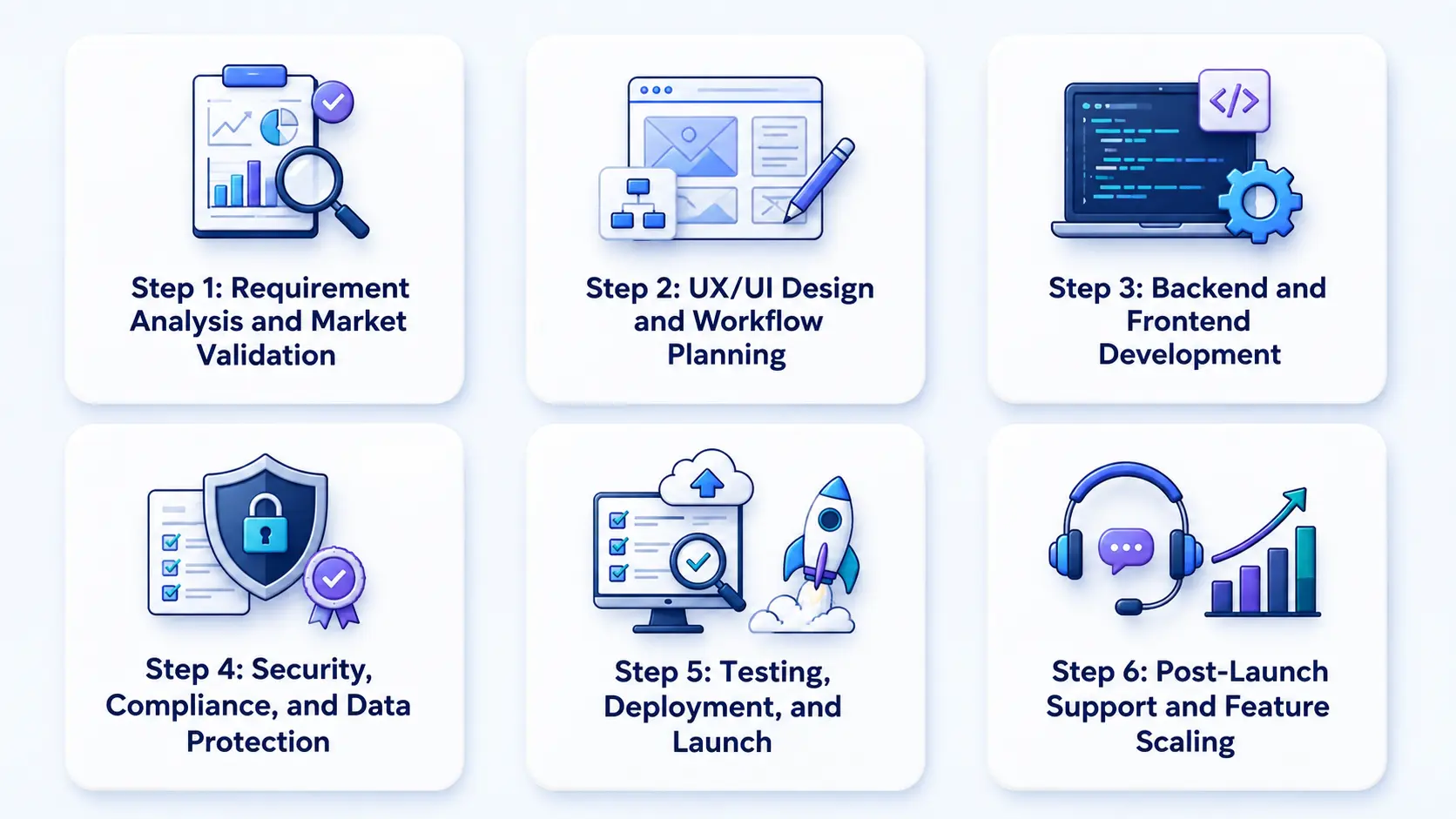
A structured development process helps control scope, reduce rework, and establish the technical foundation required for healthcare products.
Step 1: Requirement Analysis and Market Validation
Begin by defining the business model, target users, healthcare services, geographic market, revenue model, and regulatory requirements.
Key questions include:
- Who are the target patients?
- Which healthcare providers will use the platform?
- Will consultations be scheduled or on demand?
- What specialties will be supported?
- How will the platform generate revenue?
- Which healthcare systems need integration?
- Which regulations apply to the target market?
This stage produces the initial product scope and feature priorities.
Step 2: UX/UI Design and Workflow Planning
Design patient, doctor, and admin journeys before development begins.
Wireframes and prototypes should focus on critical workflows such as:
- Patient onboarding
- Doctor discovery
- Appointment booking
- Consultation
- Prescription
- Provider availability
- Admin management
Accessibility and ease of navigation are especially important because healthcare applications may serve users with different technical abilities and age groups.
Step 3: Backend and Frontend Development
Develop the mobile applications, web interfaces, APIs, databases, authentication systems, and real-time communication components.
The architecture should support:
- Secure API communication
- Scalable data storage
- Role-based access
- Real-time consultations
- Payment processing
- Healthcare integrations
- Notifications
- Monitoring and logging
Step 4: Security, Compliance, and Data Protection
Security should be incorporated into the architecture rather than added immediately before launch.
This includes access controls, authentication, encryption, secure APIs, auditability, risk assessment, and appropriate data-handling practices.
Step 5: Testing, Deployment, and Launch
Testing should cover more than basic functionality.
A healthcare application should be tested for:
- Functional reliability
- Video and audio performance
- API security
- Authentication
- Authorization
- Payment processing
- Integration reliability
- Performance
- Load handling
- Device compatibility
- User acceptance
Step 6: Post-Launch Support and Feature Scaling
After launch, monitor application performance, security, user behavior, provider activity, consultation reliability, and support requests.
The product can then evolve based on real-world usage and business priorities.
Doctor on Demand App Development Cost and Timeline
The estimated cost of developing a doctor-on-demand app is $30,000–$120,000+ for a startup or clinic-level product.
| App Complexity | Estimated Cost | Timeline | Typical Scope |
| Basic MVP | $30,000–$50,000 | 3–5 months | Profiles, search, booking, consultation, payments, basic admin |
| Mid-Level Platform | $50,000–$80,000 | 4–6 months | Chat, prescriptions, analytics, advanced workflows, integrations |
| Advanced Platform | $80,000–$120,000+ | 6–9+ months | EHR/EMR, advanced integrations, automation, analytics, scalability |
These figures are planning ranges rather than fixed quotations. The final cost depends on the required functionality, platforms, integrations, compliance scope, technology architecture, development team, and expected scale.
Factors That Change the Cost
The total cost depends on factors such as app complexity, features, integrations, compliance requirements, technology choices, and development team location.
- Platform selection: Developing separate native iOS and Android applications can require more development effort than an appropriate cross-platform approach.
- Feature complexity: Video consultations, secure messaging, prescriptions, health records, provider matching, analytics, and advanced admin workflows increase development effort.
- Healthcare integrations: EHR/EMR platforms, laboratories, pharmacies, medical devices, payment systems, and identity-verification services can add significant integration work.
- Security and compliance: Healthcare products require careful planning for sensitive data, access controls, authentication, encryption, auditability, and applicable regulatory requirements.
- Design scope: Customized user experiences, accessibility requirements, localization, and multiple user journeys increase design and implementation effort.
- Scalability: A platform expected to support thousands or millions of users needs infrastructure designed around traffic, concurrent consultations, data volume, and future expansion.
- Post-launch maintenance: Security updates, operating-system changes, third-party API updates, infrastructure monitoring, bug fixes, and feature enhancements contribute to the total cost of ownership.
Tech Stack for Doctor on Demand App Development
The technology stack should be selected according to the product’s functionality, security requirements, integration needs, and expected scale.
| Layer | Possible Technologies |
| Mobile | Flutter, React Native, Swift, Kotlin |
| Backend | Node.js, Python, Java |
| Database | PostgreSQL, MySQL, MongoDB |
| APIs | REST, GraphQL |
| Cloud | AWS, Microsoft Azure, Google Cloud |
| Video/Voice | WebRTC or specialized communication APIs |
| Payments | Stripe or appropriate payment providers |
| Notifications | Firebase Cloud Messaging, Apple Push Notification service |
| Security | Encryption, MFA, RBAC, secure authentication |
| Healthcare Integration | HL7/FHIR-compatible APIs where required |
For example, RipenApps used Kotlin for Android, Swift for iOS, MERN, and cloud-based backend services for Mednovate Connect.
The right architecture should account for interoperability, security, performance, data handling, and long-term scalability rather than selecting technologies based only on popularity.
HIPAA and Compliance Requirements
Compliance is a core consideration in doctor consultation app development when the platform handles protected health information.
The HIPAA Security Rule requires regulated entities to implement appropriate administrative, physical, and technical safeguards to protect electronic protected health information (ePHI). HHS also requires appropriate measures to protect the confidentiality, integrity, and availability of ePHI.
Risk Analysis
Healthcare organizations should identify where sensitive information is collected, transmitted, stored, accessed, or processed and assess potential risks and vulnerabilities.
HHS identifies risk analysis and risk management as important components of Security Rule compliance.
Access Controls
Access to patient and system data should be limited based on each user’s role and responsibilities. Role-based permissions can ensure that doctors, patients, administrators, and support staff can access only the information and functions they need.
Authentication
Strong authentication mechanisms help verify the identity of users before they access protected healthcare systems. Depending on the application and risk level, this may include secure passwords, multi-factor authentication, session controls, and other appropriate verification methods.
Encryption and Transmission Security
Sensitive healthcare data should be protected both during transmission and, where appropriate, while stored. Secure communication protocols and appropriate encryption controls help reduce the risk of unauthorized access to electronic protected health information (ePHI).
Audit Controls
Healthcare applications should maintain appropriate records of activity involving systems that create, access, modify, or transmit ePHI. Audit logs can help organizations monitor access, investigate suspicious activity, and support security and compliance processes.
Secure Telehealth Communication
Electronic communication technologies used for telehealth can introduce risks such as interception or unauthorized access to consultation data, recordings, or transcripts. HHS recommends considering these risks as part of the organization’s security risk analysis.
Business Associate Considerations
Depending on the relationship between the healthcare organization and technology vendors, a Business Associate Agreement may be required when a vendor handles PHI on behalf of a covered entity.
HIPAA requirements depend on the specific organization, product, data flows, and business relationships. Healthcare businesses should obtain appropriate legal and compliance guidance for their particular implementation. For a deeper technical discussion, see the HIPAA compliance application development guide.
Real-World Examples: Teladoc, Amwell, and LiveHealth
Established virtual-care platforms demonstrate different approaches to delivering healthcare services digitally.
Teladoc Health
Teladoc Health demonstrates how a doctor-on-demand platform can scale virtual care across multiple healthcare needs. Its model connects patients with healthcare professionals through digital channels, supporting services such as general medical care, mental health, and chronic condition management.
For businesses planning a doctor-on-demand app, Teladoc illustrates the importance of provider discovery, appointment scheduling, virtual consultations, patient records, secure communication, and a scalable platform architecture.
Amwell
Amwell demonstrates how virtual care can extend beyond a standalone patient-facing app and become part of a broader healthcare delivery ecosystem. Its platform supports connections among patients, providers, and healthcare organizations, highlighting the value of provider workflows, virtual visits, scheduling, integrations, and healthcare data exchange.
This model is particularly relevant for hospitals, clinics, and healthcare startups building doctor-on-demand app development solutions that need to integrate with existing healthcare operations.
LiveHealth Online
LiveHealth Online demonstrates a more focused digital consultation model in which patients can access healthcare professionals remotely. Its approach highlights core capabilities such as provider selection, appointment access, virtual consultations, and digital communication.
For businesses developing an on-demand doctor appointment app, this example shows how a streamlined patient journey can make remote care easier to access while supporting efficient provider workflows.
These products should be viewed as market validation rather than templates to copy. A new doctor on demand product should be designed around its target users, healthcare workflows, business model, market, and competitive differentiation. Businesses exploring a Teladoc-style product can also review our guide on how to build a telemedicine app like Teladoc Health.
How RipenApps Builds Doctor on Demand Apps
Building a healthcare application requires an understanding of both technology and healthcare workflows.
Mednovate Connect: Telehealth Medication Management
Mednovate Connect is a RipenApps telemedicine application designed for medication management and remote consultations with licensed clinical pharmacists.
The platform was created to address challenges around medication adherence, access to personalized pharmacist consultations, drug interactions, and health-record management. Its functionality includes virtual consultations, medication reminders, drug interaction and dose-checking tools, prescription management, health records, and secure communication.
Project highlights:
- Industry: Healthcare
- Platforms: iOS and Android
- Development time: 3 months
- Technology: Kotlin, Swift, MERN, and cloud-based backend services
This experience is relevant to doctor-on-demand platforms because both products require secure patient workflows, provider interactions, healthcare data management, real-time communication, and scalable digital experiences.
The Future of Doctor on Demand Apps
Doctor-on-demand platforms are evolving beyond basic video consultations toward connected, intelligent, and personalized digital-care experiences.
AI-Assisted Healthcare Workflows
AI can support selected healthcare workflows such as patient intake, administrative assistance, documentation, information organization, and provider support.
The appropriate role of AI depends on the use case and clinical risk. High-impact healthcare decisions require appropriate clinical oversight rather than treating AI output as a replacement for qualified professionals.
Remote Patient Monitoring
Wearables and connected medical devices can support remote collection of appropriate health information.
This can allow healthcare platforms to extend beyond individual consultations toward continuous monitoring and follow-up workflows where clinically appropriate.
Connected Healthcare Ecosystems
Future doctor-on-demand platforms will increasingly connect consultations with EHR/EMR systems, pharmacies, laboratories, medical devices, payment systems, and other healthcare services.
Interoperability can reduce fragmented workflows and help create a more connected digital-care experience.
Personalized Digital Care
Healthcare platforms can use relevant patient information and engagement data to provide more personalized experiences, such as follow-up reminders, care pathways, and communication.
Stronger Privacy and Security
As healthcare platforms process increasing amounts of sensitive information, security will become an increasingly important product differentiator.
Organizations need to continually evaluate risks, access controls, authentication, data protection, and system activity as their digital healthcare ecosystems evolve. For a deeper look at AI-driven healthcare opportunities, explore our AI in healthcare app development guide.
Conclusion
Doctor on demand app development involves much more than building a video consultation feature. A successful platform connects patients, doctors, and administrators through secure workflows while supporting appointments, consultations, payments, prescriptions, healthcare records, integrations, and ongoing care. For healthcare startups, clinics, and medical providers, a realistic starting development budget is $30,000–$120,000+, with the final investment determined by feature complexity, platforms, integrations, compliance requirements, technology architecture, and scalability goals. The right healthcare services solutions can help align these technical capabilities with the provider’s operational and patient-care requirements.
The most practical approach is to define the core healthcare workflow, build a focused MVP, validate it with real users, and progressively expand the platform based on patient, provider, and business requirements. Working with an experienced healthcare app development partner such as RipenApps can also help businesses align product decisions with technical, scalability, and compliance requirements from the start.
FAQs
1. How much does doctor on demand app development cost?
Doctor on demand app development typically costs $30,000–$120,000+ for a startup or clinic-level platform. A basic MVP may cost around $30,000–$50,000, while an advanced platform with healthcare integrations, complex workflows, and additional scalability requirements can reach or exceed $120,000.
2. How long does it take to build a doctor-on-demand app?
A basic MVP can take approximately 3–5 months. A mid-level platform may take 4–6 months, while an advanced solution with multiple integrations, complex workflows, and additional testing requirements can take 6–9+ months.
3. What features should a doctor on demand app have?
Core features include patient registration, doctor search, provider profiles, appointment booking, availability management, video consultation, secure messaging, payments, notifications, digital prescriptions, health records, and an admin panel.
4. Does a doctor on demand app need to be HIPAA compliant?
It depends on the application, organizations involved, and how protected health information is handled. When HIPAA applies, regulated entities must implement appropriate administrative, physical, and technical safeguards for ePHI.
Healthcare organizations should evaluate their specific regulatory responsibilities with qualified legal and compliance professionals.
5. What technology is used to build a doctor-on-demand app?
Common technologies include Flutter or React Native for cross-platform applications, Swift and Kotlin for native mobile development, Node.js/Python/Java for backend systems, PostgreSQL or MongoDB for data storage, cloud platforms such as AWS, Azure, or Google Cloud, and WebRTC or specialized APIs for real-time communication.
The final stack should be selected according to the product’s security, scalability, integration, and interoperability requirements.
6. How do I choose a doctor-on-demand app development company?
Look for a development partner with healthcare product experience, secure data-handling expertise, real-time communication capabilities, healthcare integration experience, and a compliance-focused development process.
Review relevant healthcare case studies, technical capabilities, development methodology, post-launch support, and the team’s understanding of patient and provider workflows before making a decision.
Discuss your project and request for proposal
SHARE
WRITTEN BY

Prankur Haldiya
Chief Technical Officer
A tech innovator and engineering leader, Prankur Haldiya drives RipenApps’ product development strategy and oversees cutting-edge solutions in mobility, AI, and cloud ecosystems. He is passionate about building high-performance teams and helping brands launch secure, scalable, and user-centric digital products.
View All Articles