


Key Takeaways
- The right AI architecture depends on individual feature requirements, not the entire mobile application or product ecosystem.
- On-device AI delivers faster responses, stronger privacy, and offline functionality but faces hardware and model size limitations.
- Cloud AI provides access to advanced foundation models but introduces recurring inference costs, latency, and compliance challenges.
- Hybrid AI combines local and cloud intelligence, helping businesses balance performance, scalability, privacy, and operational efficiency.
- The most successful AI-powered mobile apps evaluate latency, cost, compliance, and user experience before selecting an architecture.
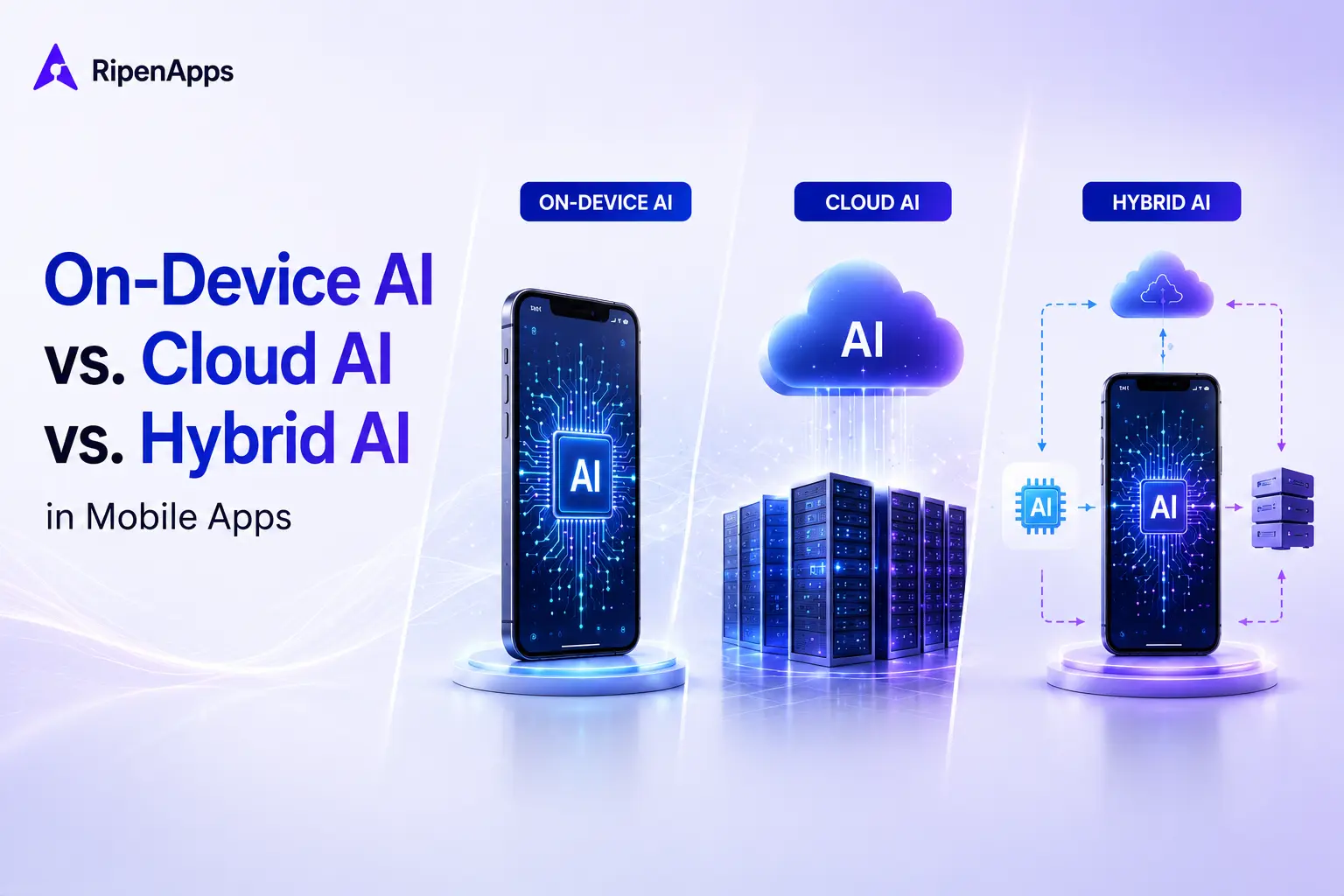
Choosing between on-device AI, cloud AI, and hybrid AI is often more important than selecting the model itself. In modern AI in mobile app development, architecture determines latency, privacy, scalability, operating costs, and long-term business viability. For modern mobile products, the wrong architecture can create performance bottlenecks, rising AI inference costs, compliance risks, and poor user experiences.
As AI adoption accelerates across industries, startup founders, CTOs, product leaders, and enterprise decision-makers face a critical challenge: determining where AI should actually run. While many organizations focus heavily on model selection, the real competitive advantage often comes from selecting the right AI architecture for mobile apps.
The conversation around AI in mobile app development has evolved significantly. Today’s businesses are evaluating on-device AI vs cloud AI in mobile apps, exploring hybrid deployment models, and balancing privacy, performance, and cost considerations. As discussed in our comprehensive guide to AI in mobile app development, AI architecture decisions increasingly influence product scalability, customer trust, and long-term ROI.
With emerging technologies such as Apple Intelligence, Gemini Nano, Private Cloud Compute, and small language models (SLMs), businesses now have more deployment options than ever before. However, each approach comes with trade-offs. Understanding those trade-offs is essential for building sustainable mobile experiences that align with both business objectives and user expectations. Ultimately, making the right architecture decisions is a core part of modern AI-powered product development, enabling teams to balance performance, privacy, cost, and scalability while delivering meaningful user value.
Table of Contents
What Is On-Device AI, Cloud AI, and Hybrid AI?
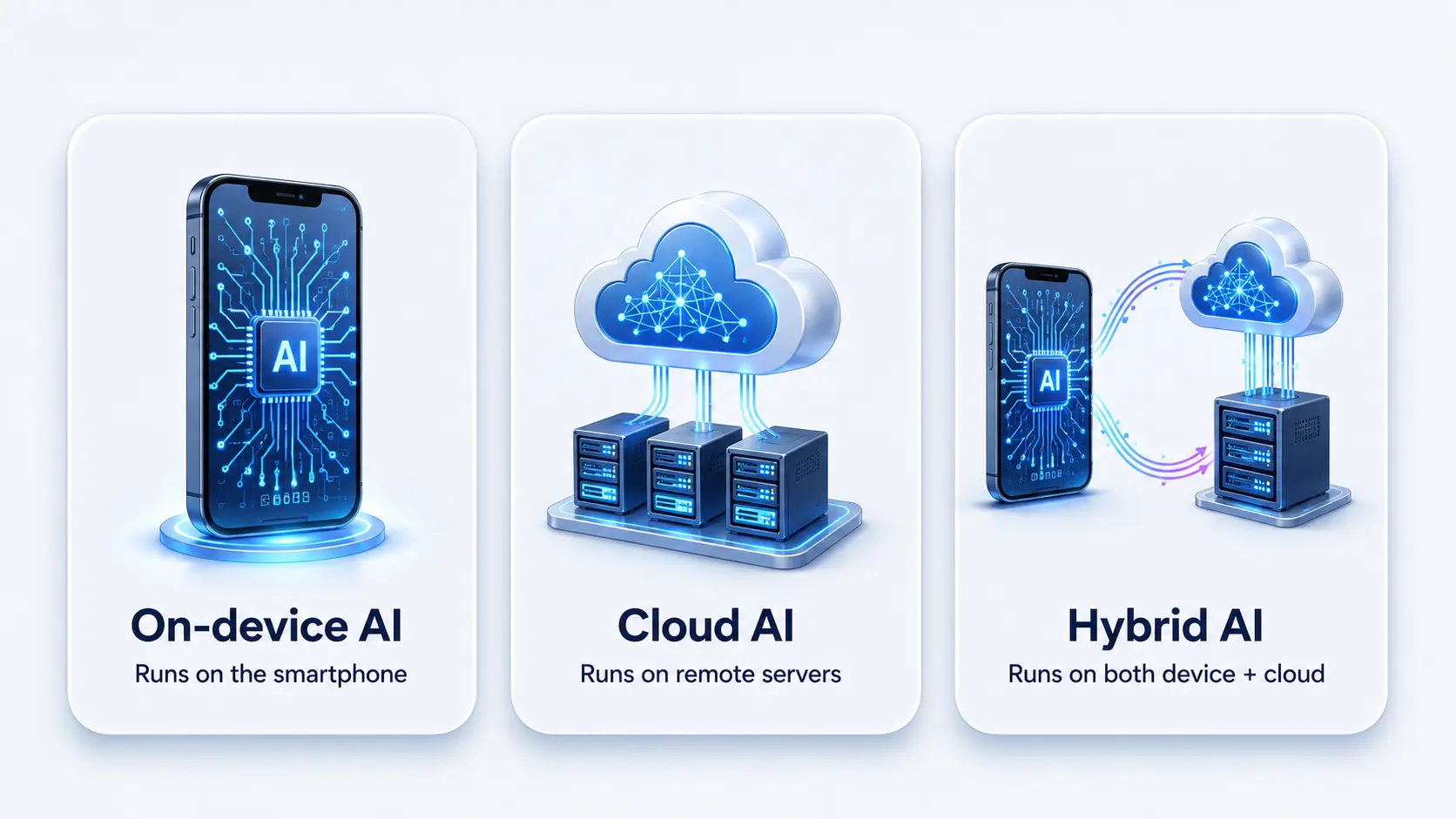
The simplest way to understand these architectures is to look at where AI inference happens. The location of processing directly impacts speed, privacy, reliability, and cost.
| Architecture | Definition | Processing Location |
| On-Device AI | AI models run directly on the user’s smartphone without requiring continuous internet connectivity. | Device |
| Cloud AI | AI models operate on remote servers, with mobile apps sending requests over the internet. | Cloud |
| Hybrid AI | Intelligence is distributed between device and cloud using routing logic. | Device + Cloud |
On-Device AI Uses Local Inference and Device Hardware
On-device AI runs locally on smartphones, sometimes referred to as a form of on-premise AI for mobile environments. It powers offline-first experiences and is widely used in AI in mobile app features like biometric authentication and image processing.
This approach is increasingly popular for edge inference tasks such as voice recognition, image processing, personal assistants, and sensitive data analysis.
Cloud AI Leverages Centralized Computing Resources
Cloud AI processes requests through powerful remote infrastructure capable of running large foundation models. Mobile applications send prompts or data to cloud servers, which perform computations and return responses.
Cloud AI runs on remote servers and is commonly used for advanced reasoning, large-scale generative AI in mobile apps, and complex computation-heavy tasks.
Hybrid AI Combines Device and Cloud Intelligence
Hybrid AI blends both approaches and is essential for modern AI integration in mobile apps, especially when balancing privacy, cost, and performance requirements.
Rather than being a compromise, hybrid AI architecture for mobile apps is increasingly becoming the preferred strategy for enterprises seeking flexibility, performance, and scalability.
Why Does This Architecture Decision Matter More Than the Model Choice?
Most organizations assume model selection is the most important AI decision. In reality, architecture decisions often have a greater business impact.
A poor architecture choice can undermine even the most advanced initiatives in AI in mobile app development. Users may experience slow response times, unreliable performance, excessive battery consumption, or privacy concerns. These issues directly affect customer satisfaction, engagement, and retention.
Model changes are relatively easy. Organizations can switch from one foundation model to another with moderate engineering effort. Rebuilding an AI architecture, however, often requires substantial redesign, infrastructure changes, testing, and budget allocation.
Industry trends reinforce this shift. According to Edge Impulse and related edge computing research, approximately 75% of enterprise-generated data is expected to be processed closer to the edge. Simultaneously, Apple Intelligence and Gemini Nano demonstrate that major technology providers are investing heavily in on-device AI capabilities.
For product leaders evaluating AI in mobile app initiatives, architecture selection should occur before model procurement. Otherwise, businesses risk optimizing the wrong layer of the technology stack.
When Does On-Device AI Deliver the Best Results?
On-device AI excels when speed, privacy, and offline reliability are mission-critical.
On-Device AI Improves Privacy, Latency, and Reliability
Several benefits make on-device AI attractive for modern applications:
- Sub-100 millisecond response times
- Enhanced user privacy
- Offline functionality
- Reduced cloud infrastructure dependency
- Lower long-term inference costs
- Better regulatory alignment
Real-time experiences particularly benefit from local processing. Features such as camera filters, voice commands, facial recognition, and language translation often require near-instantaneous responses that cloud communication cannot consistently provide.
On-Device AI Faces Hardware and Model Constraints
Despite its advantages, on-device AI introduces important limitations.
Challenges include:
- Smaller model size requirements
- Hardware fragmentation across Android ecosystems
- Memory constraints
- Increased application size
- Complex OTA (over-the-air) update management
- Performance inconsistencies on older devices
Even with advancements in model quantization and SLM optimization, many devices cannot efficiently run large foundation models.
Organizations serving diverse user bases must carefully evaluate whether device capabilities align with deployment requirements.
On-Device AI Works Best for Specific Mobile Use Cases
The best-fit scenarios include voice transcription for real-time speech-to-text conversion and real-time translation for seamless multilingual communication. Image classification and object detection enable efficient visual recognition and localization of objects in images or video. Camera enhancement features improve media quality through intelligent processing. Biometric authentication strengthens security using face, fingerprint, or voice verification.
Financial transaction categorization automates organization of payment data, while healthcare data analysis helps derive insights from medical records. Sensitive document parsing enables secure extraction of information from confidential files while preserving privacy.
Apple Intelligence demonstrates this strategy through on-device writing assistance and personal context processing. Similarly, Gemini Nano utilizes AICore and ML Kit GenAI APIs to enable mobile-first AI experiences without constant cloud dependency.
When Should Businesses Choose Cloud AI?
Cloud AI remains the preferred architecture when advanced reasoning, large models, and dynamic knowledge are required.
Cloud AI Provides Access to Frontier Models
Cloud architecture deployment unlocks capabilities that remain difficult to replicate on mobile devices.
Key advantages include access to GPT-class foundation models, which enable highly advanced AI capabilities across a wide range of applications. These systems also support large context windows, allowing them to process and understand significantly more information in a single interaction. In addition, they offer advanced reasoning capabilities that improve problem-solving and decision-making quality.
Complex multimodal processing further enhances their ability to work with text, images, audio, and other data types seamlessly. Centralized model updates ensure that improvements and new features are deployed quickly without requiring device-level changes. Finally, consistent performance across devices helps maintain a uniform user experience regardless of hardware differences.
Organizations can rapidly deploy sophisticated AI experiences without worrying about individual hardware limitations.
This makes cloud AI mobile apps attractive for enterprise-grade use cases that require extensive computation.
Cloud AI Introduces Cost and Dependency Risks
Cloud-based deployments are not without trade-offs. Common challenges include network dependency, which makes performance reliant on stable internet connectivity. Latency variability can also impact user experience due to inconsistent response times across different network conditions. In addition, rising operational expenses become a major concern as usage scales, especially in high-traffic applications.
Data transfer costs further add to the overall expense of cloud-based systems. Organizations may also face vendor lock-in concerns, limiting flexibility in switching providers or architectures. Finally, privacy and compliance challenges remain critical, particularly when handling sensitive user data across distributed cloud environments.
Unlike on-device deployments, cloud costs scale alongside user growth. A successful feature can become unexpectedly expensive if inference costs are not carefully modeled.
Many startups underestimate this risk during early product development, especially when integrating AI in product development, where cost structures, scalability planning, and architecture decisions are often not fully aligned from the beginning.
Cloud AI Supports High-Complexity Business Applications
Cloud AI performs exceptionally well in scenarios involving:
- Enterprise knowledge search
- Retrieval-Augmented Generation (RAG)
- AI copilots
- Customer support automation
- Generative image creation
- Video generation
- Research assistants
- Multi-step autonomous agents
Applications such as ChatGPT, Microsoft Copilot, Perplexity, and Midjourney rely heavily on centralized compute resources because their workloads exceed what mobile hardware can currently support.
When Does Hybrid AI Become the Best Architecture Strategy?
For many organizations, the answer is increasingly hybrid AI.
Hybrid architecture combines the strengths of both deployment models while reducing their individual weaknesses.
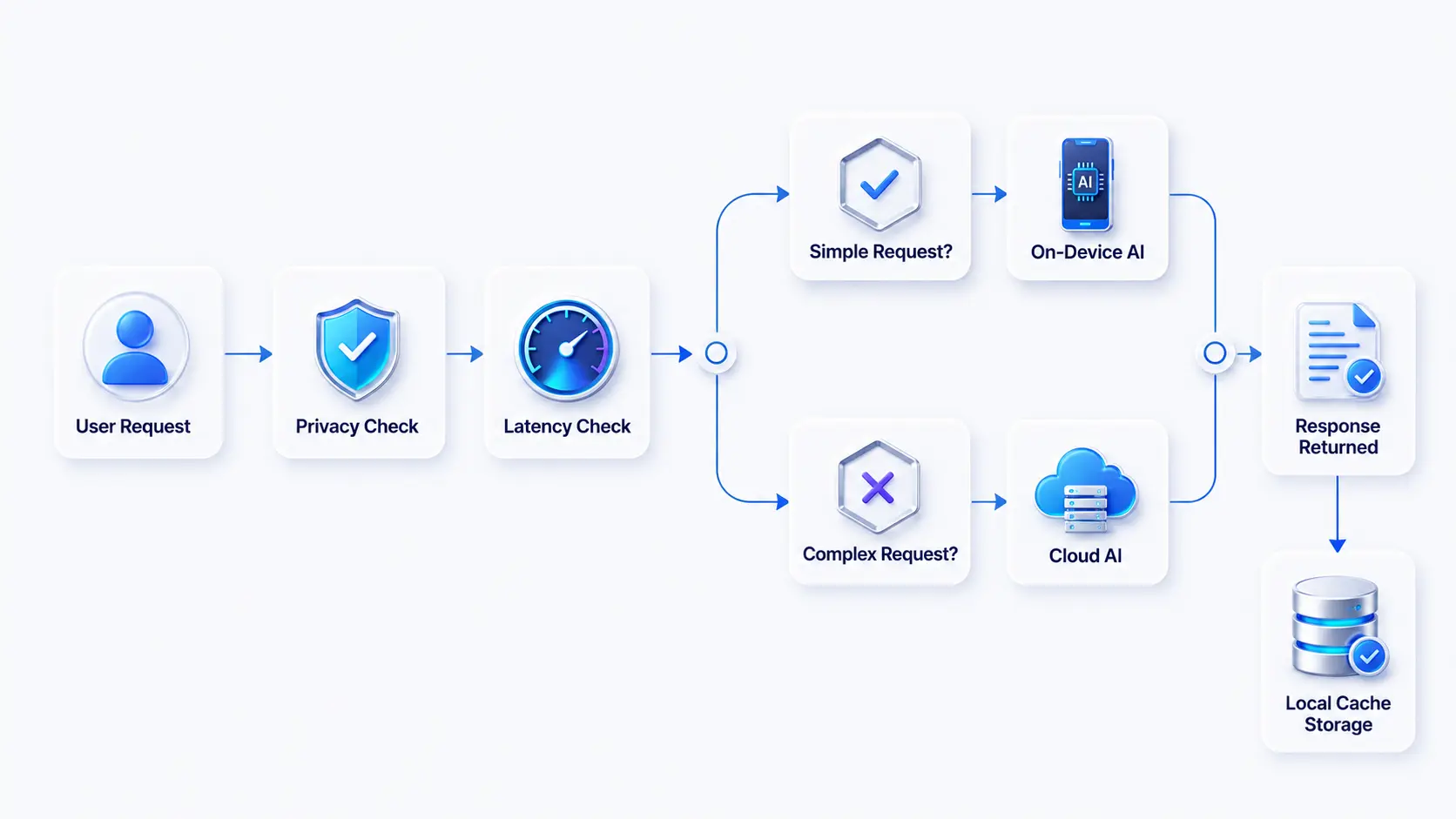
Hybrid AI Uses Intelligent Routing Logic
Many businesses mistakenly assume hybrid AI simply means using both device and cloud processing.
In practice, hybrid systems rely on decision layers that determine where inference should occur.
These routing decisions may consider:
- Confidence scores
- Network availability
- Data sensitivity
- User preferences
- Device capability
- Model complexity
This transforms architecture into a strategic intelligence layer rather than a technical implementation detail, forming the foundation of a modern hybrid app development approach where system behavior dynamically adapts to context rather than following static rules.
Hybrid AI Enables Multiple Routing Patterns
Several patterns have emerged as industry best practices.
- Edge-First with Cloud Fallback: Simple requests run locally. Complex queries escalate to cloud models.
- Cloud-First with Local Cache: Frequently accessed responses are cached locally to reduce latency and cloud costs.
- Confidence-Based Escalation: A small language model handles initial processing. Requests with low confidence are forwarded to larger models.
- Sensitivity-Based Routing: Private data remains on-device while non-sensitive tasks leverage cloud infrastructure.
Hybrid AI Reference Architecture Improves Flexibility
A common architecture includes:
Device-side SLM -> Confidence Evaluation -> Routing Engine -> Cloud Foundation Model -> Local Cache
This structure balances privacy, cost, and computational power while creating a more resilient user experience.
However, hybrid deployments also introduce complexity. Teams must manage synchronization, debugging challenges, inconsistent user experiences, and routing governance.
How Can Businesses Choose the Right Architecture for Each Feature?
The biggest mistake organizations make is selecting one architecture for an entire application. One of the most common AI mistakes in integration is treating AI deployment as a single-system decision rather than evaluating it at the feature level.
The most successful products evaluate architecture at the feature level.
The Feature Routing Framework
The Feature Routing Framework is a system that dynamically directs user requests or app actions to the correct feature, service, or module based on context, rules, or intent.
| Decision Factor | Low Score | High Score |
| Latency Sensitivity | Cloud | On-Device |
| Data Sensitivity | Cloud | On-Device |
| Model Size Required | On-Device | Cloud |
| Cost Per Interaction | Cloud | On-Device |
| Offline Requirement | Cloud | On-Device |
Each feature should be scored independently rather than grouped under a single deployment strategy.
Fintech Example Demonstrates Feature-Level Routing
Consider a fintech platform with three AI-powered capabilities.
| Feature | Recommended Architecture | Reason |
| Transaction Categorization | On-Device AI | High privacy and frequent usage |
| Fraud Detection | Hybrid AI | Requires local speed and cloud intelligence |
| Customer Support Chatbot | Cloud AI | Needs large models and dynamic knowledge |
This framework helps leaders evaluate when to use on-device AI vs cloud AI while maintaining scalability and cost efficiency.
Not sure which architecture aligns with your roadmap? An AI architecture assessment can identify the optimal deployment strategy before significant development investments are made.
What Is the Cost Equation Most Teams Skip When Choosing AI Architecture?
AI architecture decisions are often framed around performance and privacy. However, long-term economics frequently become the deciding factor once products reach scale.
Many organizations discover too late that AI infrastructure costs can dramatically impact margins, customer acquisition economics, and product profitability, especially when they lack the guidance of an experienced AI development partner to model costs, optimize architecture choices, and anticipate scaling challenges early in the product lifecycle.
Cloud AI Economics Scale with Every User Interaction
Cloud AI follows a consumption-based model. Every API request, token processed, image generated, or inference performed contributes to ongoing operational expenses.
A simplified formula looks like this:
Monthly AI Cost = Cost per Request × Requests per User × Daily Active Users × Days per Month
As user adoption grows, AI spending grows proportionally.
Cloud AI Cost Growth Example
| DAU | Avg AI Calls/User/Day | Monthly Requests | Cost Impact |
| 10,000 | 5 | 1.5 Million | Manageable |
| 100,000 | 5 | 15 Million | Significant |
| 1 Million | 5 | 150 Million | Major Budget Line Item |
The cost gap between large foundation models and smaller domain-tuned models is now well documented. At IBM Think 2025, CEO Arvind Krishna highlighted that 3–20 billion parameter models tuned to narrow domains can match or exceed the accuracy of 300–500 billion parameter models, while delivering an approximate 7–10× cost reduction per 1,000 tokens in production. For mobile apps, this changes the math entirely. A feature that would have required a frontier cloud model two years ago can often run on a small language model deployed locally or hybrid-routed only when complexity demands it, for a fraction of the per-interaction cost.
This challenge is particularly relevant for consumer apps where AI features become core engagement drivers.
The irony is that successful adoption often creates the highest operational burden.
On-Device AI Shifts Spending to Development and Optimization
On-device AI economics follow a different model.
Instead of paying per interaction, businesses invest upfront in:
- Model optimization
- Quantization
- Mobile deployment engineering
- Testing across device categories
- OTA update systems
- Device compatibility management
Once deployed, marginal inference costs approach zero because computation occurs locally.
However, teams should not assume on-device AI is automatically cheaper. Supporting low-end Android devices, managing hardware fragmentation, and maintaining multiple model versions can create ongoing engineering expenses.
Break-Even Analysis Helps Determine the Right Approach
A useful rule of thumb is:
The higher the feature usage frequency, the stronger the business case for on-device inference.
For example:
| Usage Frequency | Recommended Architecture |
| Occasional use | Cloud AI |
| Moderate use | Hybrid AI |
| High-frequency daily use | On-Device AI |
This is why voice assistants, keyboard suggestions, image enhancement tools, and predictive typing increasingly run locally.
Deloitte’s 2026 Tech Trends research reinforces this shift, noting that enterprises must increasingly develop expertise in hybrid compute portfolio optimization, understanding the trade-offs between GPU utilization, inference economics, and edge deployment as AI workloads move from pilots to production. For product leaders, this means modeling AI costs at the feature level before launch, not after the bill arrives.
How Do Compliance and Privacy Requirements Influence AI Architecture?
For regulated industries, architecture decisions are often compliance decisions.
Privacy regulations increasingly shape how organizations collect, process, store, and transmit user information.
Regulated Data Often Favors Local Processing
Industries such as healthcare, fintech, insurance, and legal services handle highly sensitive information.
For these sectors, on-device AI offers several advantages:
- Reduced data transmission
- Lower exposure risk
- Improved user trust
- Easier compliance workflows
- Simplified audit requirements
Organizations dealing with patient records, financial transactions, or legal documents frequently prioritize local inference wherever possible.
Major Regulations Affect Architecture Choices
HIPAA Encourages Privacy-First Design
Healthcare applications operating under HIPAA requirements often prefer on-device processing for medical records, symptom analysis, and patient interactions.
Businesses building HIPAA-compliant AI in healthcare apps increasingly adopt edge-first architectures to reduce compliance exposure.
GDPR Creates Data Processing Responsibilities
European privacy regulations require organizations to justify data collection, processing, storage, and transfer activities.
On-device AI helps reduce data movement and simplifies several compliance obligations.
DPDP Act and CCPA Increase Data Governance Requirements
India’s DPDP Act and California’s CCPA continue strengthening user privacy rights.
Organizations must demonstrate transparency regarding how AI systems access and process personal information.
Architecture choices directly impact these obligations.
Industry-Specific Architecture Patterns Continue Emerging
| Industry | Preferred Architecture |
| Healthcare | On-Device or Private Cloud |
| Fintech | On-Device or Hybrid |
| LegalTech | Hybrid |
| Enterprise SaaS | Cloud or Hybrid |
| Entertainment | Cloud |
| E-commerce | Hybrid |
The key takeaway is simple: compliance is no longer a post-development concern. It should influence architecture selection from the earliest planning stages.
How Are Leading Mobile Apps Using On-Device AI, Cloud AI, and Hybrid AI in the Real World?
The debate around on-device AI vs cloud AI in mobile apps becomes clearer when examining how leading products implement AI at scale. While many organizations search for a single “best” architecture, the reality is that successful mobile applications often use different AI architectures for different features. Their decisions are driven by latency requirements, privacy concerns, operational costs, compliance obligations, and user experience goals.
From Apple Intelligence and Gemini Nano to enterprise-grade fintech and wellness applications, today’s most successful AI-powered products demonstrate that architecture selection is ultimately a business decision as much as a technical one.
Apple Intelligence: Combining On-Device AI with Private Cloud Compute
Apple Intelligence is one of the strongest examples of a hybrid AI architecture in production today. Core features such as writing assistance, notification summaries, and personal context awareness primarily run on-device using the Apple Neural Engine. This allows Apple to deliver low-latency experiences while keeping sensitive user information local.
When tasks require larger models or additional computing power, requests are securely routed to Apple’s Private Cloud Compute infrastructure. This architecture balances privacy, performance, and scalability without forcing every interaction through the cloud.
Architecture Type: Hybrid AI
Key Lesson: Keep privacy-sensitive and frequently used AI features on-device while escalating complex requests to cloud infrastructure.
Gemini Nano: Bringing Edge AI to Android Devices
Gemini Nano demonstrates how on-device AI mobile experiences can operate efficiently without constant internet connectivity. Running directly on supported Android devices through AICore, ML Kit GenAI APIs, and Google Tensor hardware, Gemini Nano powers features such as smart replies, call summaries, and contextual assistance.
This approach reduces latency, improves offline functionality, and minimizes recurring inference costs. However, it also highlights one of the biggest challenges in mobile AI deployment: hardware fragmentation. Businesses serving a broad Android audience must account for devices that lack dedicated NPUs or sufficient processing capabilities.
Architecture Type: On-Device AI
Key Lesson: On-device AI delivers exceptional performance and privacy but requires careful planning around hardware compatibility.
ChatGPT Mobile: Leveraging Cloud AI for Advanced Intelligence
ChatGPT remains a leading example of a cloud-first AI application. Every interaction is processed through centralized infrastructure that hosts large language models capable of advanced reasoning, content generation, coding assistance, and research support.
The cloud-based approach enables rapid model improvements, consistent user experiences across devices, and access to frontier AI capabilities that cannot yet run efficiently on smartphones. The trade-off is higher operational costs and dependence on internet connectivity.
For businesses building AI copilots, enterprise assistants, or knowledge-intensive applications, ChatGPT illustrates where cloud AI continues to provide a competitive advantage.
Architecture Type: Cloud AI
Key Lesson: Cloud AI is ideal when advanced reasoning, large context windows, and continuously updated knowledge are business priorities.
Hungama: Delivering Personalized Entertainment Through Cloud AI
Hungama demonstrates how cloud AI can power personalized entertainment experiences at scale. The platform analyzes user listening habits, viewing history, search behavior, and content preferences to generate tailored recommendations across its vast library of music, movies, and videos. These AI models continuously learn from millions of user interactions, enabling more accurate content discovery and engagement over time.
By processing recommendation algorithms in the cloud, Hungama can update models centrally, synchronize user experiences across multiple devices, and deliver fresh, personalized suggestions without requiring significant processing power on users’ smartphones. While this approach depends on internet connectivity, it enables highly scalable personalization for a large user base.
Architecture Type: Cloud AI
Key Lesson: Cloud AI is the preferred architecture for media streaming platforms that rely on large-scale recommendation engines, centralized machine learning models, and real-time personalization across millions of users.
WhereToGo: Combining Cloud Intelligence with On-Device Personalization
WhereToGo showcases how a hybrid AI architecture can enhance location-based discovery experiences. The platform leverages cloud AI to analyze restaurant data, user preferences, reviews, and social recommendations to generate personalized dining suggestions. At the same time, the mobile app can locally store recent searches, favorite places, and contextual information, enabling faster responses and a smoother user experience.
This combination allows the app to balance powerful cloud-based recommendation models with responsive on-device interactions, reducing latency while maintaining personalized experiences. Hybrid AI also helps optimize network usage and ensures certain app functions remain efficient even when connectivity is inconsistent.
Architecture Type: Hybrid AI
Key Lesson: Hybrid AI is ideal for location-based and personalization-driven apps that require cloud-powered intelligence while delivering fast, context-aware experiences directly on users’ devices.
What Can Businesses Learn from These Real-World AI Architecture Examples?
A clear pattern emerges across successful AI-powered mobile applications. The most effective products do not choose one architecture for the entire app. Instead, they evaluate each AI feature independently based on latency sensitivity, privacy requirements, model complexity, offline functionality, and cost considerations.
The result is a more scalable and future-ready approach to AI in mobile app development:
- On-device AI excels in privacy-sensitive and latency-critical experiences.
- Cloud AI powers advanced reasoning, generative AI, and knowledge-intensive workloads.
- Hybrid AI provides the flexibility needed to balance performance, cost, compliance, and scalability.
For CTOs, founders, and product leaders, these examples reinforce a critical principle: the best AI architecture is rarely chosen at the application level, it is chosen feature by feature.
How Are NPUs and Small Language Models Changing Mobile AI?
The future of AI in mobile app development depends heavily on specialized hardware and smaller, more efficient AI models.
NPUs Are Expanding Mobile AI Capabilities
Modern smartphones increasingly include dedicated AI accelerators.
Leading examples include:
- Apple Neural Engine
- Qualcomm Hexagon NPU
- Google Tensor TPU
These processors significantly improve inference speed, making AI-driven features faster and more responsive in real time.
They also enhance battery efficiency by reducing the load on the main CPU and GPU during AI computations.
In addition, NPUs enable better offline functionality, allowing models to run directly on-device without constant cloud dependency.
Finally, they support improved real-time AI performance, making applications like vision processing, voice assistance, and personalization more seamless.
Small Language Models Are Redefining On-Device AI
The emergence of SLMs is reshaping the on-device AI vs cloud AI in mobile apps conversation.
Examples include:
- Phi-3
- Gemma 3n
- OpenELM
These models require fewer computational resources while delivering increasingly capable performance, making them suitable for mobile and edge environments.
They also benefit from model optimization techniques such as quantization, which reduces model size and improves efficiency on constrained devices.
Edge inference optimization further enhances execution speed by tailoring computation for mobile hardware.
In addition, reduced memory consumption allows these models to run more smoothly across a wider range of smartphones, including mid-tier devices.
For many business applications, SLMs provide sufficient intelligence without requiring cloud infrastructure, strengthening the case for more advanced on-device AI deployment.
The Mid-Tier Android Challenge Remains Real
Despite rapid hardware advancements, fragmentation remains one of the biggest obstacles to mobile AI deployment.
Many users still operate devices lacking advanced NPUs.
This creates a “hardware fragmentation tax” that businesses must account for during planning.
Successful AI products often implement fallback mechanisms:
- Full on-device processing for premium devices
- Hybrid routing for mid-range devices
- Cloud inference for legacy hardware
A scalable mobile app architecture for scalable performance must accommodate all three scenarios.
As organizations prepare for future innovation cycles, these developments will remain among the most important AI in mobile apps future trends.
Final Thoughts
Selecting the right architecture is the foundation of successful AI feature integration. Whether using on-device, cloud, or hybrid systems, the decision must align with performance, privacy, and cost requirements. Organizations that evaluate AI deployment through the lenses of latency, privacy, compliance, offline functionality, and operational cost are far more likely to build sustainable and competitive AI-powered products.
As businesses expand their use of AI in mobile apps, understanding architecture trade-offs becomes essential for scalable success. Businesses that proactively evaluate hybrid AI mobile apps, edge AI vs cloud AI trade-offs, and future-ready deployment strategies will be best positioned to capitalize on the next wave of innovation. At RipenApps, we help startups, enterprises, CTOs, and product leaders design scalable AI architectures that maximize business value while reducing risk. If you’re planning your next AI initiative, now is the time to get a free AI Architecture Audit and identify the right path forward.

Frequently Asked Questions
1. What is the difference between on-device AI and cloud AI?
On-device AI performs inference directly on a smartphone, while cloud AI processes requests on remote servers. On-device AI prioritizes privacy, offline functionality, and low latency. Cloud AI provides access to larger models, stronger reasoning capabilities, and centralized updates.
2. What is hybrid AI in mobile apps?
Hybrid AI combines local and cloud intelligence through routing logic. Simple or sensitive tasks run on-device, while complex requests are processed in the cloud. This approach balances privacy, performance, scalability, and cost.
3. When should I use on-device AI instead of cloud AI?
Use on-device AI when latency, privacy, offline functionality, or high-frequency usage are critical. Common examples include voice transcription, image recognition, biometric authentication, and sensitive financial or healthcare data processing.
4. Is on-device AI better than cloud AI for privacy?
In most cases, yes. Because data remains on the device, on-device AI reduces transmission risks and compliance exposure. However, privacy outcomes still depend on implementation practices and security controls, especially when designing AI in mobile app security, where encryption, access control, secure model execution, and safe data handling across both device and cloud layers determine the actual level of protection rather than deployment choice alone.
5. How much does cloud AI cost for a mobile app at scale?
Cloud AI costs increase with user activity. Expenses depend on model pricing, request volume, token consumption, and daily active users. High-engagement applications can see substantial infrastructure costs as adoption grows.
6. Can on-device AI work offline?
Yes. One of the primary advantages of on-device AI is its ability to function without internet connectivity, making it ideal for mobile experiences that require reliability in low-connectivity environments.
7. Which AI architecture is best for healthcare or fintech apps?
Most healthcare and fintech applications benefit from on-device AI or hybrid architectures because they handle highly sensitive information and face strict regulatory requirements. The best choice depends on the specific feature, compliance obligations, and user experience goals.

SHARE
WRITTEN BY

Ishan Gupta
CEO & Founder
Ishan Gupta is a seasoned entrepreneur and CEO with extensive 8+ years of experience in business and mobile app development landscape. He believes that the right digital product allows companies to focus on what they do best, while technology handles the rest. With deep exposure to global markets, he understands what makes an app succeed. His approach translates business needs into clear product strategies, ensuring that every feature contributes to measurable ROI.
View All Articles




 India
India USA
USA Australia
 Canada
 UK
UK UAE
UAE