



Key Takeaways
- Ecommerce websites and mobile apps should provide a consistent brand experience while using platform-specific UX patterns.
- Navigation should help users reach important categories, products, accounts, carts, and orders with minimal effort.
- Search, filters, and sorting should make product discovery fast across both desktop and mobile screens.
- Product pages should prioritize images, pricing, product information, reviews, availability, and clear purchase actions.
- Checkout should minimize unnecessary steps and make shipping, payment, delivery, and return information easy to review.
- Mobile apps should take advantage of touch interactions, push notifications, personalization, and relevant device capabilities.
- Websites should use their larger screen space to support comparison, detailed information, discovery, and flexible browsing.
- Consistent design patterns across platforms help customers recognize the brand and move between devices more comfortably.
Ecommerce customers move between websites and mobile apps based on where they are, what they need, and how they prefer to shop. A website may be the first touchpoint for product discovery, while an app can support frequent purchases, personalized experiences, and faster checkout. Both platforms need to provide a consistent shopping journey without forcing the same interface onto different devices.
A strong ecommerce user experience starts with making every important interaction easy to complete. Customers should be able to browse categories, search for products, compare options, view product details, manage their cart, and complete purchases with minimal friction, whether they are using a desktop browser or a smartphone.
The UX should also reflect the strengths of each platform. Websites offer more screen space and flexible browsing, while mobile apps support touch-first interactions, push notifications, device capabilities, and personalized experiences. Designing around these differences helps businesses create experiences that feel natural on both platforms.
This is where a leading UI UX design agency can help businesses map customer journeys across web and mobile, identify usability issues, and create interfaces that remain consistent with the brand while adapting to each platform’s interaction patterns.
This guide covers the most important ecommerce ux best practices for websites and mobile apps, including navigation, search, product discovery, product pages, checkout, personalization, accessibility, performance, and emerging ecommerce technologies.
Table of Contents
How Ecommerce UX Differs Across Websites and Mobile Apps
An ecommerce website and mobile app may contain the same products and business functionality, but users interact with them differently. Websites typically provide more screen space for navigation, product comparisons, filters, promotional content, and detailed information. Mobile apps need to prioritize touch interactions, compact layouts, focused navigation, and quick access to frequently used actions.
These differences should influence how the experience is designed. A desktop product listing might display several products side by side with filters visible on the screen, while a mobile app might use a compact product grid with filters available through a dedicated control.
The goal is not to make the website and app look identical. Instead, businesses should maintain consistency in branding, terminology, product information, and core journeys while adapting layouts and interactions to the platform.
| UX Area | Ecommerce Website | Mobile Ecommerce App |
| Navigation | Wider menus and multiple navigation levels | Compact menus and touch-friendly navigation |
| Search | Larger search fields and broader result layouts | Prominent, accessible search with mobile-friendly results |
| Product discovery | Wider grids, comparison, and visible filters | Scrollable product cards, filters, and personalized recommendations |
| Product pages | More space for detailed information and comparisons | Prioritized information with expandable sections |
| Checkout | Multi-column layouts and broader forms | Streamlined, single-column or step-based flows |
| Engagement | Email, browser notifications, and remarketing | Push notifications and in-app messaging |
| Personalization | Account and browsing-based recommendations | Account, behavior, preferences, and device capabilities |
| Device features | Relatively limited device integration | Camera, location, biometrics, and other relevant capabilities |
A well-planned ecommerce ux best practices strategy therefore considers both platforms from the beginning rather than treating the mobile experience as a secondary version of the website.
Build a Consistent Experience Across Web and Mobile
Customers should recognize the same ecommerce brand whether they open the website on a laptop or the app on a smartphone. Consistency in colors, typography, product terminology, icons, navigation labels, and interaction patterns creates familiarity and reduces the learning curve.
However, consistency does not mean duplication. A website may use a horizontal navigation menu, while the app may rely on bottom navigation. Similarly, a desktop filter panel may remain visible alongside product listings, whereas a mobile app may present filters through a bottom sheet or dedicated screen.
Businesses should identify the core elements that need to remain consistent and then adapt their presentation to each platform. This creates a connected experience without compromising usability.
Start With Ecommerce User Research
Effective UX decisions should come from understanding how customers actually shop. Before investing in expert mobile app development services or redesigning a website, businesses should examine search behavior, product discovery paths, conversion rates, abandoned carts, device usage, customer feedback, and support queries.
Ecommerce user experience research can reveal differences between desktop and mobile behavior. For example, mobile users may rely more heavily on search, while desktop shoppers may spend more time comparing multiple products on a category page.
Usability testing should cover common journeys across both platforms. Test how easily users can find a product, apply filters, review product information, add an item to the cart, and complete checkout. These findings provide practical direction for improving the overall experience.
Design Navigation Around the Shopping Journey
Navigation should help users understand where they are and what they can do next. On a website, businesses have more room for mega menus, category navigation, breadcrumbs, filters, and secondary links. Mobile apps require a more focused structure because screen space is limited and touch interactions need larger targets.
Start by identifying the destinations customers use most frequently. These could include Home, Categories, Search, Cart, Account, Orders, and Saved Items. Keep high-priority actions accessible while placing less frequently used options within secondary menus.
The navigation structure should also remain consistent in terminology. If a website uses “Women’s Clothing,” the app should not use a different label such as “Women” unless there is a clear UX reason. Familiar language helps customers move between platforms without confusion.
Make Search Easy to Find and Use
Search is a critical part of ecommerce UX because many shoppers already know what they want to find. The search experience should be visible, responsive, and forgiving across both websites and apps.
Useful capabilities include autocomplete, recent searches, spelling tolerance, synonyms, product suggestions, category suggestions, and relevant search results. Search should also preserve the user’s query and filters when they move between results and product pages.
On mobile, the search field needs to be easy to access with touch. On websites, businesses have more space to combine search with category navigation and additional discovery elements. These differences should inform the interface while keeping the underlying search experience consistent.
This is where ecommerce search ux becomes important. The objective is to reduce the effort between a customer’s query and the products that best match their intent.
Simplify Product Discovery
Product discovery should help customers move from broad browsing to specific purchase decisions without unnecessary friction. Category pages, product listings, recommendations, filters, and sorting all contribute to this journey.
Desktop websites can use wider product grids and persistent filtering options, while mobile interfaces need to make these controls accessible without taking over the entire screen. Product cards should provide enough information for quick scanning without becoming visually crowded.
Following ecommerce ux best practices means deciding which information customers need at each stage rather than displaying every available detail at once. Clear product images, names, prices, discounts, ratings, and availability often provide the foundation for quick product evaluation.
Optimize the Ecommerce Homepage
The homepage is often the first major interaction customers have with an ecommerce business. It should quickly communicate what the store offers and provide clear paths to categories, products, promotions, and other important destinations.
Strong ecommerce homepage design best practices include clear navigation, relevant merchandising, visible search, recognizable categories, focused promotional content, and clear calls to action. The homepage should support discovery without becoming overloaded with banners and competing messages.
For businesses investing in custom mobile app development for ecommerce, the mobile homepage needs even more prioritization because customers have less visible space. Important categories and shopping actions should appear early, while secondary content can be introduced as users scroll.
Ecommerce Product Listing UX Best Practices
Product listing pages help shoppers narrow down choices and decide which products deserve a closer look. A clean layout, readable product information, useful filters, and clear sorting options make this process easier across both websites and mobile apps.
On websites, businesses have more room for side filters, larger product grids, comparison options, and supporting information. Mobile interfaces need a more compact approach, with filters and sorting available through easily accessible controls without taking over the screen.
Following ecommerce website best practices also means keeping product cards consistent. Each card should present essential details such as the product image, name, price, discount, rating, and availability in a format that is easy to scan.
Design Product Pages for Faster Purchase Decisions
The product page brings together the information customers need before purchasing. Strong ecommerce product page design should make product images, pricing, descriptions, variations, reviews, delivery information, and purchase actions easy to find.
Websites can use their larger layouts to display more information at once, while mobile apps should prioritize the most important details and use expandable sections for secondary information. Product images should remain clear and allow users to inspect important details through zooming or multiple views.
The Add to Cart or Buy Now action should also remain easy to find. Customers should not have to scroll through lengthy content before reaching the primary purchase action, particularly on smaller screens.
Make Cart and Checkout Simple
Checkout is one of the most important stages of the ecommerce journey because unnecessary friction here can lead to abandoned purchases. The mobile app design process should clearly show products, quantities, pricing, delivery charges, discounts, payment options, and the final order amount.
Reduce unnecessary form fields and avoid asking customers to provide information that is not required to complete the purchase. Guest checkout, saved addresses, autofill, multiple payment methods, and clear error messages can further reduce effort.
The same principle applies across web and mobile. However, mobile checkout should pay particular attention to keyboard behavior, touch targets, form spacing, and one-handed interaction. These details are central to ux best practices for ecommerce because even small usability issues can interrupt the purchase journey.
Personalize the Shopping Experience
Personalization helps ecommerce businesses make product discovery more relevant based on customer behavior, preferences, previous purchases, and browsing activity. Recommendations can appear on the homepage, category pages, product pages, cart, and post-purchase screens.
Websites can use browsing history, account information, and purchase behavior to personalize content. Mobile apps have additional opportunities through app-specific engagement features, provided personalization remains relevant and transparent.
Effective ecommerce user experience best practices focus on usefulness rather than adding personalization everywhere. Recommended products, recently viewed items, saved preferences, and relevant offers should support the customer’s shopping intent instead of creating unnecessary distractions.
Mobile-Specific UX Best Practices for Ecommerce Apps
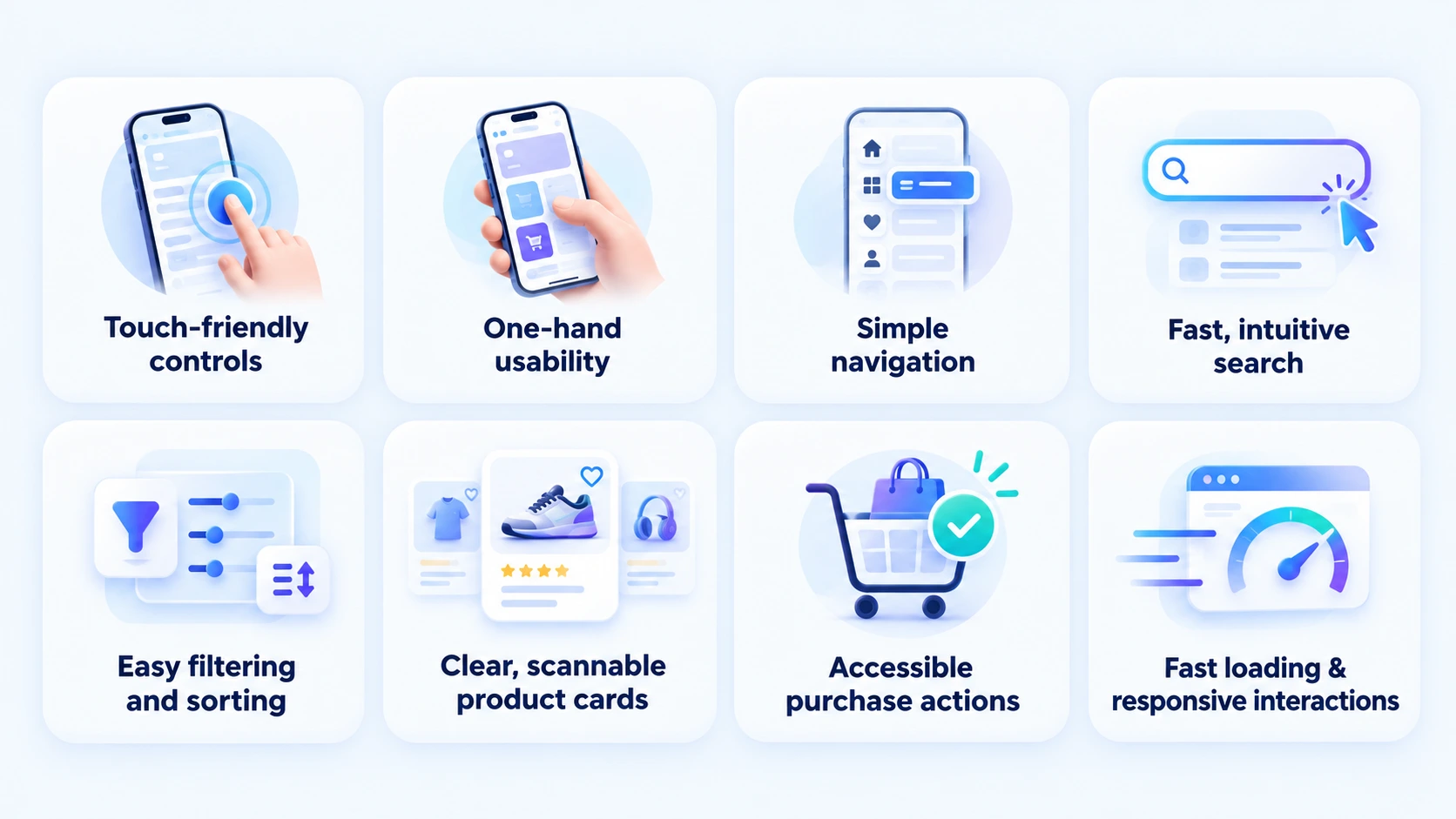
A strong mobile app design for ecommerce needs to account for touch interactions, smaller screens, device orientation, connectivity, and frequent short interactions. Buttons should be large enough to tap comfortably, important actions should remain accessible, and content should be easy to scan while scrolling.
Mobile apps can also use capabilities such as biometrics for faster authentication, push notifications for relevant order updates, camera-based product features, and location services where they provide genuine value.
Following ecommerce design best practices means using these capabilities to improve specific shopping journeys rather than adding features simply because the device supports them.
Read Also: A Complete Guide to Android App Design for Startups and Enterprises
Website-Specific UX Best Practices for Ecommerce
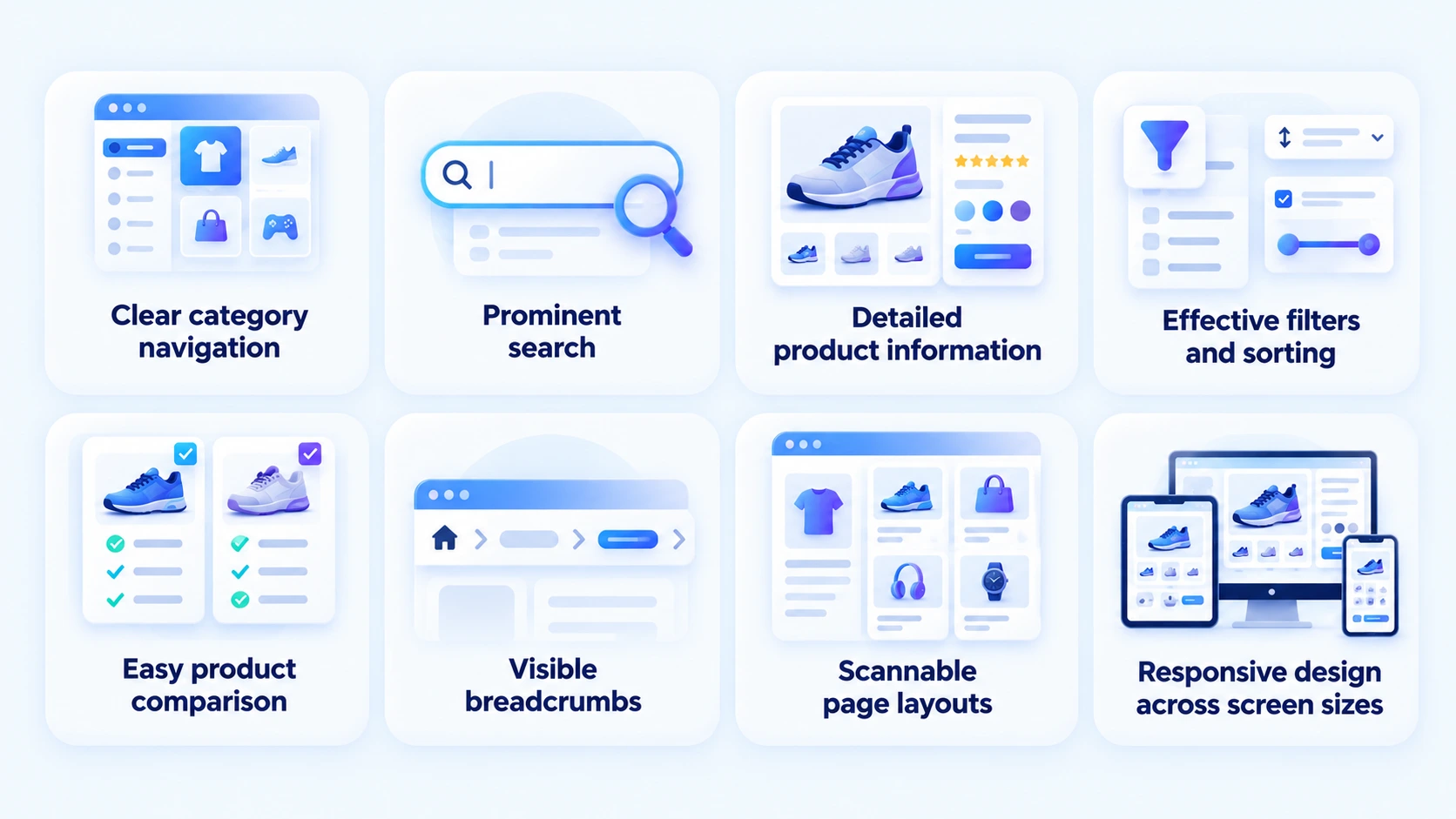
Ecommerce websites have an advantage in available screen space, making them suitable for detailed product comparison, extensive category navigation, rich product information, and broader discovery experiences. Professional website design services can help businesses structure this space around clear shopping journeys without overwhelming users.
Use this space strategically. Desktop layouts should make important information visible without creating visual clutter. Breadcrumbs, filters, comparison tools, detailed specifications, reviews, and related products can help customers make informed decisions.
The experience should also remain responsive across different screen sizes. A website should not feel like a desktop interface squeezed onto a tablet or smartphone. Responsive layouts should reorganize content and controls according to the available screen space.
Keep UX Consistent Across Website and App
Customers often switch between devices during their shopping journey. They might discover a product on a website, add it to their wishlist through an app, and complete the purchase later from another device.
A consistent account experience, cart, wishlist, order history, product information, pricing, and brand language helps maintain continuity. Customers should not feel as if they are interacting with two unrelated shopping platforms.
At the same time, each platform should retain its own interaction patterns. This balance between consistency and platform-specific usability is one of the most important ecommerce ux best practices when designing connected web and mobile experiences.
Test and Improve the Ecommerce UX Continuously
UX should not be treated as a one-time design activity. Customer behavior changes, new devices appear, product catalogs evolve, and new shopping patterns emerge. Regular testing helps businesses identify friction before it affects a larger portion of customers.
Track metrics such as search success, product-page engagement, add-to-cart rate, checkout completion, cart abandonment, conversion rate, and repeat purchases. Combine these numbers with usability testing and customer feedback to understand why users behave in certain ways.
A practical testing cycle is observe → identify friction → test a solution → measure the result → improve. This keeps the website and mobile app aligned with real customer needs rather than assumptions.
Common Ecommerce UX Mistakes to Avoid
Several UX issues repeatedly create friction across ecommerce experiences:
- Overloaded Navigation: Too many categories and options make product discovery harder.
- Weak Search: Poor suggestions, limited filters, or irrelevant results slow down shoppers.
- Cluttered Product Pages: Too much information makes important purchase details harder to find.
- Complicated Checkout: Long forms and unnecessary steps increase purchase friction.
- Inconsistent Web and App Experiences: Different terminology, features, or account information can confuse returning customers.
- Ignoring Mobile Interactions: Small buttons, difficult forms, and poorly placed actions create usability problems.
- Too Many Promotional Elements: Excessive banners and pop-ups compete with the shopping journey.
- Designing Without Testing: Assumptions about customer behavior often lead to avoidable UX problems.
These issues show why ecommerce ux best practices should be applied across the complete customer journey rather than limited to visual design alone.
Real-World Example of Ecommerce UX
Creating a strong ecommerce experience requires more than listing products and adding a checkout flow. The experience needs to make product discovery, deal exploration, account management, and purchasing simple across mobile devices. Cobone, a Middle Eastern daily deals and coupons marketplace, is a relevant example of how these UX considerations can be applied to a real ecommerce product.
Cobone Ecommerce Marketplace
RipenApps built Cobone’s Android and iOS apps using React Native in 3 months, creating a cross-platform experience with 100% logic parity. The marketplace supports deals across activities, food, services, and staycations, with features such as geo-fenced discovery across 20+ categories, in-app purchase and redemption, account management, secure transactions, and real-time tracking.
The app has reached 500K+ Google Play installs with a 4.0★ rating from 6.81K reviews, based on the store information available in August 2026. Its geo-fenced discovery and mobile-first shopping experience demonstrate how ecommerce apps can make product discovery more relevant while supporting convenient purchasing across different categories.

Emerging UX Trends for Ecommerce Websites and Apps
Ecommerce UX is increasingly shaped by AI, immersive product experiences, and more personalized shopping journeys. Businesses should evaluate these technologies based on whether they solve a real customer problem rather than adding complexity to the interface.
AI-Powered Product Discovery
AI-powered ecommerce apps can use customer behavior, search intent, purchase history, and product data to improve recommendations and search results. AI can also support conversational shopping, helping customers find products through natural-language queries.
The same capabilities can extend to ecommerce websites through intelligent search, personalized recommendations, and automated assistance. The key UX requirement is to keep AI interactions understandable and useful, with clear paths back to traditional browsing when needed.
Augmented Reality for Product Visualization
Augmented reality in ecommerce allows customers to visualize products in their environment before purchasing. This is particularly useful for categories such as furniture, home décor, eyewear, and beauty products where appearance, size, or fit influences the purchase decision.
AR should be introduced at the point where visualization supports the customer’s decision. The experience should remain optional and easy to exit rather than interrupting the standard product journey.
Smarter Personalization and Engagement
Personalized recommendations, recently viewed products, saved preferences, and relevant notifications can make repeat shopping more efficient. Businesses should connect these features to actual customer behavior instead of showing the same promotional content to every user.
Effective user engagement strategies should focus on timely and useful interactions. For example, an order update is more valuable than an unrelated promotional notification immediately after a purchase.
Choosing the Right Approach for an Ecommerce Mobile Experience
Not every ecommerce business needs the same mobile solution. The choice between a responsive website, progressive web app, native application, hybrid solution, or cross-platform app depends on customer behavior, required functionality, budget, performance expectations, and long-term product plans.
Businesses comparing native vs hybrid vs web app approaches should consider how much they need device-specific capabilities, offline functionality, advanced animations, push notifications, and platform-level integrations.
For businesses planning one codebase across multiple platforms, cross-platform app development for ecommerce can provide a practical approach while reducing duplicated development work. The right choice should follow product requirements rather than technology trends.
UI vs UX in Ecommerce Design
UI and UX work together, but they address different aspects of the shopping experience. UI focuses on the visual and interactive elements users see, such as buttons, typography, colors, icons, layouts, and components. UX focuses on how easily users complete tasks and move through the overall journey.
Understanding the difference between UI and UX design helps ecommerce teams avoid treating attractive visuals as a substitute for usability. A visually polished product page still needs clear information, intuitive navigation, accessible interactions, and an efficient path to purchase.
A strong ecommerce experience combines both disciplines. The interface should look consistent with the brand while the underlying journey makes shopping straightforward across web and mobile.
Read Also: Top Ecommerce Trends That Will Rule The Market in 2026
How to Improve Ecommerce UX Before Launch
Before launching a redesigned website or mobile app, review the complete customer journey from the first interaction to post-purchase activity.
Use this checklist:
- Test navigation and category structure.
- Check search accuracy and suggestions.
- Review filters and sorting on different screen sizes.
- Test product pages with real users.
- Simplify cart and checkout steps.
- Check touch targets and mobile forms.
- Verify accessibility and readable content.
- Test page and app performance.
- Confirm consistency between web and mobile.
- Measure key journeys after launch and continue improving them.
These ecommerce ux best practices help businesses identify usability problems before they become conversion problems.
How Much Does Ecommerce App UX and Development Cost?
The cost depends on whether the business is improving an existing website, designing a new mobile experience, or building a complete ecommerce application. Features, platform choice, integrations, personalization, backend requirements, security, and development scope all influence the investment.
For a more detailed breakdown of development expenses, businesses can refer to an ecommerce app development cost guide before defining the project scope. Keeping the first version focused on high-value shopping journeys can also help control the initial investment.
How to Choose an Ecommerce UX and Development Partner
The right partner should understand ecommerce journeys rather than focus only on interface design. Review their experience with product discovery, search, checkout, personalization, responsive design, mobile applications, and integrations.
Look for a team that can support research, UX strategy, UI design, development, testing, and post-launch optimization. Their process should also account for the differences between web and mobile instead of treating one platform as a copy of the other.
A ux design partner for ecommerce should be able to connect design decisions with measurable business goals such as conversion, engagement, retention, and reduced shopping friction.
RipenApps brings UX design and ecommerce development together to help businesses create connected digital shopping experiences across websites and mobile apps. Its approach focuses on user journeys, platform-specific design, scalable development, and the business goals behind the product.
Ecommerce UX Best Practices Checklist
Before finalizing your ecommerce website and mobile app, make sure the experience provides:
- Consistent branding across web and mobile
- Simple and predictable navigation
- Fast and forgiving search
- Useful filters and sorting
- Clear product information
- High-quality product visuals
- Visible purchase actions
- Simple checkout
- Multiple convenient payment options
- Personalized recommendations where relevant
- Accessible and touch-friendly mobile interactions
- Fast loading and responsive performance
- Clear error and empty states
- Easy account, order, and wishlist management
- Continuous usability testing and optimization
Following these ecommerce ux best practices creates a shopping experience that feels familiar across platforms while allowing each one to use its own strengths.
What Businesses Should Prioritize When Designing Ecommerce UX
A strong ecommerce experience does not require every possible feature. Businesses should prioritize the interactions that have the greatest effect on product discovery, purchase completion, and repeat shopping.
Start with the core journey: discover → search → evaluate → add to cart → checkout → purchase → reorder. Each step should have a clear purpose and a simple next action. Features that do not support this journey should be evaluated carefully before being added.
For businesses planning ecommerce UX design services, this approach also makes the project easier to scope. Research can identify the highest-friction journeys first, allowing the design team to focus effort where it has the greatest potential impact.
How to Measure Ecommerce UX Performance
Good UX should be supported by measurable results. Businesses should track how customers interact with the website and app rather than relying only on visual reviews or stakeholder opinions.
Important metrics include:
- Conversion rate
- Add-to-cart rate
- Checkout completion rate
- Cart abandonment rate
- Search success rate
- Product-page engagement
- Average order value
- Repeat purchase rate
- App retention
- Customer support requests related to usability
These metrics should be analyzed alongside usability testing and customer feedback. A drop in checkout completion, for example, could indicate a form, payment, navigation, or performance issue that requires further investigation.
Conclusion
Effective ecommerce UX connects every stage of the shopping journey across websites and mobile apps. From navigation and search to product discovery, checkout, personalization, and post-purchase interactions, each experience should reduce friction and help customers complete their goals. Applying the right ecommerce ux best practices also means adapting the experience to each platform instead of forcing identical layouts and interactions everywhere.
Businesses that want to improve their digital shopping experience can work with an expert ecommerce app development company to bring UX strategy, design, development, integrations, and testing together. A customer-focused approach helps create ecommerce experiences that are consistent across platforms while remaining fast, accessible, intuitive, and aligned with business objectives.

FAQs
Q1. What are the most important ecommerce UX best practices?
The most important practices include simple navigation, effective search, clear product information, useful filters, streamlined checkout, responsive design, accessibility, and consistent experiences across web and mobile.
Q2. What UI UX design tools are useful for ecommerce UX design?
Common UI UX design tools help teams create wireframes, prototypes, design systems, user flows, and interactive ecommerce interfaces before development begins. These tools also make it easier to test different layouts and maintain consistency across website and mobile app experiences.
Q3. Should an ecommerce website and mobile app have the same design?
They should maintain consistent branding, terminology, product information, and core journeys. However, layouts and interactions should adapt to each platform’s screen size, navigation patterns, and device capabilities.
Q4. How can I improve my ecommerce website UX?
Start by analyzing customer behavior, search data, conversion paths, abandoned carts, and feedback. Then test key journeys such as navigation, search, product discovery, and checkout to identify and resolve usability issues.
Q5. What makes a good ecommerce mobile app UX?
A good mobile experience provides easy navigation, touch-friendly controls, fast search, clear product information, simple checkout, strong performance, and useful mobile-specific features without creating unnecessary complexity.
Q6. How often should ecommerce UX be tested?
UX should be tested regularly, particularly after major design, product, or checkout changes. Analytics, usability testing, customer feedback, and A/B testing can help identify new friction points over time.

SHARE
WRITTEN BY

Ishan Gupta
CEO & Founder
Ishan Gupta is a seasoned entrepreneur and CEO with extensive 8+ years of experience in business and mobile app development landscape. He believes that the right digital product allows companies to focus on what they do best, while technology handles the rest. With deep exposure to global markets, he understands what makes an app succeed. His approach translates business needs into clear product strategies, ensuring that every feature contributes to measurable ROI.
View All Articles






 India
India USA
USA Australia
 Canada
 UK
UK UAE
UAE