


Key Takeaways
- MCP architecture standardises communication between AI applications and external systems, making integrations more consistent, reusable, and manageable.
- MCP consists of three main components: host, client, and server, each supporting a different integration responsibility.
- MCP servers expose tools, resources, and prompts that help AI applications retrieve information and perform supported tasks.
- Businesses can use MCP to improve workflow automation, information accessibility, application flexibility, and connected enterprise AI experiences.
- Successful MCP implementation requires proper security controls, reliable infrastructure, performance testing, and ongoing integration maintenance.
Artificial intelligence applications are becoming more capable of understanding instructions, generating responses, and supporting complex business operations. However, connecting AI models with external tools, databases, business applications, and information sources remains a challenge for development teams. Every integration can require different configurations and communication methods, making AI application development more complicated as businesses introduce new tools and capabilities. This is where Model Context Protocol (MCP) becomes important.
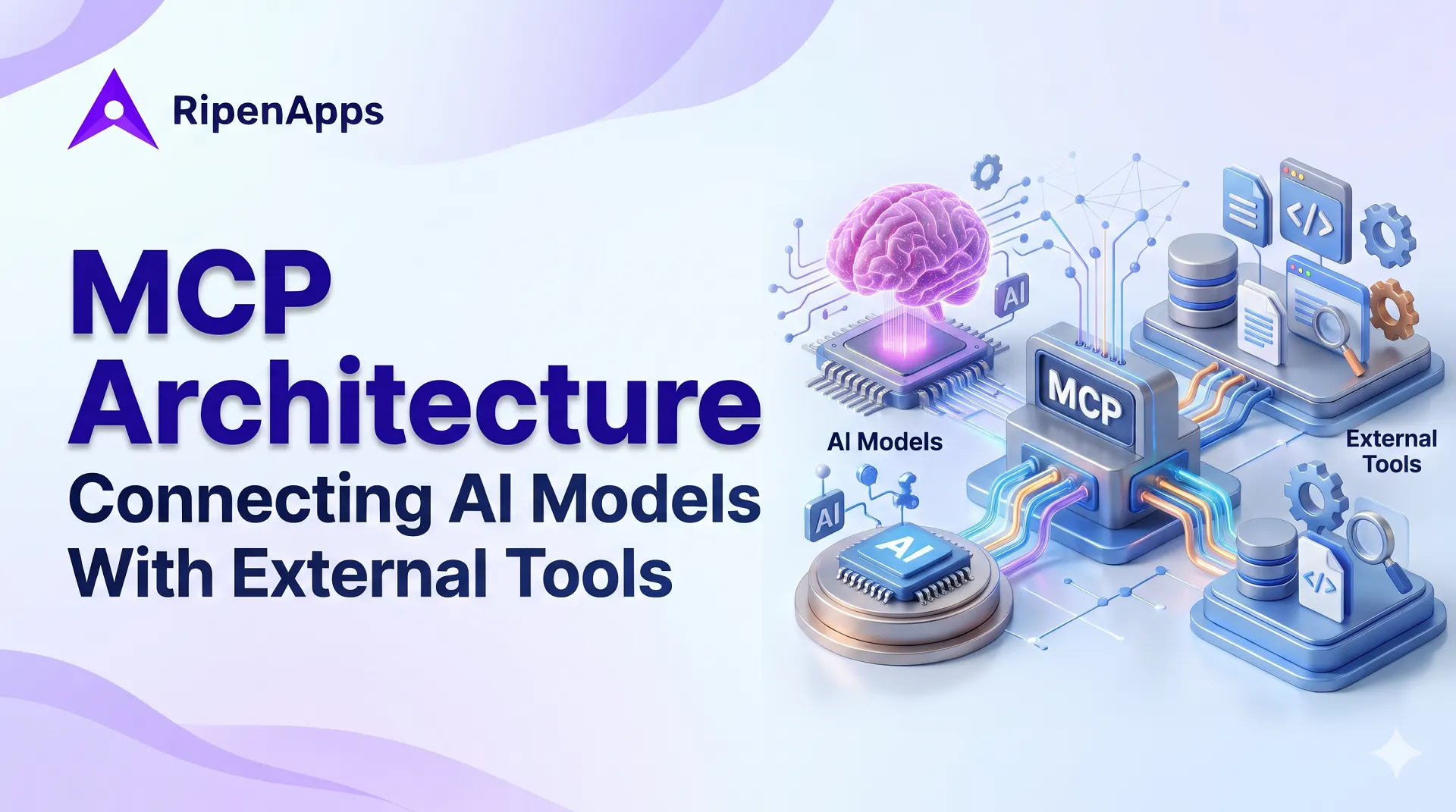
MCP is an open standard that provides a consistent way for AI applications to communicate with external systems. It allows AI models to access relevant information, discover available tools, and perform supported tasks without requiring a completely different integration approach for every application. Understanding MCP Architecture helps businesses create more connected, flexible, and scalable AI solutions.
Working with an experienced AI app development company can help organisations identify where MCP fits into their AI strategy and how it can support existing business operations. This guide explores what MCP is, how its architecture works, its major components, business benefits, practical applications, security considerations, implementation challenges, and future possibilities. It also explains how organisations can use MCP to make their AI applications more useful and connected.
Table of Contents
What is Model Context Protocol (MCP)?
Model Context Protocol is an open standard that allows AI applications to communicate with external tools, data sources, and business systems through a common approach. To understand why MCP matters, consider how businesses use AI applications today. An organisation might have an AI assistant for customer support, another application for analysing business reports, and separate tools for managing projects and customer information. Each application may need access to different external systems to complete its tasks.
Without a consistent integration approach, connecting these applications can require significant development effort. Developers may need to build separate connections for different platforms, maintain multiple integrations, and update them whenever an external system changes. MCP helps simplify this process by providing a common way for AI applications to access external capabilities.
It works as a communication layer between an AI application and the systems it needs to interact with. Instead of building an entirely different integration method for every tool, developers can use MCP-compatible servers to make external capabilities available to AI applications.
For example, an AI assistant used by a sales team might need access to customer records, sales reports, and meeting information. Through MCP, the assistant can connect with the relevant systems and retrieve information when required. The protocol does not replace existing applications, APIs, databases, or AI models. Instead, it helps these different components work together more consistently.
What is MCP in AI?
In artificial intelligence, MCP helps models access information and functionality beyond what is already available in their immediate conversation context. An AI model can understand questions and generate responses, but it does not automatically have access to a company’s internal documents, customer records, inventory information, or project updates.
It needs a suitable connection to retrieve that information. MCP provides a standardised way for AI applications to establish these connections. For example, imagine an employee asking an AI assistant to check the latest status of a project. The assistant can use an available MCP connection to retrieve project information from the organisation’s project management software. It can then use that information to generate a relevant response.
This makes AI applications more context-aware and useful in everyday business operations. MCP is particularly valuable when AI applications need to work across multiple systems rather than operate as standalone question-answering tools.
What is an MCP Server?
An MCP server is a software component that makes external information and capabilities available to an AI application through the Model Context Protocol. It acts as a connection point between an AI application and an external system.
For instance, a business might have an MCP server connected to its customer relationship management platform. This server can make selected customer information and supported operations available to an AI assistant.
Similarly, another MCP server might connect to a document management platform, allowing an AI application to retrieve authorised business documents. MCP servers can support connections with different types of systems, including:
- Customer relationship management platforms.
- Enterprise resource planning software.
- Databases and information repositories.
- Cloud storage platforms.
- Project management applications.
- Internal business applications.
- Document management systems.
- Third-party software and services.
Each server can focus on a particular system or group of related capabilities. This makes it easier for development teams to organise integrations and introduce new functionality without rebuilding the entire AI application. This modular approach also complements cloud-based application development, allowing businesses to build connected applications that can support evolving integration requirements.
Understanding MCP Architecture
MCP architecture explains how AI applications communicate with external systems through a structured relationship between different components. The architecture is based on three primary elements: the host, client, and server. Each component has a specific responsibility, but they work together to make external information and tools available to an AI application. Understanding these components helps businesses identify how MCP can fit into their existing technology environment.
MCP Host
The MCP host is the main AI application through which users interact with the system. It manages the overall experience, processes user requests, and coordinates communication with external tools and information sources.
For example, consider an AI-powered assistant that helps employees manage everyday business activities. Employees can ask questions, request reports, retrieve information, and initiate supported actions through the assistant.
The host manages these interactions and determines when external information is required. Its main responsibilities include managing user interactions, coordinating AI model requests, connecting with MCP clients, and controlling how external information is used. The host also plays an important role in managing permissions and ensuring that external capabilities are accessed according to the application’s requirements. In simple terms, the host is the application that brings everything together and provides a single experience for the user.
MCP Client
The MCP client manages communication between the host application and an MCP server. An AI application may need to connect with several external systems. The client provides a consistent way to communicate with the relevant servers. For example, an enterprise assistant might need information from an HR platform, a CRM system, and a project management application.
The host can use different MCP clients to establish connections with these servers. The client helps the application identify available capabilities, send requests, receive information, and maintain communication with the connected server. It also helps keep the host application separate from the internal workings of external systems. This separation is useful because developers can introduce new integrations without making significant changes to the main application.
MCP Server
The MCP server connects the protocol with an external system and makes selected capabilities available to the client. It manages requests from the client and retrieves information or performs supported operations through the connected service. For example, an MCP server connected to an accounting application might provide access to invoice information, payment records, and approved financial operations.
When the AI application requests invoice information, the server retrieves the relevant records and makes them available through the established connection. An MCP server can operate locally on a user’s device or remotely within a company’s infrastructure, depending on the application’s requirements. Its implementation should account for data access, permissions, reliability, and the specific capabilities that need to be exposed.
How the Host, Client, and Server Work Together
The three components work together to provide a consistent connection between an AI application and external systems. Consider an employee who wants to retrieve information about an upcoming business meeting.
The employee submits a question through the AI assistant. The host processes the request and identifies that meeting information is required. The relevant MCP client communicates with the connected calendar server, which retrieves the available information from the calendar platform.
The information is then returned to the application, where the AI model uses it to generate a response. The employee receives the answer through the same assistant without manually opening the calendar application. This approach allows different systems to work together while maintaining their individual responsibilities. It also gives businesses the flexibility to connect additional tools as their operational requirements change.
How Does MCP Architecture Work?
Understanding the relationship between AI agents, chatbots, and LLMs helps explain how MCP architecture works within modern AI applications. MCP creates a structured communication process between an AI application and external systems. When a user makes a request, the application identifies whether it needs information or functionality from another system.
If an appropriate MCP connection is available, the application can use it to retrieve the required information or initiate an authorised operation. The process generally involves the following stages.
Establishing a Connection
The first step is establishing communication between the AI application and the required MCP server. The connection allows the client and server to communicate using the Model Context Protocol. Depending on the application, the connection may be established with a locally running server or a remotely hosted service. For example, a desktop AI assistant might connect to a local file management server, while an enterprise application might connect to a cloud-hosted server.
Identifying Available Capabilities
Once the connection is established, the application can discover the capabilities made available by the server. These capabilities may include accessing documents, retrieving information, or performing specific operations. For example, an MCP server connected to a CRM platform might make customer information and approved sales operations available to the AI application. The application can then identify which capabilities are relevant to a particular request.
Processing User Requests
When a user submits a question or instruction, the AI application determines what information or external functionality is required. If the request involves retrieving information from another platform, the application can use the relevant MCP connection. For instance, a user might ask an AI assistant to check the availability of a product. The assistant can use an appropriate server to retrieve the latest inventory information.
Retrieving Information or Performing Actions
The MCP server receives the request and interacts with the connected system. Depending on the requested operation, it may retrieve information, access a document, or perform an approved action. For example, a customer support assistant might retrieve an order status from an ecommerce platform or create a support ticket through an authorised service. The server then returns the result to the application.
Generating the Final Response
After receiving the requested information, the AI application provides the relevant context to the model. The model uses the information to generate a response that addresses the user’s request. For example, instead of providing a generic response about order tracking, an AI assistant can explain the actual delivery status retrieved from the ecommerce platform. This process makes AI applications more relevant to real business situations because their responses can be based on current external information.
Core Components of MCP Architecture
MCP provides different capabilities that determine how AI applications interact with external information and services. Three important capabilities are tools, resources, and prompts. Although they work together, each serves a different purpose.
1. MCP Tools
Tools allow AI applications to perform actions through connected systems. They can be used for tasks such as retrieving customer information, creating support tickets, searching business records, or updating approved information. For example, an AI-powered sales assistant might use a tool to retrieve information about a customer before preparing a sales follow-up. Another tool could help create a new task in a project management application. Businesses can work with a Backend API development company to build reliable integrations that connect AI applications with external platforms and enable these actions.
Tools make MCP useful for business automation because they allow AI applications to interact with systems rather than simply retrieve information. However, organisations should define clear permissions for these actions. Operations that modify records, send messages, or trigger transactions may require additional user approval.
2. MCP Resources
Resources provide information that an AI application can access and use as context. They may include documents, business records, knowledge articles, database information, or other relevant content. For example, an employee-facing AI assistant might access company policies through an MCP server connected to an internal document repository.
When an employee asks about the company’s leave policy, the application can retrieve the relevant document and use its content to prepare an answer. Resources are particularly useful when AI applications need access to information that changes regularly or is maintained outside the AI model. They help businesses make internal knowledge more accessible without requiring employees to search through several different platforms.
3. MCP Prompts
Prompts are reusable instructions or templates that help structure common AI interactions. An organisation might use predefined prompts for preparing reports, summarising customer feedback, or analysing project information. For example, a business intelligence application could provide a reusable prompt that helps employees summarise monthly sales performance.
These templates help create consistency across repeated tasks and reduce the need for users to write detailed instructions every time. Together, tools, resources, and prompts make MCP a flexible way to connect AI applications with business information and functionality.
MCP Architecture vs Traditional API Integrations
Traditional APIs allow different software applications to exchange information and perform operations. Businesses already use APIs to connect payment gateways, CRM platforms, ecommerce systems, databases, and other applications. However, integrating these systems directly into AI applications can become complicated when multiple tools and models are involved.
MCP introduces a common communication approach designed specifically for connecting AI applications with external capabilities. The difference is not that MCP replaces APIs. Instead, it provides another way to make existing systems accessible to AI applications.
| Comparison factor | Traditional API integration | MCP architecture |
| Main purpose | Connect software applications | Connect AI applications with external capabilities |
| Integration method | Individual API integrations | Standardised protocol-based connections |
| Capability discovery | Often depends on documentation and configuration | Supports discovery of available capabilities |
| Data access | Through API endpoints | Through MCP resources |
| Action execution | Through API operations | Through MCP tools |
| Reusability | Depends on individual implementation | Supports reusable MCP server integrations |
| AI application support | Requires additional integration logic | Designed around AI application interactions |
| Flexibility | Depends on API architecture | Supports connections with multiple MCP servers |
Why MCP Is Different From Traditional APIs
The main difference is the way external capabilities are presented to AI applications. A traditional API provides a defined way for software to request information or perform an operation. MCP provides a standardised way for AI applications to discover and interact with capabilities exposed by external systems. For example, an organisation might already have a CRM platform with APIs for accessing customer information.
Instead of connecting every AI application directly to those APIs through separate custom implementations, the organisation can introduce an MCP server that makes selected CRM capabilities available through MCP. The existing CRM platform and its APIs continue to operate as before.
This approach can help reduce integration complexity when an organisation has several AI applications that need access to similar business systems. Businesses developing these solutions should also understand the broader requirements of LLM application development, including model selection, application integration, context management, and deployment planning.
Key Benefits of MCP Architecture for Businesses
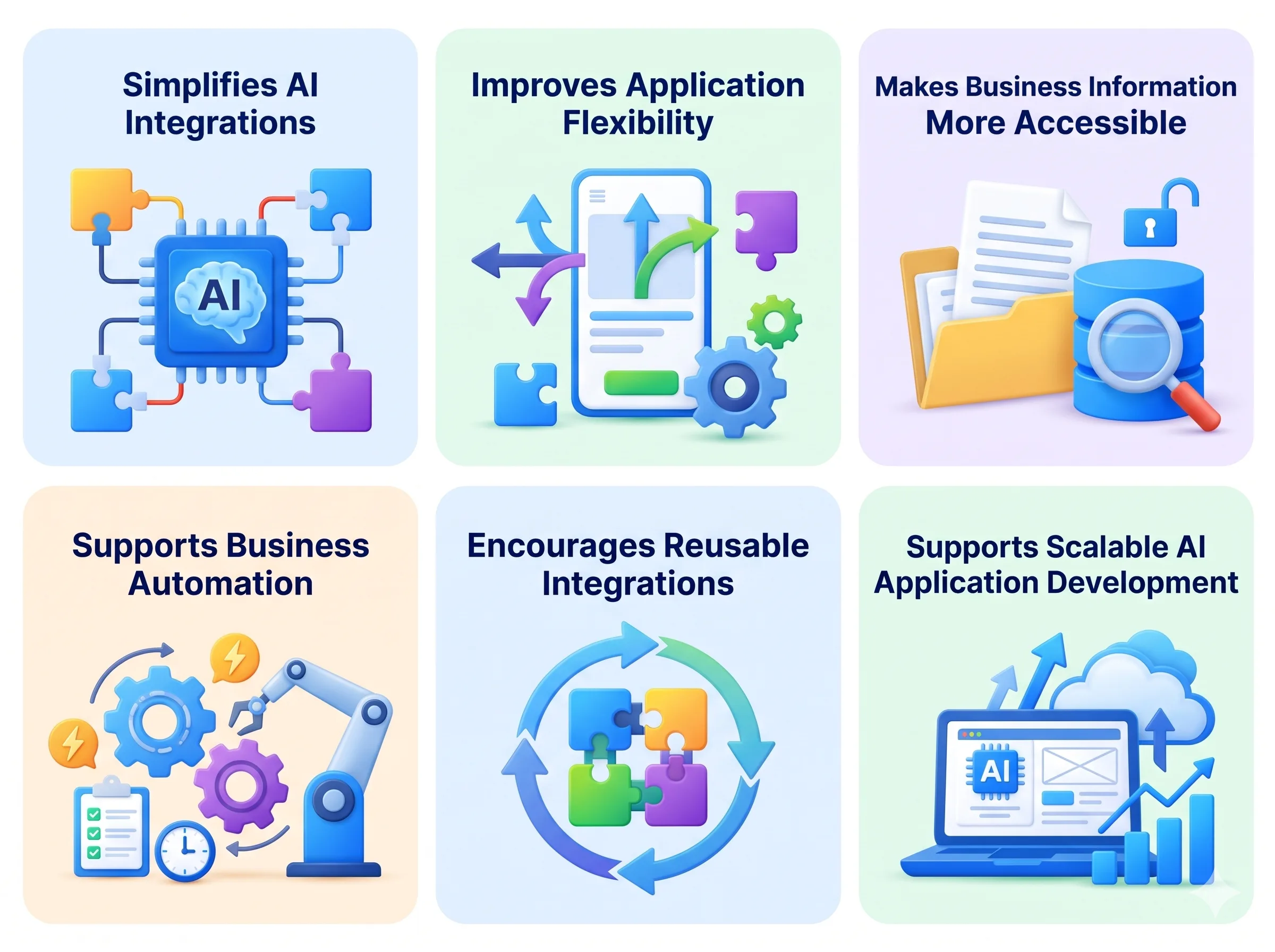
MCP offers several advantages for organisations looking to connect AI applications with existing business systems. Its value extends beyond simplifying integrations. It can also help businesses improve application flexibility, make information more accessible, and create more connected AI experiences.
1. Simplifies AI Integrations
One of the biggest advantages of MCP is that it provides a consistent approach to connecting AI applications with external tools. Without a common protocol, developers may need to create separate integration methods for different systems.
As the number of connected applications increases, managing these integrations can become more difficult. MCP helps address this challenge by allowing developers to create servers that expose specific capabilities through a common standard. For example, a company might connect its AI assistant to a CRM, document repository, and project management platform using separate MCP servers. The application can communicate with these servers through a consistent approach rather than relying on completely different integration patterns.
2. Improves Application Flexibility
Business requirements change over time. Organisations may adopt new software, replace existing platforms, or introduce additional AI-powered workflows. A tightly connected application architecture can make these changes expensive and difficult to manage. MCP supports a more modular approach by separating external integrations from the main AI application. This modular web application architecture allows businesses to organise integrations independently, introduce new capabilities, and adapt their applications as operational requirements evolve.
For example, if a business changes its project management software, developers may be able to update the relevant MCP server without redesigning the entire AI assistant. This separation can make it easier to introduce new capabilities as business requirements evolve.
3. Makes Business Information More Accessible
Many organisations store important information across multiple systems. Employees may need to access a CRM platform, internal knowledge base, document repository, and reporting software to complete a single task. MCP can help bring these information sources into an AI-powered experience.
For example, an employee could ask an AI assistant to retrieve information from an internal knowledge base and summarise it without manually searching through multiple documents. This can improve information accessibility and reduce the time employees spend switching between applications.
4. Supports Business Automation
MCP allows AI applications to interact with external tools, making it useful for workflows that involve more than retrieving information. For example, an AI assistant might identify a customer complaint, retrieve the relevant order information, and create a support ticket through an authorised tool.
Similarly, a business operations assistant could retrieve project information and create tasks based on employee instructions. The ability to access tools through a standardised communication approach can help organisations develop more connected automation experiences.
5. Encourages Reusable Integrations
MCP servers can make selected capabilities available to multiple compatible AI applications. This can reduce the need to recreate similar integration logic for every new application. For example, a company with a CRM MCP server may use it across an internal sales assistant, customer support assistant, and reporting application. The applications can access the capabilities they are authorised to use without each one needing an entirely separate integration implementation. This can improve consistency and make long-term integration management more organised.
6. Supports Scalable AI Application Development
As AI applications become more capable, organisations may need to connect them with additional information sources and services. MCP provides a modular approach that can support this expansion. Instead of treating every new integration as a major redesign, developers can introduce additional MCP servers based on specific requirements.
However, scalability still depends on server performance, infrastructure capacity, network reliability, and the quality of the underlying application architecture. MCP provides the communication structure, while the surrounding infrastructure determines how effectively the overall system performs under growing workloads.
Practical Business Applications of MCP Architecture
MCP can support several business applications where AI models need access to external information or functionality. Its usefulness depends on the availability of suitable integrations and the specific requirements of the organisation.
AI-Powered Customer Support
Businesses exploring AI chatbot development trends are increasingly looking at ways to make customer support more connected and efficient. Customer support teams often use several systems to manage customer information, orders, complaints, and service requests. An AI assistant connected through MCP can retrieve information from these systems and provide more relevant responses.
For example, when a customer asks about a delayed order, the assistant can retrieve order details and delivery information from the connected ecommerce platform. If the issue requires human assistance, the application may also create a support ticket through an authorised tool. This can reduce manual information retrieval and help support teams handle routine enquiries more efficiently.
Enterprise Knowledge Management
Large organisations often maintain extensive collections of internal documents, policies, reports, and operational information. Finding the right information can be time-consuming, especially when content is distributed across several platforms. MCP can connect AI assistants with authorised document repositories and knowledge management systems.
Employees can ask questions in natural language and receive responses based on information retrieved from the organisation’s internal sources. For example, a new employee could ask about onboarding procedures and receive relevant information from the company’s internal documentation. This can make organisational knowledge easier to access while reducing the need to search manually through multiple systems.
Business Intelligence and Reporting
Business intelligence teams work with information from different departments, including sales, finance, marketing, and operations. MCP can help AI applications access selected information from these systems and support reporting workflows. For example, a business manager might ask an AI assistant to summarise recent sales performance and highlight changes in customer activity.
The application can retrieve relevant information from connected reporting systems and use it to generate a summary. This can make business information easier to understand for decision-makers who do not regularly work with analytics platforms.
Healthcare Administration
Healthcare organisations manage information across appointment systems, administrative platforms, patient communication tools, and operational applications. MCP can help connect AI assistants with selected administrative information sources.
For example, an authorised administrative assistant might retrieve appointment availability or access approved operational documentation. However, healthcare applications must follow strict privacy, access control, and regulatory requirements. MCP does not automatically make an integration compliant or secure. Sensitive information should only be exposed through carefully designed access policies and appropriate authorisation.
Ecommerce and Retail Operations
Ecommerce businesses depend on several interconnected systems to manage product information, inventory, orders, payments, and customer service. MCP can help AI assistants access these systems through a consistent integration layer. For example, a retail employee could ask an AI assistant to check product availability across connected inventory systems.
A customer support application could retrieve order information and provide delivery updates based on the latest available records. Retail organisations can also use these connections to support internal reporting and operational workflows.
Software Development and Engineering
Development teams use different tools for source code management, project tracking, documentation, testing, and deployment. MCP can help AI-powered development assistants access information from these systems. For example, a developer could ask an AI assistant to review project documentation, retrieve relevant development tasks, or search for information about an existing codebase.
The assistant can use connected tools to retrieve the required information and provide a more context-aware response. This can support developer productivity by reducing the time spent switching between different platforms.
MCP Security Architecture: Protecting Business Data and Integrations
Connecting AI applications with external systems introduces important security considerations. An AI assistant may have access to customer records, internal documents, business reports, or operational tools. If these connections are not managed properly, sensitive information could be exposed, or unauthorised actions could be performed. MCP provides a communication standard, but organisations remain responsible for implementing appropriate security controls.
Authentication and Access Control
Authentication helps establish the identity of the user or application requesting access to an MCP server. Organisations should ensure that only authorised users and applications can connect to the relevant services. For remote MCP servers, suitable authentication mechanisms should be implemented according to the deployment environment.
Access control should also determine which capabilities an application or user is permitted to access. For example, an employee-facing assistant may be allowed to retrieve general company policies but should not automatically receive access to confidential financial records. Permissions should be based on business roles and actual operational requirements.
Protecting Sensitive Information
MCP integrations may expose information from systems that contain confidential or personally identifiable data. Organisations should carefully evaluate which information needs to be accessible through each server. Not every connected application requires access to every available record.
For example, a customer support assistant may need order status and delivery information but may not require access to a customer’s complete payment history. Limiting access to relevant information helps reduce unnecessary exposure.
Managing Tool Permissions
Tools can perform operations that affect external systems. These operations may include creating records, updating information, sending notifications, or initiating business workflows. Organisations should distinguish between actions that only retrieve information and actions that modify external data. Sensitive or irreversible operations may require explicit user approval before execution. This helps reduce the risk of unintended actions caused by incorrect instructions, misunderstandings, or malicious input.
Preventing Prompt Injection Risks
Prompt injection occurs when untrusted content attempts to influence an AI application’s behaviour through instructions embedded in user input or external information. For example, a document retrieved through an MCP server might contain instructions that attempt to make the AI assistant disclose confidential information.
AI applications should treat external content as information rather than automatically trusting it as an instruction. Developers should implement appropriate safeguards, clearly separate trusted instructions from retrieved content, and restrict the actions that can be performed through connected tools.
Monitoring and Auditing
Organisations should maintain visibility into how MCP integrations are being used. Monitoring can help identify unusual activity, repeated access failures, unexpected requests, and potentially unauthorised operations. Audit records can also help businesses understand which applications accessed particular capabilities and when certain operations were performed.
These records are particularly important in enterprise environments where accountability and operational visibility are essential. A well-planned enterprise application security strategy can help organisations establish broader safeguards for applications that connect with sensitive business systems.
Challenges of Implementing MCP Architecture
Although MCP can simplify AI integrations, adopting it still requires careful planning. Businesses should evaluate the technical, operational, and security requirements before introducing MCP into their existing application environments.
Managing Multiple Integrations
Connecting several MCP servers can introduce additional operational complexity. Each server may have different capabilities, availability requirements, authentication methods, and dependencies. If an application relies on multiple servers to complete a single workflow, the failure of one connection could affect the overall experience.
Businesses should establish clear integration ownership, connection management practices, and recovery procedures. They should also avoid introducing unnecessary integrations that do not provide meaningful business value.
Maintaining Data Consistency
AI applications may retrieve information from multiple systems that are updated at different times. For example, a CRM platform and an accounting application might contain different versions of a customer’s information. If an AI assistant uses inconsistent records, it may generate an inaccurate response.
Organisations should identify authoritative data sources and establish clear rules for handling conflicting information. Data quality and consistency remain important even when a standardised communication protocol is available.
Handling Performance and Response Times
Every external connection introduces some level of communication overhead. If an AI application needs information from several servers before responding, the overall response time may increase. For example, a business assistant that retrieves customer information, order history, and payment status may need to wait for multiple external systems.
Developers should consider connection efficiency, request timeouts, caching where appropriate, and the performance of underlying services. The goal should be to provide useful responses without introducing unnecessary delays.
Ensuring Compatibility
MCP provides a common protocol, but individual servers may expose different capabilities. An application cannot assume that every server supports the same features or provides identical information.
Businesses should evaluate compatibility before connecting new services. They should also maintain clear documentation about available capabilities and update integrations when external systems or server implementations change.
Managing Operational Costs
MCP itself does not eliminate the costs associated with AI applications and external integrations. Organisations may still need to pay for AI model usage, cloud infrastructure architecture, external platform access, server hosting, monitoring, and ongoing maintenance.
Additional integrations can also increase operational requirements. Businesses should evaluate the overall cost of ownership rather than considering only the initial development effort.
MCP Architecture and Cloud Infrastructure
MCP integrations often operate alongside cloud-based applications and services. Organisations may deploy remote MCP servers within their cloud infrastructure to make business capabilities accessible to different AI applications. Cloud infrastructure can support the availability, scalability, and operational management of these services.
For example, an enterprise may host an MCP server that connects its AI assistant with internal business applications. The server can operate within the organisation’s cloud environment and communicate with authorised services based on defined access policies.
Why Cloud Infrastructure Matters
As organisations introduce more AI applications, the number of external connections and operational requirements may increase. Cloud infrastructure can help businesses manage these workloads through flexible computing resources, centralised monitoring, and managed deployment environments. However, the cloud environment must be designed according to the application’s requirements.
Businesses should consider server availability, network connectivity, data storage, access permissions, and workload capacity. Organisations planning these environments can benefit from cloud architecture services to establish infrastructure that supports reliable application communication and future expansion.
Managing Remote MCP Servers
Remote MCP servers allow AI applications to connect with capabilities hosted outside the local application environment. This can be useful for enterprise applications where multiple users or services need access to the same integration. For example, a company might deploy a remote MCP server for accessing approved internal knowledge resources.
Different AI applications can connect to the server without each application requiring its own separate implementation of the underlying integration. However, remote connections require appropriate authentication, network protection, monitoring, and availability management. Businesses should also consider how the server will handle increasing request volumes as more applications begin using it.
MCP and Enterprise Application Modernisation
Many organisations operate legacy applications that were developed before modern AI integration requirements became common. These systems may contain valuable business information but lack the flexibility required for newer AI-powered experiences. MCP can help make selected capabilities from existing systems accessible to AI applications when suitable interfaces or integration layers are available.
For example, a business could introduce an MCP server that connects an internal AI assistant with information maintained in an existing enterprise platform. This does not automatically modernise the legacy application, but it can create an additional way to access its capabilities. A broader enterprise application modernization strategy can help businesses determine how existing systems should evolve to support modern integration requirements.
MCP Architecture and AI Feature Integration
MCP can play an important role when businesses want to introduce AI capabilities into existing digital products. Many applications already include features such as customer dashboards, reporting tools, search functionality, and communication systems. MCP can help make selected external capabilities accessible to AI-powered features within these applications.
For example, an ecommerce platform might introduce an AI shopping assistant that retrieves product information from its catalogue and checks inventory through connected services. Similarly, a business management application could use an AI assistant to retrieve project information and help employees complete routine tasks. The important consideration is identifying which AI features genuinely benefit from external context or tool access.
Not every AI feature requires MCP. A simple text summarisation feature may work without external integrations, whereas an assistant that retrieves live business information may benefit significantly from them.
Integrating MCP With Existing Applications
Businesses do not necessarily need to rebuild their existing applications to introduce MCP. Developers can assess the current application architecture, identify relevant systems, and determine which capabilities should be exposed through MCP servers. The integration process should consider the application’s existing APIs, data structures, authentication methods, and operational requirements.
For example, a business application might already have an API that retrieves employee information. An MCP server can make selected information available to an AI assistant through the protocol, while the existing application continues to operate normally. This allows organisations to introduce AI capabilities gradually rather than replacing their entire technology environment. Businesses planning such enhancements can explore AI feature integration services to identify suitable opportunities for connecting AI capabilities with existing products.
Best Practices for Building an MCP-Based Application
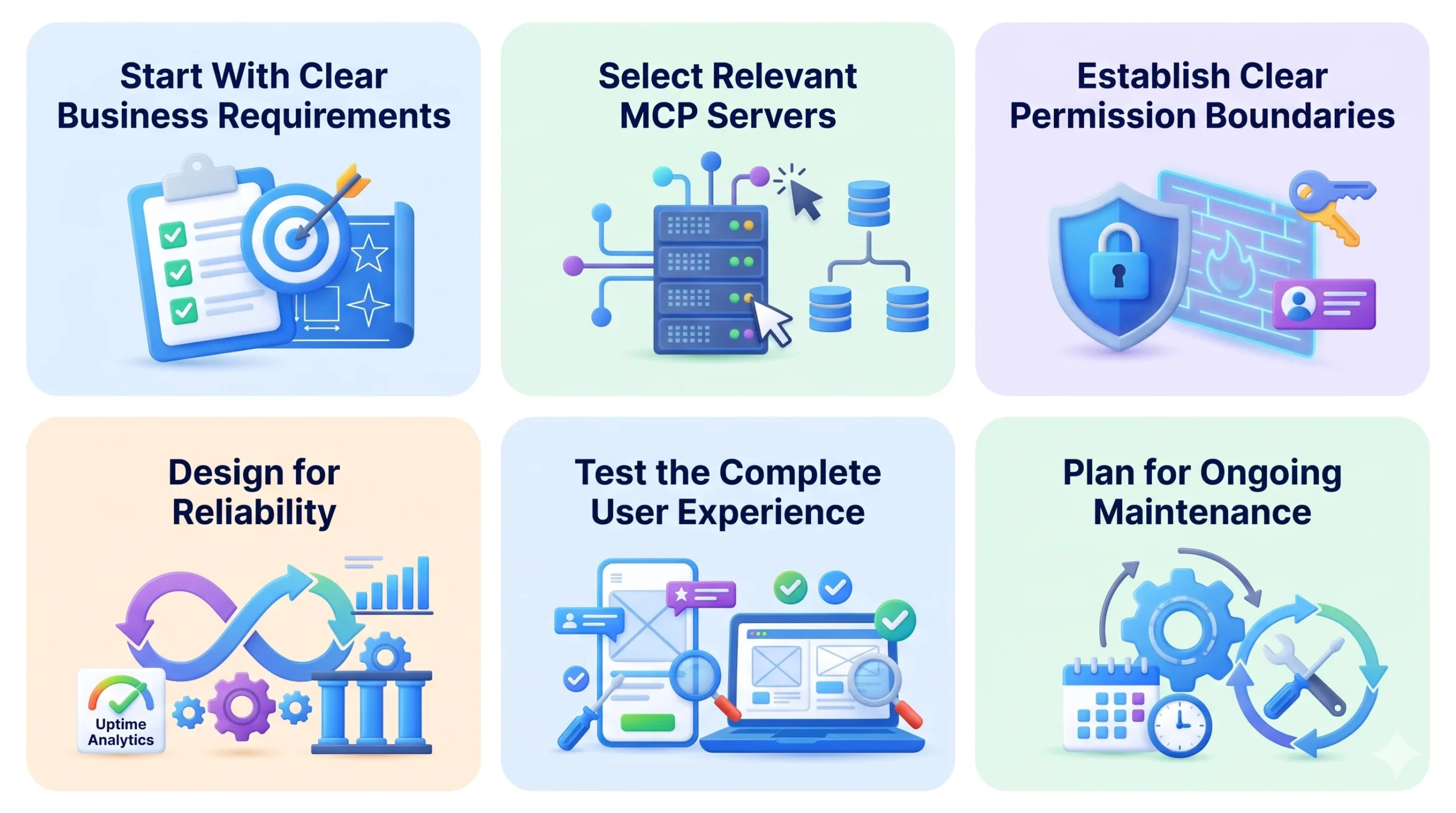
Developing an MCP-based application requires more than establishing connections with external systems. Businesses should consider the overall application experience, integration requirements, security controls, and long-term maintenance. The following practices can help development teams create more reliable and manageable implementations.
1. Start With Clear Business Requirements
Before introducing MCP, identify the specific business problem the integration should solve. For example, an organisation might want to reduce the time employees spend retrieving information from different applications.
In this situation, developers should identify which systems contain the required information and determine how an AI assistant can access it. Starting with a clear objective helps prevent unnecessary integrations and keeps development focused on measurable outcomes.
2. Select Relevant MCP Servers
Not every external system needs to be connected to an AI application. Businesses should select servers based on the information and functionality required for specific workflows.
For example, a customer support assistant may need access to order information and customer records but may not require connections to internal financial reporting systems. Limiting integrations to relevant capabilities can simplify application management and reduce unnecessary access.
3. Establish Clear Permission Boundaries
Each MCP server should expose only the capabilities required by its intended users and applications. Developers should define access permissions for retrieving information and performing operations. Sensitive actions should have appropriate approval requirements, particularly when they affect customer records, financial information, or important business operations.
4. Design for Reliability
Applications should be prepared to handle external connection failures and unavailable services. For example, if a CRM MCP server becomes temporarily unavailable, the AI assistant should communicate the limitation rather than generate an unsupported answer. Developers should also establish appropriate timeout handling, error reporting, and recovery procedures.
5. Test the Complete User Experience
Testing should cover the entire interaction between the user, AI application, MCP client, server, and external system. It should verify that the application retrieves the correct information, uses available capabilities appropriately, and handles unexpected responses. Testing should also evaluate how the application behaves when external services are slow, unavailable, or return incomplete information.
6. Plan for Ongoing Maintenance
MCP integrations require regular monitoring and maintenance. External platforms may change their APIs, access policies, or supported functionality. MCP servers may also need updates as application requirements evolve. Businesses should assign responsibility for maintaining integrations and reviewing their performance. A clear maintenance strategy can help prevent integration issues from affecting the wider AI application.
MCP Server Architecture Testing and Load Testing
Testing is important for ensuring that MCP servers and their connected applications work reliably. As more users begin interacting with an AI application, the number of requests sent to external systems may increase.
An MCP server that performs well with a small number of users may experience delays when several requests arrive simultaneously. This is why businesses should evaluate both functional behaviour and performance.
What is MCP Load Testing?
MCP load testing involves evaluating how an MCP server and its connected systems perform under different levels of usage. The objective is to understand whether the integration can handle expected request volumes while maintaining acceptable response times.
For example, an enterprise AI assistant may receive hundreds of requests during peak business hours. If every request requires information from an external MCP server, the server must be capable of handling the expected workload. Load testing helps identify performance limitations before they affect actual users.
Important Areas to Evaluate
Testing should consider several aspects of the integration:
- Response time: Measure how quickly MCP servers respond to different types of requests.
- Concurrent requests: Evaluate how the server performs when multiple users access its capabilities simultaneously.
- Connection stability: Check whether connections remain reliable during extended usage.
- Error handling: Verify how the application responds when requests fail or external systems become unavailable.
- Resource utilisation: Monitor the infrastructure resources required to process incoming requests.
- External dependencies: Evaluate how connected APIs and services affect overall performance.
Why Performance Testing Matters
An AI application may depend on multiple external connections to complete a single task. If one server becomes slow, the entire user experience may be affected. For example, an AI-powered business assistant might need information from a CRM platform and a reporting system before generating a response.
If either integration experiences delays, the final response may take longer. Regular performance testing helps organisations understand these dependencies and plan infrastructure improvements accordingly. It also helps identify whether additional server capacity, better request management, or improvements to external systems are required.
MCP Architecture vs Other AI Integration Approaches
MCP is one of several approaches businesses can use to connect AI applications with external systems. Understanding how it differs from other approaches helps organisations choose an integration strategy based on their requirements.
MCP vs Function Calling
Function calling allows an AI model to request that an application execute a predefined function. For example, an AI assistant might request a function that retrieves customer information from a CRM platform.
MCP provides a broader communication standard through which AI applications can discover and access tools and resources exposed by external servers. Function calling can be part of an application that uses MCP, but the two are not the same.
MCP vs Retrieval-Augmented Generation
Retrieval-Augmented Generation, commonly known as RAG, allows AI applications to retrieve relevant information from external knowledge sources and use it to generate more informed responses.
For example, a business assistant may retrieve relevant sections from internal documents before answering an employee’s question. MCP and RAG address different aspects of AI application development.
RAG focuses on improving responses by providing relevant information, while MCP standardises how AI applications communicate with external capabilities. An organisation can use both approaches together. For example, an MCP server may provide access to a document retrieval service that supports a RAG-based application.
MCP vs Custom Integrations
Custom integrations involve building individual connections between an AI application and external services. This approach can provide flexibility, particularly when a business has specialised requirements. However, maintaining multiple custom integrations may increase development complexity.
MCP offers a common protocol that can help standardise these connections. The right choice depends on the application’s requirements, the availability of compatible servers, and the level of customisation needed.
The Future of MCP Architecture
As AI applications become more integrated into everyday business operations, the need for consistent communication between models and external systems will continue to grow. MCP represents an important development in this direction because it provides a common way for AI applications to access tools, information, and services. Its adoption can support more connected AI experiences across different industries.
More Connected AI Applications
Businesses are increasingly exploring AI assistants that can work across multiple applications. Instead of limiting AI to answering questions, organisations want assistants that can retrieve business information, coordinate workflows, and support employees with everyday tasks.
MCP can help make these experiences possible by providing a common integration approach. As more compatible servers become available, developers may find it easier to connect AI applications with a wider range of business systems.
Greater Integration Reusability
Reusable integrations can become increasingly valuable as organisations introduce AI capabilities across multiple products. A business may develop an MCP server for a particular internal system and make its approved capabilities available to different AI applications. This can reduce duplicated integration work and improve consistency.
Expansion of Enterprise AI Workflows
Enterprise AI applications may increasingly connect information from different departments. For example, an organisation could develop an assistant that supports sales, customer service, finance, and internal operations through different authorised integrations.
MCP can help provide a consistent communication approach for these systems. However, successful enterprise adoption will continue to depend on security, governance, performance, and integration quality.
Growing Importance of AI Infrastructure
As organisations develop more sophisticated AI products, the supporting infrastructure will become increasingly important. Businesses will need reliable cloud environments, well-managed integrations, secure data access, and scalable application architecture.
These requirements make infrastructure planning an essential part of long-term AI development. The broader growth of generative AI business applications also demonstrates why organisations need reliable ways to connect AI models with business information and operational systems.
Conclusion
MCP architecture is helping businesses simplify how AI applications connect with external tools, information sources, and existing software systems. By providing a standardised communication approach, it makes integrations more reusable, supports connected workflows, and helps AI applications deliver more context-aware experiences. However, successful implementation requires careful planning around security, performance, permissions, and infrastructure.
Businesses should evaluate their existing technology environment, identify suitable integration opportunities, and determine which capabilities will deliver meaningful operational value. As AI adoption expands, MCP can become an important part of building connected and scalable digital products.
Working with an experienced generative AI development company can help organisations plan these integrations and develop AI-powered solutions that align with their business objectives. The right implementation strategy can turn disconnected systems into more accessible, intelligent, and efficient business experiences.
FAQs
1. What is MCP architecture in simple terms?
MCP architecture is a standardised way for AI applications to communicate with external tools, databases, and business systems. It allows applications to retrieve information and access supported functionality through a common communication approach.
2. What are the three main components of MCP architecture?
The three primary components are the MCP host, MCP client, and MCP server. The host manages the AI application, the client handles communication, and the server provides access to external capabilities.
3. What is an MCP server used for?
An MCP server connects an AI application with an external system. It can provide access to information, tools, and reusable prompts that help the application complete different tasks.
4. How is MCP different from an API?
An API defines how software applications communicate with each other, while MCP provides a standardised way for AI applications to discover and interact with external capabilities. MCP can work with existing APIs rather than replacing them.
5. Is MCP only used for AI agents?
No. MCP can be used by different AI applications, including assistants, developer tools, and enterprise applications. It is not limited to AI agents, although it can support agent-based workflows.
6. Is MCP secure for enterprise applications?
MCP can support enterprise applications, but security depends on how integrations are implemented. Organisations should establish authentication, access controls, data protection, monitoring, and approval mechanisms for sensitive operations.
7. Can MCP connect with existing business applications?
Yes. MCP servers can connect with existing applications through suitable integration methods, including APIs. This allows organisations to make selected capabilities available to AI applications without necessarily rebuilding their existing systems.
8. What is MCP load testing?
MCP load testing evaluates how MCP servers and connected systems perform under different workloads. It helps identify response delays, connection issues, and performance limitations before applications are used at scale.
Discuss your project and request for proposal
SHARE
WRITTEN BY

Prankur Haldiya
Chief Technical Officer
A tech innovator and engineering leader, Prankur Haldiya drives RipenApps’ product development strategy and oversees cutting-edge solutions in mobility, AI, and cloud ecosystems. He is passionate about building high-performance teams and helping brands launch secure, scalable, and user-centric digital products.
View All Articles