


Key Takeaways
- Framework selection must align with business goals, platform requirements, development resources, performance, and long-term scalability.
- Flutter and React Native support cross-platform development, while Jetpack Compose and Kotlin provide native Android development.
- Kotlin Multiplatform combines shared code with platform-specific implementation for products requiring broader platform flexibility.
- Total cost of ownership includes development, maintenance, testing, updates, resources, and future product requirements.
- Long-term framework planning reduces unnecessary migration costs while supporting application growth, maintenance, performance, and updates.
Choosing the right Android app development frameworks shapes the development, performance, maintenance, and scalability of an Android application. Startups, product managers, CTOs, and technical leads need a framework that matches business goals, expected user growth, available development resources, platform requirements, and long-term product plans.
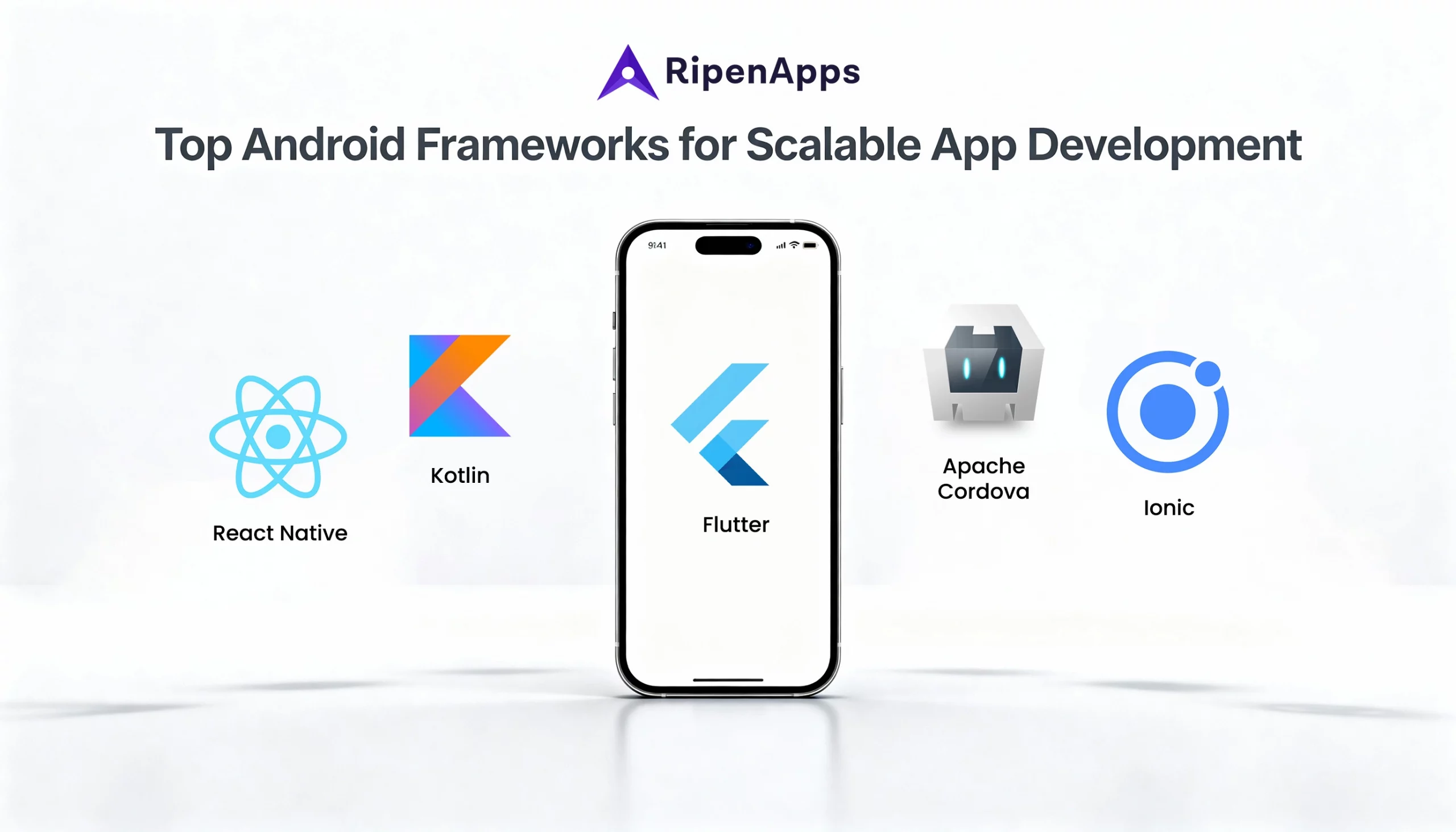
Modern Android development includes cross-platform and native approaches. Flutter and React Native support shared development across platforms. Jetpack Compose and Kotlin provide a modern native Android approach. Kotlin Multiplatform supports shared code while retaining platform-specific implementation where required.
This guide compares these four Android app development frameworks across platform scope, development requirements, cost, learning curve, performance, and long-term scalability. It also explains how to select an Android application development framework according to business and product requirements.
Businesses evaluating implementation partners alongside technology choices can work with an experienced Android app development company to align framework selection with product requirements, development resources, and scalability goals.
Table of Contents
What is an Android Framework?
An Android framework is a collection of development technologies, tools, components, and libraries used to build and maintain Android applications. Frameworks provide the foundation for application development and define how developers structure, build, test, and maintain software.
Android development approaches fall into two broad groups: native Android development and cross-platform development. Native development focuses directly on the Android ecosystem, while cross-platform approaches support shared development across multiple platforms. Understanding the difference between frameworks and libraries also helps teams make informed technology decisions; libraries provide reusable functionality within an application, while frameworks provide a broader structure for application development. Top Android libraries for Android app developers covers the library side of this distinction in greater detail.
The right framework depends on application requirements, platform coverage, development resources, performance expectations, maintenance needs, and long-term scalability. Businesses need to evaluate these factors before selecting an Android native framework or a cross-platform alternative.
Why Businesses Need the Right Android Framework for Scalable App Development?
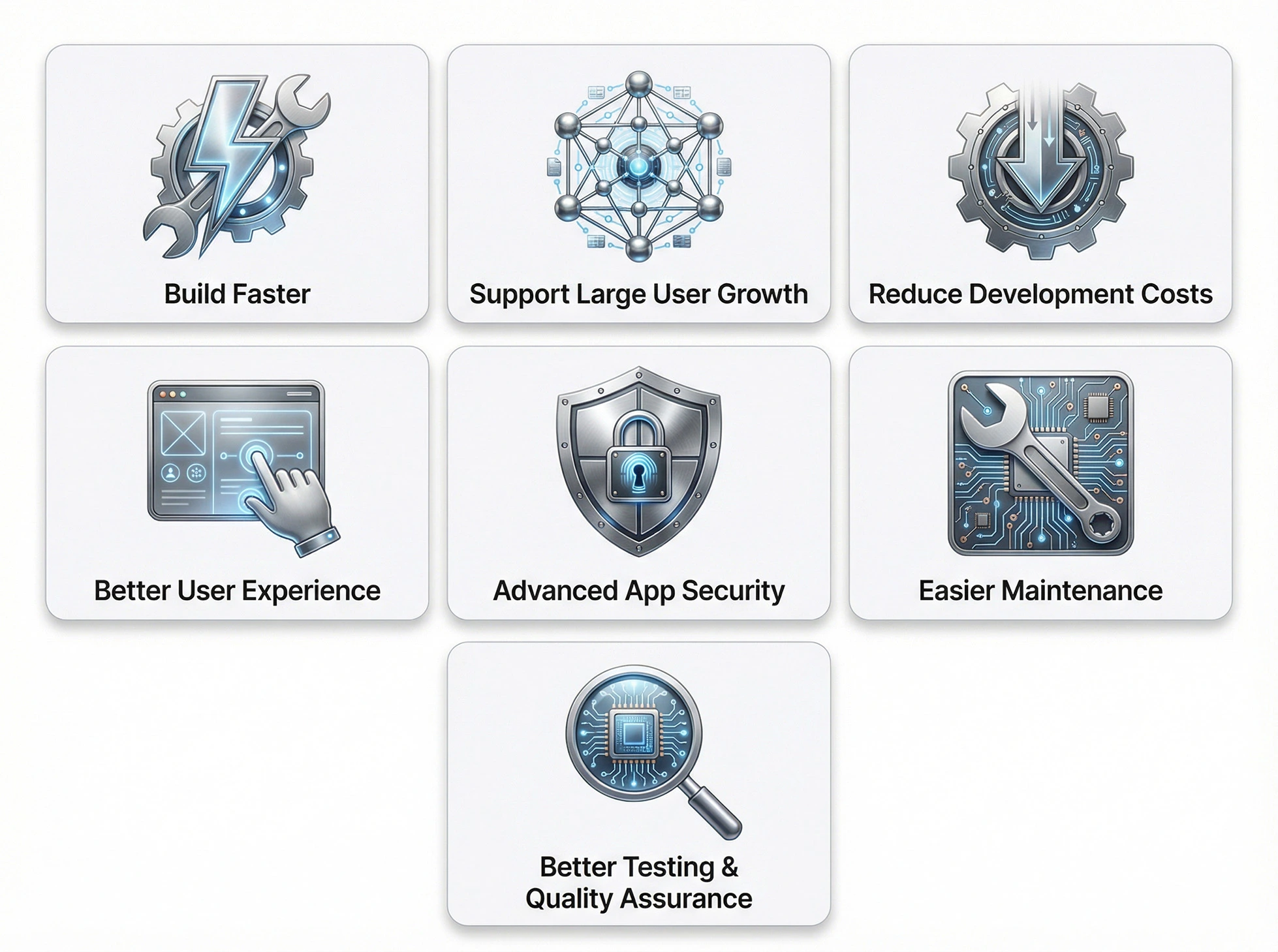
Framework selection influences development speed, application architecture, testing, maintenance, platform support, and long-term product growth. A framework decision made only around initial development speed creates problems when the application gains users, adds features, or expands its platform requirements. Businesses need a development approach that fits the product throughout its lifecycle.
1. Build Faster With Ready-Made Tools
Android frameworks provide tools and development components that reduce repetitive implementation work. These resources help development teams build application functionality within an established technical environment.
Development speed matters for startups working toward a defined launch window and for established businesses introducing new digital products. The development team also needs a framework that matches its existing skills and workflow.
Flutter and React Native support shared cross-platform development. Jetpack Compose and Kotlin support modern native Android development. Kotlin Multiplatform supports shared code with room for platform-specific implementation.
The development approach needs to support both the initial release and subsequent product updates. Teams need a framework that fits feature development, testing, maintenance, and platform updates throughout the application’s lifecycle.
2. Support Large User Growth Without Performance Issues
User growth increases technical demands. Applications with expanding user bases require a development approach that supports performance, maintenance, testing, and continuous feature development.
Framework selection starts with expected user growth. Define projected usage, application complexity, platform requirements, performance expectations, and future product expansion before selecting the technology.
A native Android approach provides a direct fit for products centered on Android-specific requirements. Cross-platform approaches support businesses that require development across multiple platforms.
Scalability belongs in the framework-selection process from the beginning. Selecting a technology that fits the expected product direction reduces the need for unnecessary migration or rebuilding as the application grows.
3. Reduce Costs With Cross-Platform App Development
Businesses developing applications for multiple platforms often evaluate cross-platform development to reduce duplicated development work.
Flutter and React Native provide cross-platform development approaches. Kotlin Multiplatform supports shared code across platforms while preserving platform-specific implementation where required. Shared development reduces duplicated effort when the product requirements align with the approach. Total cost still depends on the complete development lifecycle.
Calculate development, maintenance, testing, future features, developer resources, and platform-specific requirements when evaluating cost. Initial development expenditure represents only one part of the total investment.
A framework decision based on total cost of ownership provides a stronger basis for long-term planning than a decision based only on launch cost.
4. Create Better User Experience With Modern AI Tools
AI-assisted development has become part of the 2026 Android development workflow. Gemini in Android Studio provides AI-assisted capabilities within Android development. These tools can support developers during activities such as writing and refining code, working through development tasks, and improving productivity within the Android development environment.
AI tools support development activities, but they do not determine the correct framework for a product. Framework selection remains tied to platform requirements, performance, scalability, maintenance, and development resources. Their role is complementary to the selected framework, helping teams improve development workflows without replacing the underlying technology decision.
Teams need to define application requirements first and then incorporate AI-assisted tools into the development workflow. This approach keeps the technology decision focused on the product while using modern development assistance to improve productivity and support the development process.
AI-assisted development therefore belongs alongside framework selection rather than replacing it.
5. Strengthen App Security With Built-in Protections
Security forms part of the overall Android development strategy. Businesses need to evaluate the selected technology alongside application architecture, dependencies, development practices, testing, updates, and ongoing maintenance. Framework selection alone does not establish application security. Security depends on the complete development and maintenance process.
Teams need to establish security requirements before development begins and maintain those requirements throughout the application’s lifecycle. Framework capabilities, development practices, testing processes, dependencies, and update procedures all contribute to the resulting application.
The framework needs to fit the application’s security requirements while supporting effective maintenance and quality assurance.
6. Easier Maintenance and Long-Term Stability
Android applications continue evolving after launch. Businesses add features, address issues, improve performance, update dependencies, and respond to changing product requirements. Framework selection therefore affects long-term maintenance as well as initial development.
Developer availability also affects maintenance. Teams need access to developers with the skills required to build, test, maintain, and expand the application. Existing in-house expertise and external development resources both influence long-term ownership.
Select a framework that fits the development team’s capabilities and the application’s roadmap. A strong technical fit reduces unnecessary maintenance challenges as the product evolves.
7. Better Testing and Quality Assurance
Testing requirements grow alongside application functionality. New features, changes, integrations, and updates all require validation throughout the product lifecycle. The selected development approach needs to fit the team’s quality-assurance process. Testing should cover application functionality and continue throughout development and maintenance.
Framework selection therefore needs to include testing, performance, maintenance, development resources, and scalability alongside development speed. A framework that fits the team’s development and quality-assurance workflow provides a stronger foundation for maintaining application quality as the product grows.
Leading Android App Development Frameworks (2026 Update)
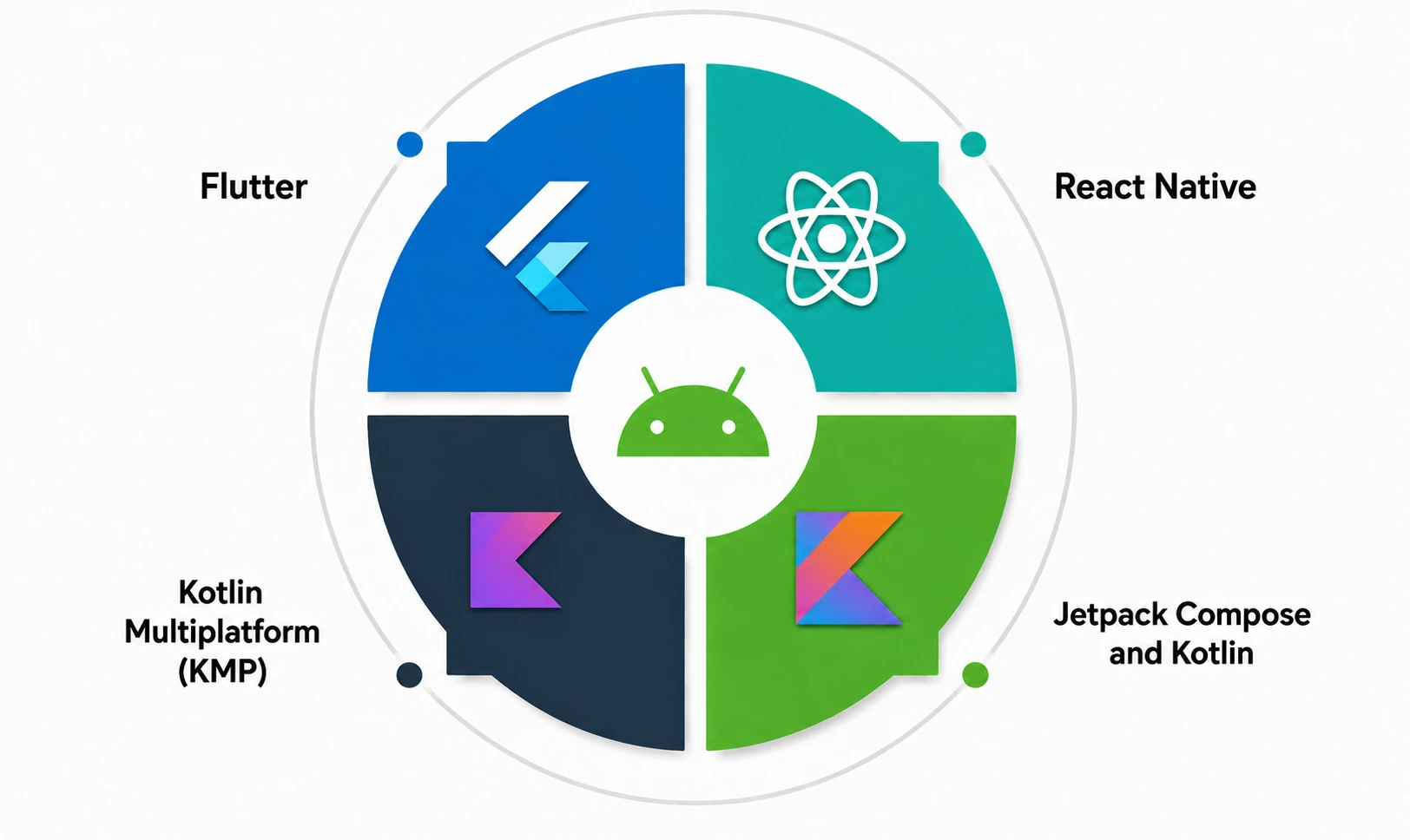
The 2026 framework roster contains four entries: Flutter, React Native, Jetpack Compose and Kotlin, and Kotlin Multiplatform. Each entry addresses a different combination of platform scope, development requirements, resources, and scalability.
Flutter
Flutter is a cross-platform development framework for building applications across multiple platforms through a shared development approach.
Flutter fits businesses that prioritize cross-platform coverage and shared development. The approach reduces the need for completely separate development strategies for each platform when the product requirements support shared implementation.
The framework also fits startups and product teams working toward a multi-platform release. Shared development creates a unified development approach across supported platforms and helps teams organize product development around common code.
Platform requirements remain the deciding factor. Products with extensive Android-specific requirements require a detailed comparison between Flutter and native Android development. Businesses need to evaluate performance expectations, platform capabilities, available development skills, maintenance requirements, and long-term scalability. Flutter therefore fits cross-platform products where shared development forms a core business requirement. It does not represent a universal replacement for native Android development.
When comparing Android frameworks, businesses need to evaluate the application’s actual requirements rather than selecting a framework based on popularity alone. Platform scope, development resources, performance, maintenance, and scalability determine the final technology choice.
React Native
React Native is a cross-platform development approach that supports shared development across platforms. For a direct comparison of the two leading cross-platform options, businesses can also explore React Native vs Flutter when evaluating platform coverage, development approach, and product requirements.
It fits products where cross-platform coverage forms a core requirement and the development team’s skills align with the technology. Businesses need to evaluate platform requirements, application complexity, performance expectations, available resources, and long-term maintenance before adopting the framework.
RipenApps has verified React Native delivery experience through Cobone. RipenApps built Cobone as a React Native cross-platform marketplace. The application was developed in three months and reached 500K+ Google Play installs as of August 2026. This provides confirmed React Native delivery proof for a large consumer marketplace. The Cobone example supports the React Native discussion specifically. It does not establish the use of Flutter, Kotlin Multiplatform, Jetpack Compose, or another framework.
React Native fits businesses that value shared cross-platform development and have the appropriate development resources. The framework decision still requires comparison against native Android and other cross-platform approaches.
Jetpack Compose and Kotlin
Jetpack Compose and Kotlin represent a modern native Android framework approach in this comparison. Kotlin is used for Android development, while Jetpack Compose provides a modern approach to building Android user interfaces. According to Android Developers, Jetpack Compose is a modern Android toolkit for building native UI with Kotlin APIs. Together, they form a strong native Android development approach for businesses prioritizing the Android ecosystem.
This combination fits applications where Android-specific requirements, native performance, platform alignment, and a native user experience form major product priorities. Native Android development also provides a direct relationship with the Android ecosystem. Businesses building an Android-focused product need to evaluate this approach alongside cross-platform alternatives.
Jetpack Compose supports a declarative approach to Android UI development, which can help teams structure and maintain application interfaces as products evolve. Kotlin provides the programming foundation for the native Android implementation, while Compose focuses on the user-interface layer. Together, they provide a native Android app development framework that aligns closely with the platform while supporting modern application development practices.
The main trade-off involves platform scope. Products requiring extensive shared development across multiple platforms require comparison with Flutter, React Native, and Kotlin Multiplatform.
Kotlin Multiplatform (KMP)
Kotlin Multiplatform supports code sharing across platforms while retaining platform-specific implementation where required. This approach fits businesses that want shared development without applying identical implementation across every platform. Teams can organize shared functionality while maintaining platform-specific work for requirements that need it.
KMP therefore occupies a middle position between completely separate platform development and fully shared cross-platform development. Architecture plays an important role in the decision. Teams need to identify the functionality suitable for code sharing and the areas requiring platform-specific implementation.
Kotlin Multiplatform fits products with broader platform requirements and a development strategy built around shared code and platform flexibility. Businesses need to evaluate architecture, resources, performance requirements, maintenance, TCO, and long-term scalability before selecting the approach.
For businesses comparing an Android application development framework, KMP provides a specific option for combining shared development with platform-specific flexibility.
Comparative Analysis: Which Android Framework Fits What Business Need
The four framework options address different business requirements. Native vs cross-platform Android development forms the central comparison: native development prioritizes Android-specific requirements, while cross-platform approaches prioritize shared development across platforms.
| Framework | Best For | Relative Cost | Learning Curve | Long-Term Scalability |
| Flutter | Cross-platform applications and shared development | Moderate | Moderate | High when cross-platform requirements fit |
| React Native | Cross-platform applications and shared development | Moderate | Moderate | High when product and team requirements align |
| Jetpack Compose / Kotlin | Native Android applications | Moderate | Moderate | High for Android-focused products |
| Kotlin Multiplatform | Shared code with platform-specific flexibility | Moderate | Moderate to High | High when architecture and sharing requirements fit |
1. Fast Launch and Cross-Platform MVP Development
Flutter and React Native are two of the most popular cross-platform app development frameworks that fit businesses prioritizing a fast cross-platform launch. Both approaches support shared development across platforms and provide a foundation for products requiring broader platform coverage.
This approach fits MVP development where the business needs a product across multiple platforms without establishing completely separate development efforts from the beginning. Launch speed does not define the entire framework decision. The selected technology also needs to support post-launch development, feature expansion, maintenance, testing, and expected user growth.
Evaluate the team’s existing skills, platform requirements, performance expectations, application complexity, and long-term roadmap before selecting a cross-platform framework. The best fit combines development efficiency with the requirements expected after the MVP stage.
2. Enterprise-Grade Apps and Long-Term Scalability
Enterprise-grade applications require a clear focus on scalability, performance, maintenance, and long-term development. For Android-focused enterprise products, Jetpack Compose and Kotlin provide a native Android direction. Kotlin Multiplatform provides shared-code flexibility for products requiring multiple platforms.
Framework selection carries particular importance in fintech applications, where technical decisions support long-term product requirements. Businesses evaluating these requirements can explore FinTech app development company as an example of an industry where framework choice has significant technical and business implications.
RipenApps’ verified Hungama example demonstrates the scale involved in consumer entertainment applications. Hungama has 50M+ Google Play installs, 553K reviews, 30M+ songs, and 8,000+ movies.
The verified proof does not identify Hungama’s technology stack. Use Hungama as scalability proof only. Do not assign Flutter, React Native, Jetpack Compose, Kotlin Multiplatform, or another framework to the application without verified evidence.
Enterprise framework selection needs to focus on the actual product architecture, platform requirements, resources, performance expectations, maintenance, and long-term scalability.
3. Cost-Efficient Options for Content-Based or Simple Apps
Content-based and relatively simple applications often place strong emphasis on development efficiency and cost. Businesses requiring multiple platforms can evaluate Flutter and React Native. Shared development reduces duplicated work when the product requirements fit a cross-platform approach.
The choice can also depend on how many platforms the business plans to support and how frequently the application will require updates. For a content-based product with relatively straightforward functionality, shared development can help teams organize resources across platforms.
However, businesses should still consider platform-specific requirements, testing needs, developer availability, and future feature expansion before treating cross-platform development as the lowest-cost option. The framework should support the expected product roadmap rather than optimize only for the initial release.
Cost analysis needs to cover the entire application lifecycle. Include initial development, maintenance, testing, future features, development resources, platform requirements, and future product changes. A lower initial development cost does not establish a lower total investment. Teams need to calculate TCO before selecting a framework.
The framework needs to balance development efficiency with application requirements. A cost-efficient choice supports the current product while maintaining a practical path for future development.
4. High-Performance Native Experience for Demanding Apps
Applications with demanding Android requirements need a strong focus on native performance and platform alignment. Jetpack Compose and Kotlin provide the native Android approach for products where Android-specific requirements form a central part of the application.
This approach fits products that require close alignment with Android capabilities and a native user experience. Cross-platform requirements create a different priority. Flutter and React Native support shared development, while Kotlin Multiplatform supports shared code with platform-specific flexibility.
Performance requirements should also be evaluated against the application’s actual workload rather than framework assumptions. Teams should consider which features require native Android capabilities, the expected user experience, testing requirements, and the resources available for long-term maintenance. This helps businesses determine whether the benefits of a native approach justify its platform-specific scope or whether broader platform coverage should take priority.
Framework selection therefore depends on whether the product prioritizes native Android requirements or broader platform coverage. Performance, platform scope, development resources, cost, and long-term scalability complete the comparison.
Essential Steps to Choose the Right Android Framework
Step 1: Outline Your Business Goals and User Growth Projections
Start with the business objective. Define the target users, expected growth, platform requirements, core functionality, application complexity, and long-term roadmap. These requirements establish the criteria for evaluating each framework.
User growth projections also influence scalability requirements. A product designed for significant adoption needs a development approach that supports continued feature development, maintenance, testing, and performance requirements. This step prevents technology preferences from driving the decision. Start with the product requirements, then compare the four framework options against those requirements.
Step 2: Review Your Resource Pool and In-House Skills
Review the technical resources available to the business. Identify existing development skills, external expertise, testing resources, and long-term maintenance capabilities. Framework selection needs to match the people responsible for building and maintaining the application.
Existing technical knowledge affects development speed, maintenance, quality assurance, and ownership. External development resources also form part of the decision when the internal team lacks the required expertise.
Compare the framework’s technical requirements with the resources available throughout the application’s lifecycle. Select the approach that provides a practical development and maintenance model for the business.
Step 3: Estimate Total Cost of Ownership (TCO)
Initial development cost represents only one part of the application investment. Calculate maintenance, feature development, testing, updates, developer resources, platform requirements, and future changes when comparing frameworks.
TCO provides a complete view of the financial impact of a framework decision. A framework with a lower initial cost still creates additional expenditure when future requirements demand significant maintenance or development work. Use TCO to compare the four framework options against the application’s roadmap. Businesses evaluating broader Android development costs can also review android app development cost.
Step 4: Focus on Performance and User Experience Requirements
Define performance and user-experience requirements before selecting the technology. Identify the need for native Android capabilities, cross-platform coverage, demanding performance, platform flexibility, and application-specific user-experience requirements.
Jetpack Compose and Kotlin fit native Android requirements. Flutter and React Native fit cross-platform requirements. Kotlin Multiplatform fits shared-code requirements with platform-specific flexibility.
The framework needs to support the application’s actual requirements. Do not force product requirements into a technology chosen without a technical evaluation. This step provides a direct framework comparison based on product performance and user experience rather than framework popularity.
Step 5: Plan for Long-Term Updates and Scalability
Evaluate the post-launch lifecycle before finalizing the framework. Applications require feature additions, issue resolution, performance improvements, testing, maintenance, dependency updates, and product changes. Long-term planning also requires awareness of changing Android development practices and emerging technologies, making top Android app development trends relevant when defining the product roadmap.
The selected framework needs to support these activities without creating unnecessary migration or rebuilding costs. Evaluate development speed, platform fit, available resources, performance requirements, TCO, maintenance, and scalability together. For a practical guide on how to choose an Android framework for a business app, use these five steps as the decision process: define business goals, assess resources, calculate TCO, establish performance requirements, and plan for long-term scalability.
Final Thoughts
The right Android framework depends on the product’s requirements. Flutter and React Native fit cross-platform development priorities. Jetpack Compose and Kotlin provide a modern native Android approach. Kotlin Multiplatform supports shared code with platform-specific flexibility.
Framework selection requires a direct evaluation of business goals, user growth, development resources, TCO, performance, platform scope, and long-term scalability. AI-assisted development adds another consideration to the 2026 workflow. Gemini in Android Studio supports AI-assisted development activities, while the underlying framework decision remains tied to product requirements.
Businesses need a framework that supports the complete application lifecycle rather than only the initial release. For businesses ready to move from framework selection to implementation, align technology, development resources, technical priorities, and scalability goals with the application’s requirements.

FAQs
Q1. Which is better, Flutter or Kotlin?
Flutter fits cross-platform application development, while Kotlin with Jetpack Compose fits native Android development. Select Flutter for shared cross-platform development. Select Kotlin with Jetpack Compose for Android-focused products requiring a native development approach.
Q2. Which framework is most in demand?
Framework demand varies by product requirements, platform scope, development resources, and technical ecosystem. Evaluate technical fit, developer availability, scalability, maintenance, and platform requirements instead of selecting a framework based only on demand.
Q3. What languages are Android apps written in?
Kotlin is a primary language for modern native Android development. In this guide, Kotlin works with Jetpack Compose for modern Android user-interface development. Cross-platform approaches such as Flutter and React Native use their respective development technologies for shared application development.
Q4. Which Android framework should I choose for my business app?
Choose the framework that matches business goals, expected user growth, resources, TCO, performance, platform coverage, and long-term scalability. Flutter and React Native fit cross-platform requirements. Jetpack Compose and Kotlin fit native Android requirements. Kotlin Multiplatform fits shared-code requirements with platform-specific flexibility.
Discuss your project and request for proposal
SHARE
WRITTEN BY

Vaibhav Sharma
Business Head
Vaibhav Sharma bridges product vision with real-world execution. He shares consultation with startups and enterprises to shape digital strategies, refine user journeys, and create app experiences that feel intuitive from day one. His strength lies in transforming early concepts into clear development roadmaps that set products up for long-term success.
View All Articles