



Quick Summary
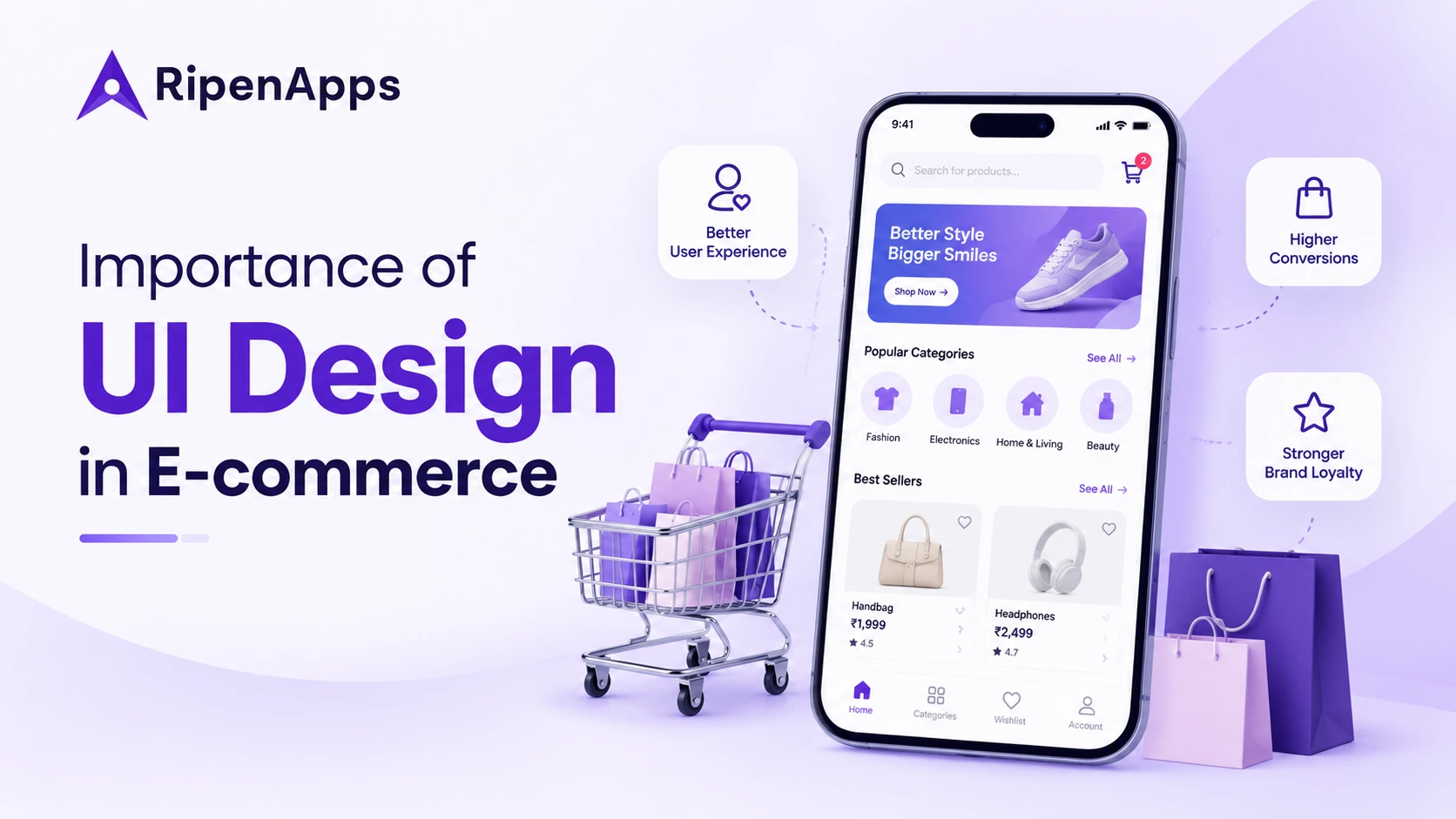
E-commerce UI design plays a key role in shaping shopping experiences, building customer trust, and improving conversions. From intuitive navigation and engaging product pages to seamless checkout flows, every design element influences how customers interact with your store. This blog explores the importance of UI design, essential elements, best practices, emerging trends, and costs to help businesses create user-friendly e-commerce experiences that support sales growth.
Imagine a customer finding the perfect product on your e-commerce website, only to leave because the images are unclear, the navigation is confusing, or the checkout process feels unnecessarily complicated. Even when your products and prices are competitive, a poor shopping experience can make customers hesitate, abandon their carts, and choose another store.
That is why the importance of UI design goes far beyond making an online store look attractive. A well-designed interface helps shoppers discover products, compare options, understand product details, and complete purchases with less effort. Clear navigation, readable content, consistent layouts, and visible calls to action can make the shopping journey easier from the first visit to checkout.
UI design also works closely with user experience (UX) design. While UI focuses on the visual and interactive elements people use, UX considers the overall journey and how easily customers achieve their goals. Understanding the difference between UI and UX design helps businesses create shopping experiences that look polished and work smoothly.
In this blog, we explore the importance of UI design in e-commerce, the elements that influence shopping decisions, and practical ways to improve engagement, usability, and conversions. If you want to create a store that aligns with customer expectations and business goals, a professional ui ux design agency can help turn those requirements into a clear, customer-focused interface.
Table of Contents
What is UI Design in E-commerce?
E-commerce user interface design is the process of planning the visual elements and interactive components customers use while browsing and buying products online. It includes the layout, colours, typography, product cards, navigation menus, filters, buttons, forms, icons, and checkout screens that make up a digital storefront.
In simple terms, UI design determines how the store presents information and how customers interact with it. For example, a product page should make the price, available sizes, product images, delivery details, and Add to Cart button easy to find. Customers should not have to search through several sections to understand what they are buying.
A useful user interface design description should cover three core areas:
- Visual clarity: Information is organised so shoppers can quickly identify important details.
- Interactive consistency: Buttons, filters, menus, and forms behave in predictable ways.
- Task completion: Customers can move from product discovery to checkout without unnecessary friction.
A good interface supports the buying process rather than distracting from it. It gives customers the information they need at the right moment and makes the next step clear.
Moreover, research highlights why usability matters in online shopping. According to the Baymard Institute’s 2026 product page UX benchmark, 62% of mobile e-commerce sites have mediocre or worse product page user experience. This reinforces the importance of clear product information, intuitive navigation, and accessible interactive elements that help customers make informed purchasing decisions.
Why UI Design Matters for E-commerce Businesses?
Online shoppers cannot physically inspect products or ask a store assistant for help in the same way they would in a physical shop. Your interface must bridge that gap by presenting information clearly and helping customers make confident decisions.
The Importance of UI Design becomes particularly clear when you consider how the shopping experience influences trust, product discovery, and purchasing behaviour.
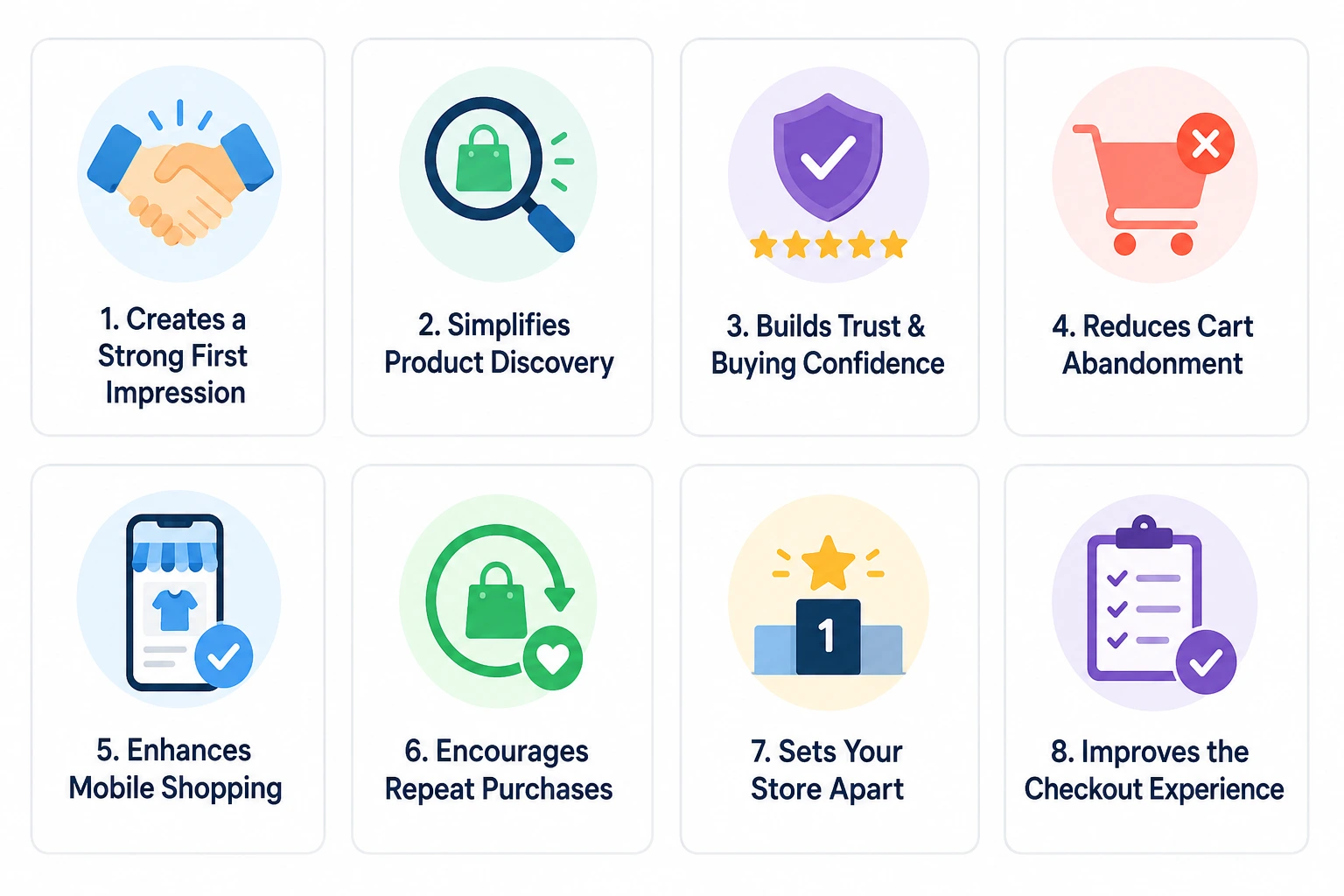
1. Creates a Strong First Impression
Customers often form an initial opinion of an online store from its visual presentation. Inconsistent layouts, cluttered pages, low-quality images, and difficult navigation can make a business appear less credible.
A professional interface uses consistent typography, a balanced layout, quality product photography, and clear content hierarchy. These elements help customers focus on the products and understand how the store works.
First impressions should also reflect the brand. A premium fashion store, an electronics retailer, and a grocery platform need different visual approaches, but all should make the shopping experience feel coherent and reliable.
2. Makes Product Discovery Easier
Customers are more likely to explore a store when they can find relevant products without unnecessary effort. Clear categories, useful filters, visible search, sorting options, and descriptive product cards help shoppers narrow their choices.
For example, a clothing store can offer filters for size, colour, fit, price, and availability. An electronics store might prioritise brand, specifications, compatibility, and customer ratings. The interface should reflect the way customers actually compare products.
Effective discovery also depends on layout and visual hierarchy. Following relevant UI design trends can help businesses evaluate modern interface patterns, but every design choice should serve a clear user need rather than follow trends for appearance alone.
3. Builds Trust and Purchase Confidence
Customers need to feel confident before sharing payment details or placing an order. Missing product information, unclear delivery charges, inconsistent design, and unexpected checkout steps can create doubt.
A trustworthy interface presents accurate product descriptions, transparent pricing, delivery estimates, return policies, and secure payment options where customers can find them. Reviews, ratings, and clear stock information can also help shoppers evaluate their choices.
Good design does not replace reliable business practices or strong security. Instead, it makes important information easier to access and helps customers understand what to expect before they buy.
4. Reduces Cart Abandonment
Customers can abandon a purchase when checkout requires too much effort or reveals unexpected costs. Long forms, forced account creation, unclear error messages, and limited payment options can create avoidable barriers.
A well-designed checkout keeps the process focused. It asks only for necessary information, displays costs before payment, supports convenient input on mobile devices, and explains how to correct errors. A visible order summary helps customers check their items and total before confirming the purchase.
UI improvements cannot eliminate every abandoned cart because price, delivery time, and changing purchase intent also matter. However, reducing interface friction gives customers fewer reasons to leave before completing an order.
5. Improves Mobile Shopping
Many customers browse and purchase products through smartphones, so an interface must work well on smaller screens as well as desktops. Tiny buttons, crowded product grids, difficult filters, and forms that require excessive typing can make mobile shopping frustrating.
Responsive layouts, readable text, appropriately sized touch targets, simplified navigation, and mobile-friendly checkout help customers interact comfortably. Product images and essential purchase details should remain easy to access without excessive scrolling.
For businesses building a dedicated shopping app, partnering with a reliable mobile application development company can help align interface design with device capabilities, app functionality, and the broader shopping journey.
6. Supports Customer Retention and Repeat Purchases
A good shopping experience should continue after the first purchase. Returning customers need to find previous orders, save favourite products, manage addresses, track deliveries, and reorder items without repeating unnecessary steps.
Features such as wishlists, recently viewed products, personalised recommendations, and clear account dashboards can make repeat shopping more convenient. However, these elements should remain helpful rather than overwhelm customers with too many prompts or competing offers.
Consistent design also helps returning shoppers recognise familiar patterns. When navigation and controls work as expected, customers spend less time relearning the interface and more time completing their shopping tasks.
7. Helps Businesses Stand Out in a Competitive Market
Customers often compare similar products across multiple online stores. When prices and product features are comparable, the shopping experience can influence which store they choose.
A distinctive interface can communicate your brand identity through typography, imagery, colour, product presentation, and carefully designed interactions. For direct-to-consumer brands, a well-planned D2C ecommerce experience can help create a consistent connection between the brand and its customers.
This is especially relevant when addressing common retail industry problems, such as inconsistent shopping journeys, product discovery challenges, and customer drop-offs. Design cannot solve every retail issue, but it can make the digital buying process easier and more engaging.
8. Improves the Checkout Experience
A well-designed checkout interface helps customers complete purchases without confusion or unnecessary steps. Clear form fields, visible payment options, transparent delivery charges, and simple navigation make the process easier to follow.
When customers can review their order details and complete payments smoothly, they are less likely to abandon the purchase due to frustration. A streamlined checkout experience reduces friction and helps more shoppers move from adding products to completing their orders.
Key UI Elements Every E-commerce Website Needs
An effective online store combines visual clarity with practical functionality. Each interface element should help customers understand their options, make decisions, or complete an action.
1. Clear Navigation and Product Categories
Organise products into categories that reflect how customers search and shop. Use descriptive menu labels, logical category structures, breadcrumbs, and a visible search bar to help shoppers understand where they are and how to find what they need.
Avoid placing too many unrelated options in one menu. For stores with large catalogues, predictive search, category filters, and relevant suggestions can help customers narrow down their choices more efficiently.
2. Well-Structured Product Pages
A product page should answer the questions customers are likely to have before buying. Include clear images, product descriptions, pricing, available variants, specifications, delivery details, return information, and customer reviews where relevant.
Keep the primary purchase action easy to find. For products with multiple options, such as clothing sizes or device configurations, make selections clear and show when a chosen variant is unavailable.
3. Visible Calls to Action
Buttons such as Add to Cart, Buy Now, Save to Wishlist, and Proceed to Checkout should use clear labels and consistent styling. Their placement should reflect the customer’s current task and make the next action easy to recognise.
Avoid using several equally prominent buttons for unrelated actions. A strong visual hierarchy helps shoppers distinguish the main action from secondary options without having to interpret the entire page.
4. Simple Cart and Checkout Interface
The cart should make it easy to review products, change quantities, remove items, and check the order total. Customers should be able to see delivery charges and other applicable fees before they commit to payment.
During checkout, use clear field labels, helpful validation messages, and suitable input types. Offer guest checkout where practical and explain each step so customers know what information they need and what happens next.
5. Search, Filters, and Sorting
Search should help customers find products even when they do not know the exact product name. Useful suggestions, typo tolerance, relevant results, and clear empty-state messages can improve product discovery.
Filters should reflect the product category rather than follow a generic template. For example, shoppers looking for furniture might need dimensions and material filters, while customers browsing skincare products might prioritise ingredients and skin type.
6. Trust and Support Elements
Place important information where customers are likely to need it. This may include delivery estimates, return policies, payment options, product reviews, warranty details, and customer support access.
An AI chatbot for ecommerce can provide another way for shoppers to ask product questions, find order information, or get help with common issues. Its interface should make it clear when customers are interacting with AI and offer a suitable route to human support when necessary.
Best Practices for Effective E-commerce UI Design
A successful interface is not created by adding more visual elements. It comes from making the right information and actions easy to understand at each stage of the shopping journey.
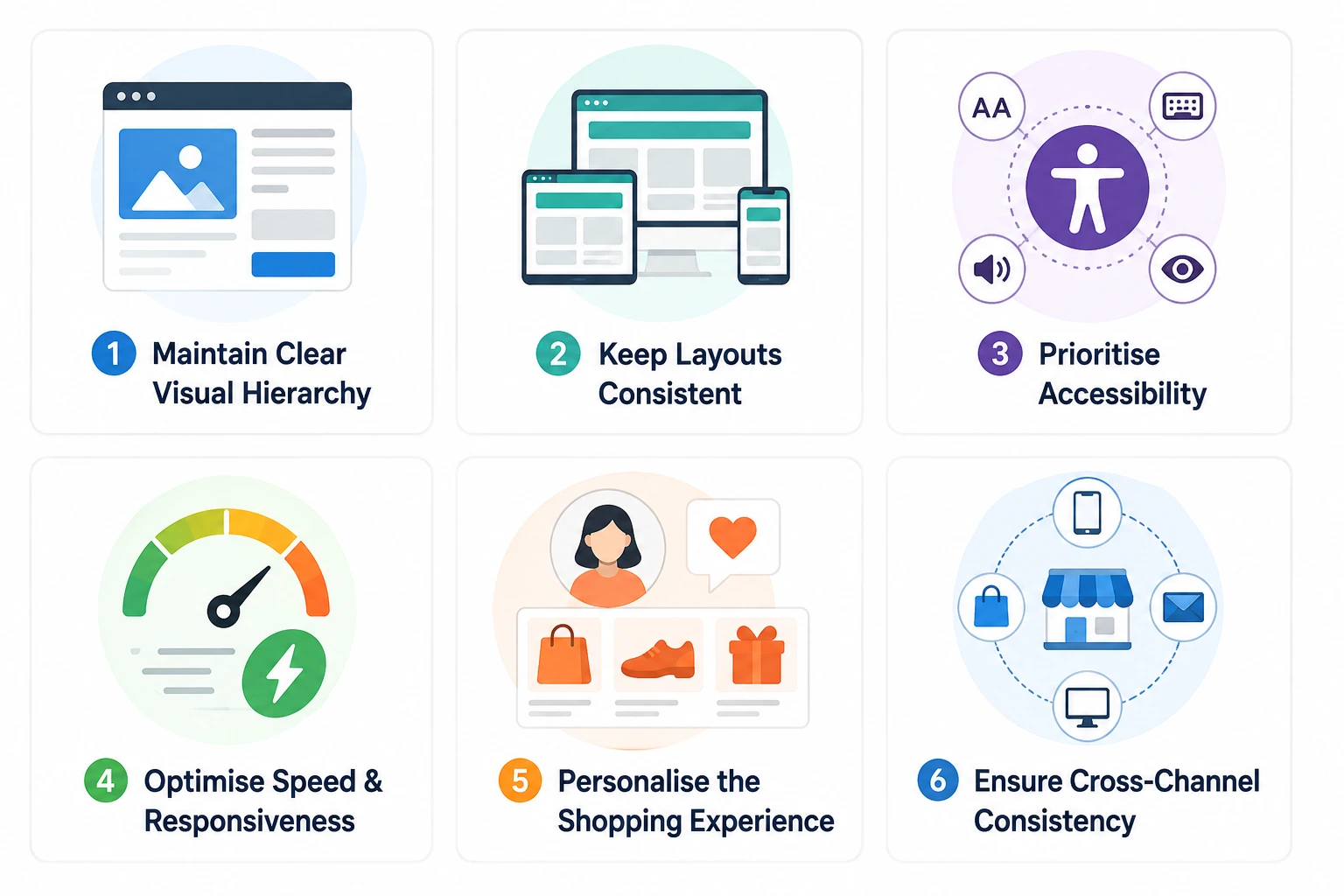
1. Maintain a Clear Visual Hierarchy
Use headings, spacing, typography, contrast, and image placement to guide attention. Product names, prices, availability, and primary actions should be easy to distinguish from supporting information.
Avoid giving every element the same visual weight. When too many banners, badges, pop-ups, and promotional messages compete for attention, customers may struggle to identify what matters.
2. Keep Layouts Consistent
Use consistent styles for buttons, forms, icons, product cards, navigation, and feedback messages. Familiar patterns help customers understand how the interface works across different pages.
A design system can make this easier as your catalogue and feature set grow. Teams can use reusable components and shared rules to maintain a consistent experience while updating the store over time.
For example, Material Design offers principles and reusable patterns that can inform component design. The important part is to adapt any system to your brand, platform, and customers rather than apply it without considering the context.
3. Design for Accessibility
An accessible interface helps more people browse and purchase products. Use readable text, sufficient colour contrast, descriptive labels, keyboard-accessible controls, and meaningful alternative text for informative images.
Do not rely on colour alone to communicate an error, selected option, or product availability. Clear instructions and visible focus states also help customers navigate forms and complete tasks using different devices and assistive technologies.
4. Optimise Page Speed and Responsiveness
A visually polished store still frustrates shoppers if pages take too long to load or interactions feel unresponsive. Large images, unnecessary scripts, excessive animations, and poorly optimised third-party tools can affect performance.
UI design and technical performance should be considered together. Effective ecommerce performance optimization helps teams identify slow pages and improve the experience through measures such as image optimisation, efficient loading, and reducing unnecessary work in the browser.
5. Personalise Without Overwhelming Customers
Relevant product recommendations, recently viewed items, saved preferences, and tailored offers can help customers discover products that match their interests. Personalisation works best when it supports the current shopping task.
Avoid displaying too many recommendations or intrusive pop-ups. Give shoppers control over their preferences and make sure personalised content does not obscure product details or the main purchase action.
6. Keep the Experience Consistent Across Channels
Customers may discover a product on social media, compare it on a website, and complete the purchase through a mobile app or physical store. Product information, promotions, account details, and order updates should remain consistent wherever possible.
A thoughtful omnichannel commerce strategy helps businesses connect these touchpoints and reduce the confusion that occurs when customers receive different information across channels.
The E-commerce UI Design Process
A structured process helps businesses make design decisions based on customer needs rather than assumptions. It also makes it easier to identify usability issues before they become expensive to fix during development.
Step 1. Understand Your Customers and Business Goals
Start by identifying your target audience, product categories, customer pain points, and business priorities. Determine whether the main goal is to improve product discovery, reduce checkout friction, increase repeat purchases, or support a more complex catalogue.
Review customer feedback, support queries, analytics, and existing shopping journeys to understand where customers struggle. These findings give the design team a stronger basis for prioritising improvements.
Step 2. Map the Shopping Journey
Outline the steps customers take from landing on the store to completing an order. Include key journeys such as searching for products, applying filters, comparing options, adding items to the cart, checking delivery details, and paying.
Mapping these journeys helps reveal unnecessary steps, unclear transitions, and missing information. It also makes it easier to define what each page needs to accomplish.
Step 3. Create Wireframes and Prototypes
Wireframes establish the structure of each page before the team invests time in detailed visual styling. They help define where navigation, product information, filters, and calls to action should appear.
Interactive prototypes let stakeholders and potential users test the intended flow before development begins. This is the stage to identify confusing interactions and compare alternative layouts at a relatively low cost.
Step 4. Develop the Visual Design System
Once the structure is clear, define typography, colours, spacing, icons, buttons, form controls, and reusable components. As part of the design process, apply these rules across key pages to maintain consistency while allowing different product categories to display relevant information.
Step 5. Test the Interface With Users
Usability testing helps determine whether customers can complete key tasks without confusion. Ask participants to find a product, apply filters, compare options, add an item to the cart, and complete a checkout flow using a prototype or test environment.
Observe where they hesitate, make mistakes, or need help. Use these findings to improve the interface before rolling it out widely.
Step 6. Collaborate With the Development Team
Designers and developers should work together to ensure the approved interface can be implemented reliably. Discuss responsive behaviour, component reuse, animations, performance requirements, and how the system will handle errors or unavailable products.
A leading custom app development company can help align design requirements with technical feasibility, ensuring the interface remains consistent, functional, and easy to use across devices. This collaboration reduces ambiguity and gives the development team clearer guidance during implementation.
Step 7. Measure Results and Keep Improving
After launch, track how shoppers use the store and whether the changes support your goals. Review conversion rates, search usage, cart abandonment, checkout completion, page performance, and customer feedback.
Treat design as an ongoing process. Customer expectations, product catalogues, devices, and shopping behaviours change, so regular evaluation helps the interface remain useful over time.
UI Design Trends E-commerce Businesses Should Consider
Design trends can offer useful ideas, but not every trend suits every store. Choose patterns that make shopping easier, fit your brand, and work well for your target audience.
1. Mobile-First and Thumb-Friendly Layouts
Designing for smaller screens first encourages teams to prioritise essential information and interactions. Large touch targets, accessible navigation, compact product cards, and easy-to-use filters help customers shop comfortably on mobile devices.
2. Cleaner Product Pages
Minimal layouts can make product information easier to scan. Rather than removing useful details, focus on presenting the right information in a clear order and allowing customers to expand secondary details when needed.
3. Personalised Product Discovery
Recommendation modules and tailored category displays help shoppers find relevant products faster. Product discovery workshops can help identify customer preferences, common browsing patterns, and search barriers, allowing businesses to design more relevant shopping journeys. Use customer data responsibly and provide clear options to manage personalisation preferences.
4. Conversational Shopping Assistance
Chat-based interfaces can help customers ask questions using natural language instead of searching through multiple pages. Their placement should be unobtrusive, and their responses should be useful, accurate, and easy to verify.
5. Rich Product Visualisation
High-quality photography, zoom controls, product videos, and interactive previews help shoppers understand a product before buying. More advanced visual features can be useful when seeing scale, fit, or appearance is important to the purchase decision.
To explore additional patterns, review these UI UX designing tools for wireframing, prototyping, collaboration, and interface design. Choose tools based on the team’s workflow and project needs rather than adopting a tool simply because it is popular.
How Innovative E-commerce Interfaces Help Customers Make Decisions
Some shopping experiences need more than standard product cards and filters. Depending on the product category, interactive features can help customers evaluate products and reduce uncertainty.
Augmented Reality for Product Visualisation
Augmented reality lets customers preview selected products in their surroundings or see how certain items might look on them. For example, furniture retailers can let shoppers visualise an item in a room, while beauty or fashion brands may offer virtual try-on experiences.
The value of augmented reality in ecommerce depends on the product and the accuracy of the experience. It should answer a real customer question rather than add complexity for novelty.
Virtual Reality for Immersive Shopping
Virtual reality can create immersive product demonstrations, virtual showrooms, or simulated retail environments. It may suit high-consideration products and brands where spatial context or exploration adds value.
However, VR requires compatible devices and more effort from customers than browsing a standard product page. Businesses considering virtual reality in ecommerce should assess audience demand, implementation costs, and accessibility before making it part of the main shopping journey.
Personalised Interfaces for Different Shopping Needs
A returning customer may want quick access to saved items and past orders, while a first-time visitor may need product guidance and clear explanations. Interfaces can adapt content and recommendations to these different needs without changing the underlying navigation patterns.
The aim is to make relevant information easier to find, not to create an unpredictable experience that changes so much that customers lose their bearings.
How UI Design Can Improve E-commerce Sales
The Importance of UI Design becomes measurable when design changes help customers complete meaningful actions more easily. The strongest results usually come from identifying a specific friction point, making a targeted improvement, and measuring its effect.
1. Improve Product-to-Cart Conversion
If customers view product pages but rarely add items to their carts, review whether key details are visible. Check image quality, pricing clarity, variant selection, availability, delivery information, and the placement of the primary purchase button.
Use analytics and user testing to identify the likely issue before redesigning the entire page. A targeted improvement can be easier to evaluate than several simultaneous changes.
2. Reduce Checkout Drop-Offs
Review the checkout journey for unnecessary fields, confusing validation, unclear costs, and steps that require customers to repeat information. Test guest checkout, more helpful error messages, and better order summaries where relevant.
Track checkout completion and abandonment at each step to see where customers leave. The objective is to remove avoidable friction while maintaining the information and security required to process orders.
3. Increase Average Order Value Responsibly
Related products, bundles, and complementary recommendations can help customers discover items that genuinely fit their purchase. Keep suggestions relevant and make prices and product details clear.
Avoid forcing customers through extra steps or using confusing add-ons. A better shopping interface should help people make informed choices rather than pressure them into purchases they do not want.
4. Encourage Repeat Purchases
Make account management, order tracking, saved products, and reordering easy to use. Clear post-purchase information also helps customers know what to expect after payment.
Monitor repeat purchase rates and customer feedback alongside conversion metrics. A design that increases initial orders but creates confusion or dissatisfaction after purchase may not support long-term business goals.
5. Measure Performance With Meaningful Metrics
Track a mix of behavioural and business measures to understand whether design changes are working.
| Metric | What it helps you understand |
| Product-to-cart rate | Whether product pages encourage customers to add items |
| Checkout completion rate | How effectively customers move through checkout |
| Cart abandonment rate | Where customers leave before completing a purchase |
| Search success | Whether shoppers find relevant products |
| Page load performance | Whether speed creates barriers to browsing |
| Repeat purchase rate | Whether customers return to shop again |
| Customer feedback | What users find helpful, confusing, or frustrating |
Do not assume that every improvement in visual engagement will increase sales. Product pricing, stock availability, delivery speed, promotions, and customer intent also influence purchasing behaviour. Use testing and analytics to understand which changes make a meaningful difference.
How RipenApps Helped Build Cobone’s Deals Marketplace?
Cobone, a Middle East-based daily deals and coupons marketplace, demonstrates how intuitive interfaces can simplify online shopping. RipenApps developed its Android and iOS apps using React Native in three months, with consistent functionality across both platforms. Features such as geo-fenced deal discovery across 20+ categories help users find relevant offers on food, activities, services, and staycations, while in-app purchasing and redemption support a smoother buying journey.
Cobone’s interface brings deal discovery and purchasing features together, helping users browse offers and access relevant details more conveniently. The app has recorded 500K+ Google Play installs and a 4.0-star rating from 6.81K reviews, according to the provided store data. This case highlights how clear navigation, location-based discovery, and consistent functionality can support a more accessible e-commerce experience.

Common E-commerce UI Design Mistakes to Avoid
Even a visually appealing store can frustrate shoppers when important interactions are difficult to use. Watch for these common mistakes when reviewing your interface.
- Cluttered pages: Too many banners, pop-ups, and competing calls to action make it harder to focus.
- Poor product imagery: Small, inconsistent, or unclear images leave customers uncertain about what they are buying.
- Confusing navigation: Unclear category names and inconsistent menus make product discovery harder.
- Hidden costs: Unexpected shipping fees or charges during checkout can undermine trust.
- Difficult mobile interactions: Tiny buttons, crowded layouts, and complex forms make shopping less convenient.
- Inconsistent design patterns: Different button styles or interaction behaviour across pages increase confusion.
- Ignoring accessibility: Low contrast, missing labels, and keyboard barriers exclude customers and make tasks harder.
- Skipping usability testing: Design decisions based only on internal assumptions can miss real customer problems.
- Treating design as a one-time task: Without monitoring and improvement, the interface can become less useful as products and customer needs change.
Avoiding these mistakes requires collaboration between design, development, marketing, and e-commerce operations. The interface should support the whole buying journey, not only the visual presentation of the homepage.
How Much Does E-commerce UI Design Cost?
The cost of e-commerce UI design depends on the number of screens and user journeys, the level of customisation, catalogue complexity, and the need for prototyping and usability testing. As a planning estimate, UI design for an e-commerce app may cost around $5,000–$15,000, depending on the project scope. This is an indicative design-only estimate, not a fixed quote.
A simple online store with standard layouts usually requires less design work than a multi-vendor marketplace with advanced filters, personalised recommendations, and a customised checkout flow. Your budget should account for research, wireframes, high-fidelity screens, responsive layouts, prototyping, and testing. For the broader investment, you can also explore a guide to e-commerce app development cost, which estimates $10,000–$30,000 for a basic or MVP app, $30,000–$70,000 for a mid-level app, and $70,000–$150,000+ for a feature-rich app. These development estimates include a wider scope than UI design alone.
Conclusion
The Importance of UI Design in e-commerce lies in how effectively it connects customers with the products they want to buy. Clear navigation, helpful product information, accessible layouts, responsive pages, and simple checkout flows can make shopping easier while supporting customer confidence and repeat purchases. When design decisions are based on real customer needs and measured against meaningful business goals, an online store is better positioned to improve its shopping experience over time.
If you are planning a new e-commerce product or improving an existing store, RipenApps can help you shape an interface around your customers, business goals, and growth plans. As an expert ecommerce app development company, RipenApps brings UI/UX design and development together to create shopping experiences that support product discovery, smoother checkout, and scalable commerce operations.
Frequently Asked Questions
Q1. Why is UI design important in e-commerce?
UI design helps customers browse products, understand information, compare options, and complete purchases with less friction. It can also improve trust, mobile usability, and consistency across the shopping journey.
Q2. What makes a good e-commerce user interface?
A good interface is clear, consistent, accessible, responsive, and easy to navigate. It presents essential product details, makes important actions visible, and helps customers complete tasks without unnecessary steps.
Q3. How does UI design affect e-commerce sales?
UI design can influence whether customers find products, understand their options, and complete checkout. Clear product pages, transparent costs, and simple purchase flows can reduce avoidable friction, although sales also depend on pricing, inventory, fulfilment, and customer demand.
Q4. What is the difference between UI and UX in e-commerce?
UI focuses on the visual and interactive elements, such as buttons, menus, layouts, and product cards. UX covers the broader shopping experience, including how easily customers find products, evaluate choices, complete purchases, and get support.
Q5. What are the most important UI elements for an online store?
Key elements include navigation, search, category filters, product cards, product details, calls to action, cart controls, checkout forms, and trust information. Their priority depends on the store’s products and customer journeys.
Q6. How can businesses improve their e-commerce UI?
Start by reviewing customer feedback and analytics to identify where shoppers struggle. Then improve the highest-impact areas, test the changes with users, and measure the results using conversion, checkout, search, and performance metrics.
Q7. How often should an e-commerce interface be updated?
There is no fixed schedule. Review performance and customer feedback regularly, and update the interface when usability issues, product changes, new customer needs, or technical requirements justify an improvement. Avoid redesigning solely to follow a trend.
Q8. Does good UI design guarantee higher sales?
No. Good UI design can remove barriers and make buying easier, but it cannot guarantee sales. Product quality, pricing, availability, delivery, marketing, and customer intent also affect results. Testing helps determine which design changes contribute to better outcomes.
Discuss your project and request for proposal
SHARE
WRITTEN BY

Ishan Gupta
CEO & Founder
Ishan Gupta is a seasoned entrepreneur and CEO with extensive 10+ years of experience in business and mobile app development landscape. He believes that the right digital product allows companies to focus on what they do best, while technology handles the rest. With deep exposure to global markets, he understands what makes an app succeed. His approach translates business needs into clear product strategies, ensuring that every feature contributes to measurable ROI.
View All Articles