



Key Takeaways
- Custom websites provide greater control over branding, functionality, integrations, performance, SEO, and long-term scalability.
- Template websites offer faster launches and lower initial costs for businesses with straightforward website requirements.
- The right website approach depends on business goals, budget, functionality, growth plans, and expected long-term value.
- Initial development cost should not be the only factor when comparing templates with custom website solutions.
- Businesses should evaluate scalability, maintenance, SEO, performance, security, and total ownership costs before choosing.
Choosing how to build a website is one of the first major digital decisions a business makes. A website can serve as a simple online presence, a lead-generation channel, an ecommerce storefront, a customer portal, or even the foundation of a broader digital product. The approach you choose can therefore affect not only how your website looks, but also how easily it can evolve as your business grows.
The two most common approaches are template-based websites and custom websites. Templates offer pre-designed layouts that allow businesses to launch quickly and with a lower initial investment. Custom websites, on the other hand, are designed and developed around specific business requirements, giving companies greater control over branding, functionality, user experience, integrations, and scalability.
The cheapest option is not necessarily the most cost-effective option. A template may require less investment initially, but additional plugins, customisation, redesigns, performance optimisation, and migration can increase its long-term cost. Similarly, a custom website may require a larger initial investment without necessarily being the right choice for a business that only needs a simple online presence.
The right decision depends on your objectives, audience, budget, functionality, growth plans, SEO requirements, and expected return on investment. If you are evaluating custom web design development services, understanding these differences can help you select an approach that supports both your current requirements and future business goals. For businesses that need a website tailored to their brand, users, and long-term objectives, a custom approach can provide greater flexibility than relying entirely on a pre-built template.
Table of Contents
Custom Website vs Templates: At a Glance
The fundamental difference between the two approaches is flexibility. A template provides a ready-made foundation, whereas a custom website is built around the specific needs of the business.
| Factor | Custom Website | Template-Based Website |
| Initial Cost | Higher | Lower |
| Development Time | Longer | Faster |
| Design Flexibility | Very high | Limited by template structure |
| Branding | Fully customised | Partially customised |
| Functionality | Built around business requirements | Usually based on available features |
| Integrations | Highly flexible | Depends on platform and plugins |
| Scalability | Highly scalable | Depends on platform and template |
| SEO Flexibility | High | Moderate to high |
| Performance | Greater optimisation control | Depends on template and plugins |
| Security | Greater implementation control | More dependent on platform and extensions |
| Maintenance | May require technical expertise | Generally easier initially |
| Best For | Growing and complex businesses | Startups, small businesses and simple websites |
Neither approach is universally better. A small business that needs a five-page website may not benefit enough from custom development to justify the additional investment. A business that relies heavily on its website for customer acquisition, transactions, operations, or digital services may eventually find a template restrictive.
The important question is not simply whether custom websites are better than templates. It is whether the chosen approach is appropriate for your business model and long-term requirements.
What is a Custom Website?
A custom website is a website designed and developed specifically for a company’s requirements rather than being built primarily around an existing template or theme. With a custom website, the design, information architecture, user experience, functionality, integrations, and technical architecture can be planned according to the business’s objectives.
For example, a company may require a website with a customised customer portal, appointment system, interactive calculator, advanced search functionality, CRM integration, personalised dashboard, payment workflow, or complex form logic. These requirements can be incorporated into the website architecture rather than being limited to the capabilities of an existing template.
Custom development also allows businesses to create an experience around their target audience. A financial services company may need an interface focused on trust and clarity, while a technology company may prioritise product demonstrations, interactive experiences, and technical content.
How Custom Website Development Works
Custom website development generally begins with understanding the business and its users. Before visual design or coding begins, the development team needs to understand the company’s objectives, target audience, competitors, content structure, customer journeys, and technical requirements.
The next stage involves information architecture and UX planning. Pages, navigation, content hierarchy, calls to action, and user journeys are structured to make the website easy to understand and navigate.
UI design then translates these requirements into a visual interface. Unlike a template, the interface can be created specifically around the company’s branding, positioning, audience, and conversion objectives.
Development follows the approved designs. Depending on the project, this may involve frontend development, backend development, databases, APIs, authentication, third-party integrations, payment systems, content management systems, or other business functionality.
Testing is then performed across devices, browsers, screen sizes, and relevant user journeys. Performance, security, accessibility, forms, integrations, and analytics should also be validated before launch. After deployment, the website can continue to evolve based on analytics, user feedback, business requirements, SEO performance, and changing market conditions.
What Makes a Custom Website Different?
The biggest advantage of a custom website is control. Instead of adapting the business to an existing layout, the website can be designed around the business. This gives companies greater flexibility over the user journey, functionality, branding, integrations, content architecture, and technical implementation.
This distinction becomes increasingly important when the website is expected to do more than provide basic information. Businesses with unique workflows, specialised customer experiences, or plans to expand into digital products often need an architecture that can adapt to their specific requirements.
For example, a company that wants to build a customer-facing platform may need functionality that does not exist within a standard template. Building those capabilities into a custom architecture can provide greater control over the product experience and future development. This is particularly relevant when evaluating custom web application vs SaaS approaches, as the choice depends on how much control, customisation, and ownership the business requires over its digital product.
What is a Template-Based Website?
If you are wondering what a website template is, it is essentially a pre-designed website structure that provides the foundation for building a website. Templates are available across platforms such as WordPress, Shopify, Wix, Squarespace, and other website builders and content management systems. They typically include predefined page layouts, navigation structures, typography, visual components, and design patterns.
Businesses can then replace the template’s content with their own text, images, branding, products, and other information. This makes templates particularly useful for businesses that need a standard website without investing in a fully customised design and technical structure.
A template can therefore significantly reduce the time and effort required to launch a website. However, businesses should also consider how their requirements may evolve. If a website eventually needs more interactive or app-like functionality, understanding the differences between a progressive web app vs website can help determine whether a traditional template-based website is still suitable for the intended digital experience.
How Template Websites Work
The process is generally straightforward. A business selects a website platform, chooses a template, adds its content, customises the visual elements, installs any required plugins or applications, configures the website, and launches it.
The exact process varies by platform. For example, an ecommerce business using Shopify may select a theme and customise product pages, navigation, colours, typography, and checkout-related elements. A company using WordPress may choose a theme and add plugins for forms, SEO, analytics, ecommerce, or other functionality. This approach works particularly well when the business has conventional website requirements.
Why Businesses Choose Templates
Templates offer a practical combination of speed, affordability, and convenience. A business does not need to design every page from scratch, and many platforms provide visual editors that make content management relatively straightforward.
For a startup testing a business idea or a small company that needs a simple informational website, these advantages can be significant. Templates also make it easier for businesses with limited technical resources to manage content after launch. However, convenience comes with trade-offs. The more a business tries to customise a template beyond its intended structure, the more likely it is to encounter technical limitations, plugin dependencies, performance issues, or additional development costs.
Custom Website vs Template: Key Differences
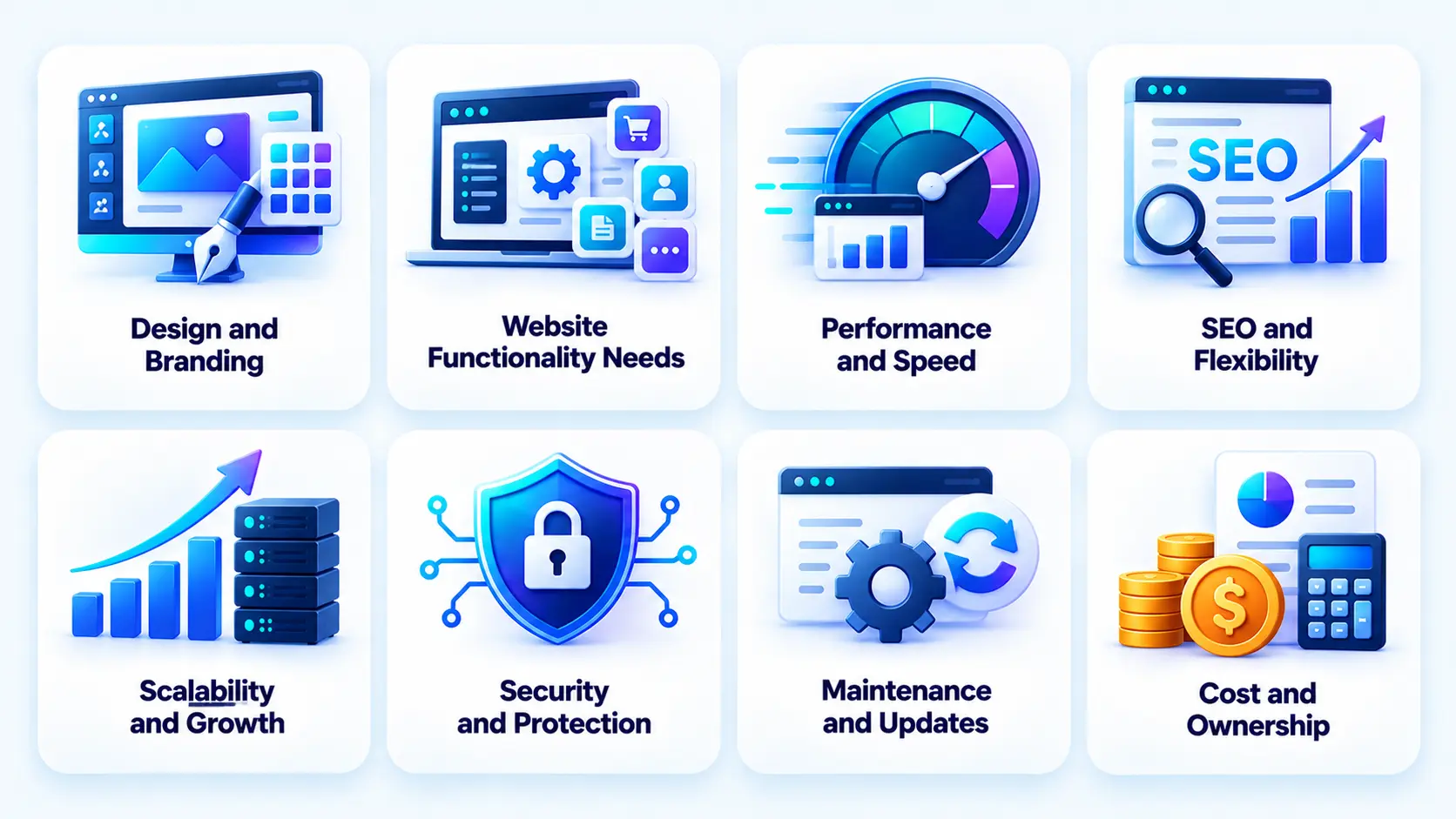
The difference between a custom website and a template becomes clearer when the two approaches are evaluated against practical business requirements.
1. Design and Branding
Design is one of the most visible differences between the two approaches. A custom website can be designed around a company’s complete visual identity. Typography, layouts, interactions, navigation, imagery, animations, spacing, content hierarchy, and calls to action can all be created specifically for the brand.
Templates provide an established visual framework. Although many modern templates offer substantial customisation, the underlying structure may still limit how different the website can become. This can matter for businesses operating in competitive markets. If several competitors use similar themes, their websites may begin to feel interchangeable. A custom approach allows a company to build a more distinctive digital experience. This is one reason the discussion around custom website vs template is not simply about visual appearance. It is also about how effectively the website communicates positioning and differentiates the business.
2. Website Functionality
Template websites are generally effective for standard functionality. A company may only need service pages, contact forms, blogs, testimonials, galleries, basic lead forms, and other conventional components. In that situation, a template can provide a practical foundation.
Custom requirements change the equation. Suppose a business needs an interactive pricing calculator connected to a CRM, a multi-step onboarding process, an authenticated customer dashboard, or a customised booking workflow. A template may not provide these capabilities natively. The business may need additional plugins, applications, custom code, or workarounds.
This becomes even more relevant as businesses begin incorporating artificial intelligence into their websites. AI-powered search, recommendation engines, conversational assistants, content personalisation, predictive experiences, and automated workflows may require integrations and technical architecture that go beyond standard template functionality. Businesses exploring these possibilities can also consider how AI in web development is changing the way websites deliver personalised and intelligent digital experiences.
Custom development allows these requirements to be incorporated more directly into the architecture. This is particularly important for businesses where the website itself forms part of the operational process rather than simply serving as an informational channel.
3. Performance and Page Speed
Website performance influences both user experience and business outcomes. When comparing custom website vs templates, a custom website gives developers greater control over the code, assets, scripts, integrations, database queries, and technical architecture. Unnecessary functionality can be excluded rather than being included simply because it is part of a theme or plugin.
Template-based websites can also achieve strong performance, but their performance may depend on the quality of the template, hosting environment, plugins, applications, images, and third-party scripts. A website that accumulates numerous plugins over time may become heavier and more difficult to optimise.
This does not mean every custom website will automatically be faster than every template website. Implementation quality remains critical. A poorly developed custom website can perform worse than a well-optimised template. The difference is that custom development provides greater control over the factors that influence performance.
4. SEO Flexibility
SEO should be considered when choosing a website architecture rather than treated as an activity that begins after launch. Both custom and template websites can rank in search engines. Search performance depends on factors such as content quality, site architecture, technical implementation, internal linking, mobile experience, page speed, metadata, schema, crawlability, and authority.
A well-configured template can therefore be perfectly capable of supporting an SEO strategy. However, businesses with complex SEO requirements may benefit from greater technical flexibility. Large websites may require custom URL structures, scalable content architecture, dynamic metadata, advanced schema implementation, international SEO, complex internal linking, or large-scale landing page structures. This makes custom website vs template SEO an important consideration for businesses expecting organic search to become a major acquisition channel.
5. Scalability
A template that works well for a small website may become restrictive as requirements increase. Consider a business that starts with ten pages and later expands to hundreds of pages, multiple service categories, regional landing pages, customer accounts, integrations, advanced search, personalisation, and other functionality.
The question then becomes whether the existing template and platform can support that growth efficiently. Custom architecture can be designed with future requirements in mind. This can make it easier to introduce new functionality without continually working around the limitations of the original design. Scalability does not mean businesses should always build custom from day one. It means expected growth should be considered before selecting the initial architecture.
6. Security
Security is influenced by implementation, hosting, authentication, access controls, updates, third-party dependencies, monitoring, and maintenance. Template-based websites may rely on themes, plugins, applications, and extensions. Each additional dependency may require updates and compatibility management.
In comparison of custom website vs templates, the former provides greater control over the underlying implementation, but custom development does not automatically guarantee security. A secure website still requires secure coding practices, access controls, vulnerability management, backups, monitoring, and ongoing updates. The key difference is the level of control a business has over its technical environment.
7. Maintenance and Updates
Templates are often easier to manage initially, particularly for businesses using hosted platforms. However, websites built with multiple themes, plugins, and extensions may eventually require significant maintenance. Updates can create compatibility issues, and outdated components can introduce security risks.
Custom websites generally require more technical expertise. Changes to functionality, infrastructure, integrations, or backend components may require developers. However, custom maintenance also provides greater control over the tech stack for web app development and how changes are introduced. The appropriate maintenance model depends on the complexity and importance of the website.
8. Cost and Total Cost of Ownership
The initial cost is one of the biggest differences between the two approaches. Templates usually require less upfront investment. Custom websites generally require more time for discovery, design, development, testing, and deployment. However, businesses should not evaluate custom website vs template cost using only the initial development price.
A template website may involve ongoing expenses related to premium themes, plugins, applications, hosting, performance optimisation, security, customisation, redesign, and migration. A custom website may cost more initially but provide greater control and reduce the need for workarounds as requirements become more complex. The right question is therefore not “Which one is cheaper?” It is “Which option delivers the best value over the expected life of the website?”
Custom Website vs Templates: Cost Comparison
Cost deserves separate consideration because it is often the deciding factor for small businesses and startups. However, the initial price alone does not always reflect the actual investment required to build and maintain a website. Businesses should also consider ongoing expenses such as hosting, plugins, maintenance, customisation, security, and future upgrades.
The cost difference between a template website and a custom website largely depends on the website’s purpose, complexity, functionality, and expected growth. A simple business website with a few informational pages will have very different cost requirements from an ecommerce platform, customer portal, booking system, or complex web application. For this reason, businesses should evaluate both the upfront investment and the long-term value of each approach before making a decision.
How Much Does a Template Website Cost?
A template website typically involves a combination of platform, theme, hosting, domain, content, plugins, applications, customisation, and maintenance expenses. The basic setup may be relatively inexpensive, particularly if the website requires only standard functionality. Businesses can select an existing template, customise colours and typography, add content and images, configure essential plugins, and launch without investing heavily in design or development.
However, the initial template price does not represent the complete cost of ownership. Businesses may need to pay for premium themes, plugins, applications, hosting upgrades, security tools, analytics platforms, ecommerce features, booking systems, or marketing integrations.
For example, a company may purchase several premium plugins to provide advanced forms, SEO functionality, analytics, booking, ecommerce, security, or marketing automation. While each individual expense may seem manageable, recurring subscriptions and multiple third-party tools can gradually increase the overall cost.
Customisation can also affect the final investment. A template may provide the general structure a business needs, but changes to layouts, navigation, functionality, or user flows may require additional professional work. The more a business moves away from the original template structure, the more likely it is to incur additional design or development costs.
A template website can still be highly cost-effective when the business has straightforward requirements and does not need extensive modifications. Its main financial advantage is that businesses can start with a relatively small investment and add functionality as needed.
How Much Does a Custom Website Cost?
Custom website costs depend heavily on scope. A basic custom marketing website and a complex web application are completely different projects. A relatively simple custom website may require tailored UX/UI design, responsive layouts, content management, and standard integrations. A more complex solution may require user accounts, databases, APIs, payment systems, dashboards, third-party integrations, and custom business logic.
Factors influencing cost include design complexity, number of pages, UX requirements, frontend development, backend development, integrations, databases, authentication, APIs, content management, testing, deployment, and maintenance.
The complexity of the functionality is particularly important. A website that primarily presents information requires less work than one that allows customers to register, make payments, manage subscriptions, schedule appointments, track orders, or access personalised dashboards. Integrations can also significantly affect the investment. Connecting a website with CRM platforms, payment gateways, ERP systems, analytics tools, communication platforms, or other business systems may require additional development and testing.
Businesses evaluating a broader web project may also consider the factors that influence web application development cost, particularly when their website requires databases, APIs, backend systems, authentication, or complex workflows. A custom website should therefore be evaluated according to business requirements rather than a generic industry price. The higher initial investment may be justified when the website needs to support specific business processes, deliver a differentiated user experience, or scale alongside the organisation.

When Should You Choose a Template Website?
A template is often the better choice when the business needs a straightforward website and wants to prioritise affordability and speed. A small consultancy, local business, freelancer, early-stage startup, or newly launched service company may only require several informational pages, a blog, contact forms, and basic lead-generation functionality. In such cases, building a completely custom website may represent unnecessary investment.
Templates can also be useful when a business is still validating its concept. If the primary objective is to establish a presence, test messaging, generate initial traffic, or validate demand, a template can provide a practical starting point. The key is to understand its limitations before selecting it.
When Should You Choose a Custom Website?
Custom development becomes more compelling when the website is closely connected to revenue, operations, customer experience, or competitive differentiation. A business should consider custom development when its website requires functionality that cannot be comfortably delivered through an existing template.
It may also make sense when the company expects significant traffic growth, needs advanced integrations, has complex customer journeys, or treats the website as a core digital product. Businesses with strong branding requirements may also benefit from custom design because the interface can be developed around the company’s positioning rather than constrained by an existing theme.
For example, a growing law firm may need a website with multiple practice areas, attorney profiles, location-specific content, appointment workflows, lead qualification, CRM integration, and sophisticated content architecture. In that situation, the custom website vs templates for mid-sized law firms question becomes less about appearance and more about functionality, scalability, and long-term digital strategy.
Custom Website vs Templates: Decision Framework
The following framework can help businesses match their requirements with the appropriate approach.
| Business Requirement | Recommended Approach |
| Very limited budget | Template |
| Launch within weeks | Template |
| Simple informational website | Template |
| Standard business functionality | Template |
| Strong brand differentiation | Custom |
| Complex functionality | Custom |
| Advanced integrations | Custom |
| Long-term scalability | Custom |
| High-traffic platform | Custom |
| Advanced SEO requirements | Custom |
| Early MVP validation | Template or lightweight custom |
| Digital product or platform | Custom |
A simple rule can guide the initial decision: choose a template when speed and affordability are the highest priorities, and choose custom development when flexibility, differentiation, functionality, and long-term growth matter more. However, this does not have to be an irreversible decision. Businesses can begin with a template and move to a custom solution when their requirements justify the transition.
Can You Start With a Template and Move to a Custom Website Later?
Yes. Many businesses begin with a template because their early requirements are relatively simple. This can be particularly practical for startups that need to validate demand before making a larger technology investment. As traffic, revenue, content, customers, or functionality grow, the limitations of the original platform may become more apparent.
At that point, businesses can evaluate whether a custom website would provide better long-term value. Migration requires careful planning. Content needs to be transferred without losing important information. Existing URLs should be mapped to their new equivalents, and appropriate redirects should be implemented. Metadata, structured data, internal links, analytics, and other SEO elements should also be reviewed.
The visual experience may need to be redesigned rather than simply reproduced. This evaluation can also draw on the top reasons why you should consider app redesign, particularly when an existing digital experience no longer aligns with changing user expectations or business objectives. If the business requires new functionality, the backend architecture may need to be rebuilt as well. A migration should therefore be treated as a strategic project rather than simply changing the website’s design.
Common Mistakes Businesses Make When Choosing a Website Approach
Choosing the right website approach requires more than comparing features and development costs. Businesses can still make costly decisions when they overlook long-term requirements, user needs, or the practical limitations of their chosen platform.
Choosing Based Only on Initial Cost
One of the most common mistakes is comparing only the upfront development price. A cheaper website may require additional subscriptions, plugins, maintenance, redesign, or migration later.
Ignoring Future Scalability
Businesses sometimes choose a solution based entirely on current requirements without considering how those requirements may evolve. If the company already expects substantial growth, scalability should be part of the initial decision.
Overloading a Template With Plugins
Plugins can add valuable functionality, but excessive dependency on third-party extensions can increase technical complexity. Businesses should evaluate whether each plugin is genuinely necessary before adding it.
Prioritising Design Over User Experience
A website can look impressive and still provide a poor user experience. Navigation, content hierarchy, accessibility, mobile usability, page speed, and conversion flows should all be considered. Businesses can also explore the difference between UI and UX Design to better understand how interface design and user experience work together.
Underestimating SEO Requirements
SEO should be considered during architecture and design rather than added after development. Changing URLs, navigation structures, content hierarchies, or page templates later can be significantly more complicated.
Not Considering Maintenance Costs
Every website requires some level of maintenance. Security updates, content changes, performance monitoring, backups, analytics, and technical improvements should be considered part of the website’s lifecycle.
Building Custom Features That Users Don’t Need
Custom development should not mean adding unnecessary complexity. Every feature should have a clear business or user purpose. Businesses should validate important requirements before investing in extensive custom functionality.
How to Choose the Right Website Approach for Your Business
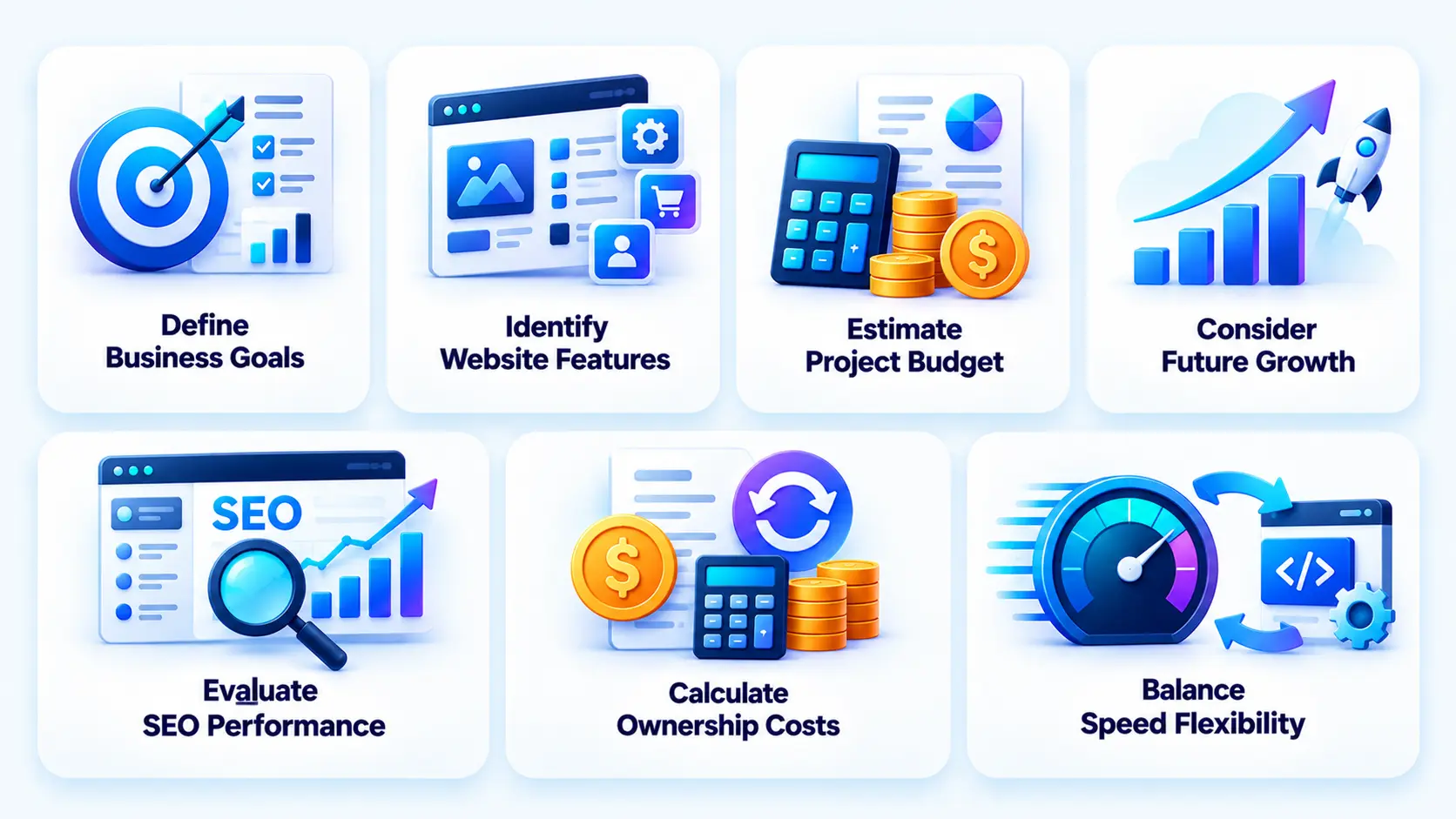
Choosing between a template and a custom website becomes easier when you evaluate the decision systematically. Instead of focusing only on the initial price or visual appearance, consider what the website needs to accomplish today, how it may evolve in the future, and how much control your business needs over the digital experience. A structured evaluation can help you avoid investing in a solution that becomes restrictive as your business grows.
Step 1: Define Your Business Goals
Start by identifying what the website needs to accomplish. A website focused primarily on brand awareness will have different requirements from one responsible for ecommerce transactions, lead generation, customer onboarding, online bookings, customer support, or digital service delivery.
For example, a small consulting company may only need service pages, company information, testimonials, contact forms, and lead-generation capabilities. A growing ecommerce business may require product catalogues, payments, customer accounts, order tracking, personalised recommendations, and inventory integrations.
Your business objective should therefore influence the technical approach. If the website is mainly an online presence, a template may provide sufficient functionality. If it is expected to become a core part of your sales, operations, or customer experience, a custom approach may provide greater flexibility.
Step 2: Identify Required Website Features
Separate your requirements into immediate and future needs. Start by documenting the functionality your website needs at launch. This could include contact forms, blogs, product pages, appointment scheduling, payment processing, customer accounts, search, filtering, or third-party integrations.
Then consider what functionality may be required as the business grows. A company may only need a contact form and service pages today but may require customer accounts, advanced search, ecommerce functionality, dashboards, personalised content, or API integrations later.
This is particularly important when the website is expected to function more like a digital product than a traditional informational site. Requirements such as user registration, authentication, dashboards, payment processing, real-time interactions, notifications, integrations, and personalised experiences are among the web application features that may require greater technical flexibility. Mapping current and future requirements helps determine whether a template can support the expected roadmap or whether a custom architecture would provide a stronger foundation.
Step 3: Estimate Your Budget
Determine what you can realistically invest in both development and ongoing maintenance. Do not compare a template subscription directly with a custom development quote without understanding what each option includes. A template may have a lower initial cost but could involve recurring expenses for premium themes, plugins, applications, hosting, security, and maintenance.
A custom website generally requires a larger upfront investment because it may involve discovery, UX/UI design, custom development, integrations, testing, and deployment. However, the cost should be evaluated against the functionality and business value the website is expected to deliver. It is also important to reserve part of the budget for post-launch improvements. Websites often require content updates, security maintenance, performance optimisation, feature enhancements, and technical support after launch.
Step 4: Consider Your Growth Plans
Think about your expected traffic, content volume, customer base, product range, geographic expansion, and functionality requirements. A solution that works efficiently for a small website may not remain suitable when traffic increases or the business introduces new products, services, markets, or customer journeys.
For example, a business may begin with a simple template-based website and later add ecommerce functionality, customer portals, booking systems, or integrations with internal business software. If the original platform cannot support these requirements efficiently, the business may eventually need significant customisation or migration.
Consider not only where the business is today but where you expect it to be over the next two to five years. If substantial growth is expected, choosing an architecture that can accommodate that growth from the beginning may reduce future limitations.
Step 5: Evaluate SEO and Performance Requirements
If organic search is a major acquisition channel, evaluate the technical flexibility available for SEO before choosing a website approach. Site architecture, URL structures, metadata, schema, mobile performance, page speed, content scalability, redirects, canonicalisation, and internal linking should all be considered before making the final decision.
Template platforms can provide many standard SEO capabilities, but some businesses may eventually need more control over technical implementation, site structure, page templates, performance optimisation, or large-scale content management.
Performance should also be evaluated beyond initial page speed. The website needs to remain responsive as content, traffic, integrations, and functionality increase. A business that depends heavily on organic traffic and conversion should therefore assess whether its chosen approach provides enough control to support its long-term SEO and performance strategy.
Step 6: Calculate Total Cost of Ownership
Consider the full lifecycle rather than only the initial project cost. The total investment may include development, hosting, subscriptions, plugins, security, maintenance, redesign, performance optimisation, content management, technical support, and future development.
For a template website, recurring costs can come from premium themes, plugins, applications, hosting upgrades, and third-party services. For a custom website, costs may include ongoing maintenance, infrastructure, security updates, technical support, and new feature development.
It is also worth considering the cost of changing platforms later. If a business outgrows its template and requires migration, it may need to invest in redesign, content migration, URL mapping, data migration, integrations, testing, and SEO preservation. Calculating the total cost of ownership provides a more realistic basis for comparing the two approaches and helps businesses avoid choosing an option based solely on its lowest initial price.
Step 7: Decide Between Speed and Flexibility
Finally, determine what your business needs most right now. If speed and affordability are critical, a template may be the logical choice. Businesses with straightforward requirements can launch quickly without investing heavily in custom design and functionality.
If flexibility, differentiation, scalability, and custom functionality are more important, custom development may offer greater long-term value. This approach allows the website to be structured around specific business requirements instead of forcing those requirements into a predefined template.
The decision does not have to be permanent either. A startup may begin with a template while validating its business model and later move towards a custom solution as its traffic, customer base, and functionality requirements increase.
The most suitable approach is ultimately the one that balances business goals, functionality, budget, scalability, performance, and long-term value. Rather than choosing the most technically advanced option, businesses should choose the approach that gives them the capabilities they need without creating unnecessary complexity or expense.

Final Thoughts
Choosing between a custom website and a template ultimately depends on what your business needs from its website, rather than following a one-size-fits-all rule. Template websites are highly practical for businesses that need a straightforward online presence, want to launch quickly, or have limited budgets. They can provide attractive designs and useful functionality without requiring extensive development work.
Custom websites are more appropriate when a business needs greater control over design, functionality, user experience, integrations, performance, SEO architecture, or scalability. The decision should therefore be based on business value rather than simply choosing the most advanced technical option. If you are launching a small informational website, a template may provide everything you need.
If your website is a major customer acquisition channel, supports complex business processes, differentiates your brand, or forms part of a broader digital product, a custom approach may be a stronger investment. For businesses that need complex web applications, APIs, backend systems, databases, or integrated digital platforms, full-stack web development services from RipenApps can provide the broader technical foundation required to build and scale the solution.
FAQs
1. Is a custom website better than a template website?
A custom website is better when a business requires unique functionality, strong differentiation, advanced integrations, greater technical control, or long-term scalability. A template can be a better option when the website has straightforward requirements and affordability and speed are the main priorities.
2. Is it cheaper to build a website using a template?
A template website usually costs less initially because the design and structure already exist. However, premium themes, plugins, applications, customisation, maintenance, and future migration can increase the total cost over time.
3. How much does a custom website cost?
The cost depends on the website’s complexity, design requirements, functionality, integrations, technology stack, backend requirements, testing, and maintenance. A simple custom marketing website will require significantly less investment than a complex web application.
4. How long does it take to build a custom website?
The timeline depends on project scope. A relatively simple custom website may take several weeks, while a website with complex functionality, integrations, custom backend systems, or extensive UX requirements can take several months.
5. Are template websites good for SEO?
Yes. Template websites can perform well in search when they have high-quality content, strong technical SEO, mobile responsiveness, good page speed, appropriate site architecture, internal linking, and properly implemented metadata and structured data.
6. Can a template website be customised?
Yes. Most modern website platforms allow businesses to customise colours, fonts, images, content, layouts, navigation, and functionality. However, the level of customisation varies between platforms and templates.
7. Can I migrate from a template website to a custom website?
Yes. A business can migrate from a template website to a custom solution. The process may involve content migration, URL mapping, redirects, SEO preservation, redesign, backend redevelopment, integration changes, testing, and deployment.
8. Which is better for a growing business, a template or custom website?
Either option can work depending on the business’s growth plans. A template can support a growing company with relatively standard requirements, while a custom website may be more appropriate when growth involves complex functionality, higher traffic, advanced integrations, or significant changes to the customer experience.
Discuss your project and request for proposal
SHARE
WRITTEN BY

Ishan Gupta
CEO & Founder
Ishan Gupta is a seasoned entrepreneur and CEO with extensive 10+ years of experience in business and mobile app development landscape. He believes that the right digital product allows companies to focus on what they do best, while technology handles the rest. With deep exposure to global markets, he understands what makes an app succeed. His approach translates business needs into clear product strategies, ensuring that every feature contributes to measurable ROI.
View All Articles